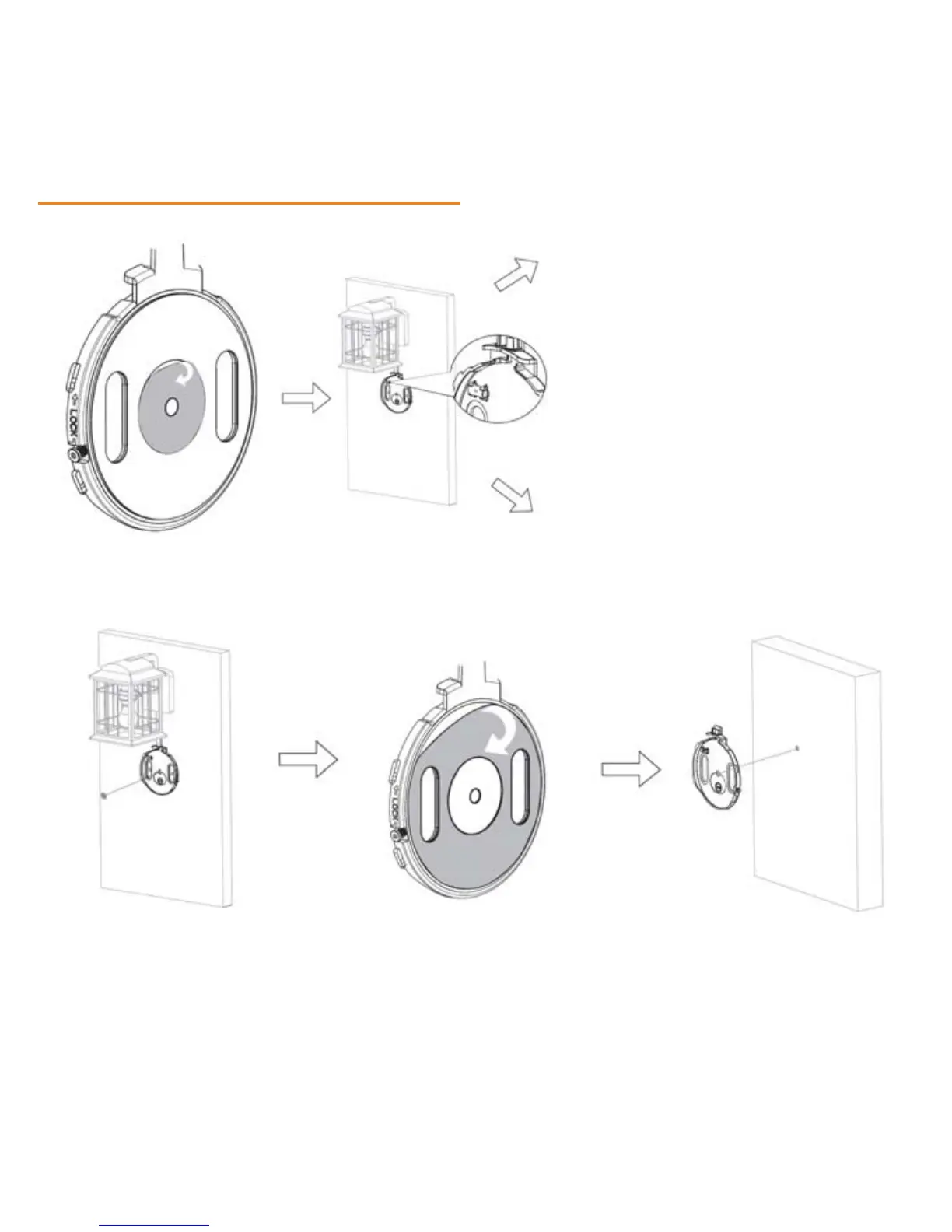
Step 2: Mounting the camera’s back plate
9
Re
move optional inner temporary
adhesive for camera positioning and use
leveler to align and balance back plate.
You can use a pencil or Position Sticker
(included) to mark placement before
adhering to your wall
Refer to Option 1 to mount camera to
wall with adhesive or Option 2 to mount
camera to wall with screws
OPT
ION 1: Mounting with adhesive
1 2 3
After using the leveler to adjust Remove outer adhesive from Align back plate with the
the balance of the plate, adhere back plate for a more stable Positioning Sticker on the
the Positioning Sticker to mark placement of the camera to wall to center the plate
the center of the plate the wall


 To Next Page