6. Setting Your Location
This feature makes the dawn/dusk setting on your light schedule more accurate.
We care about your privacy, and we don’t need your personal information for this feature to work at its
best. You can make your location as specific as your full address, or you can choose a city within about
a hundred miles.
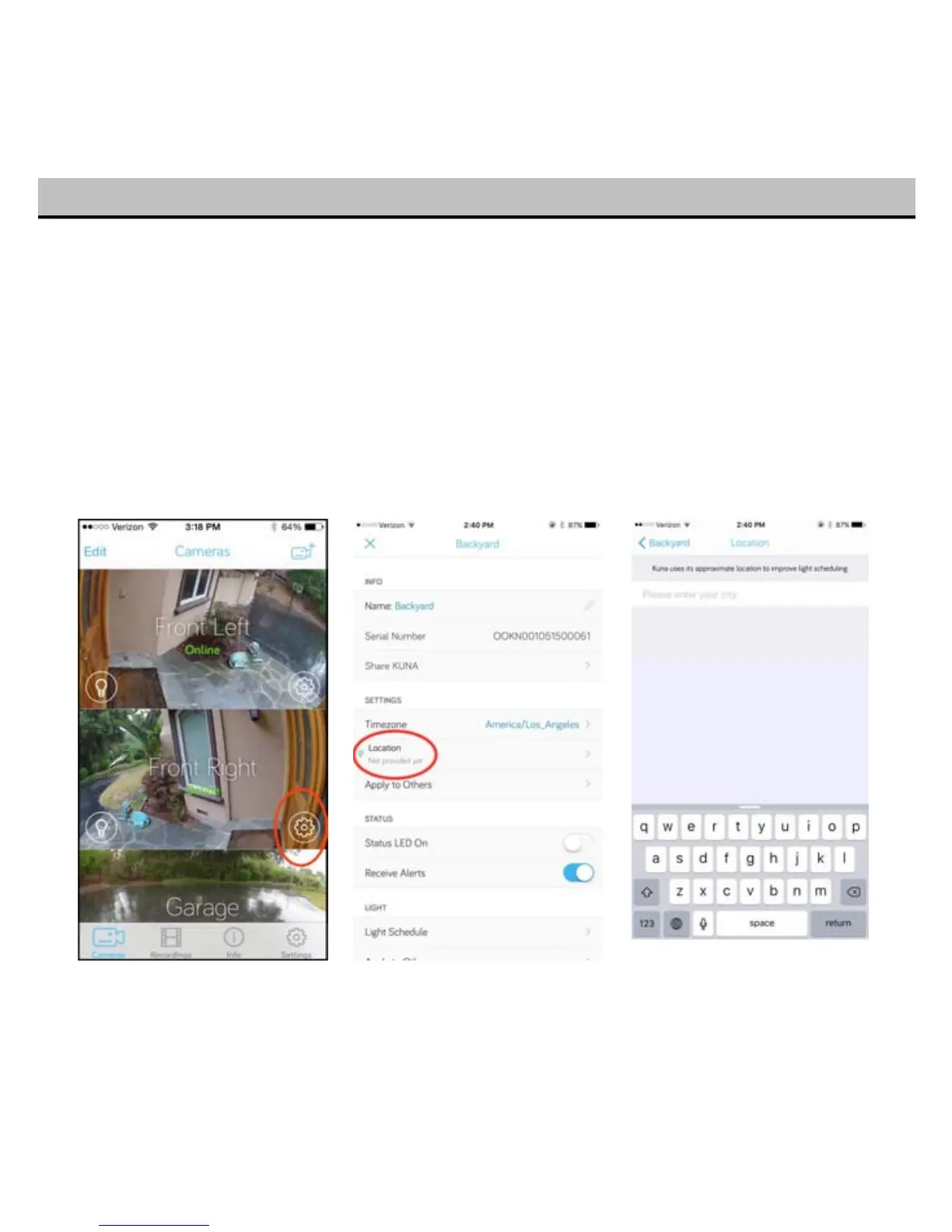
If you have already taken your Toucan through setup and are ready to set your location, head to the
Cameras tab of your mobile app, and hit the Settings icon “gear” next to your Toucan’s name.
Then, under “Location”, and your city.
17
That’s it – your Toucan will now pick up dusk and dawn times by your location!


 To Next Page