tousek / EN_ST-61A_08 / 25. 03. 2020 - 33 -
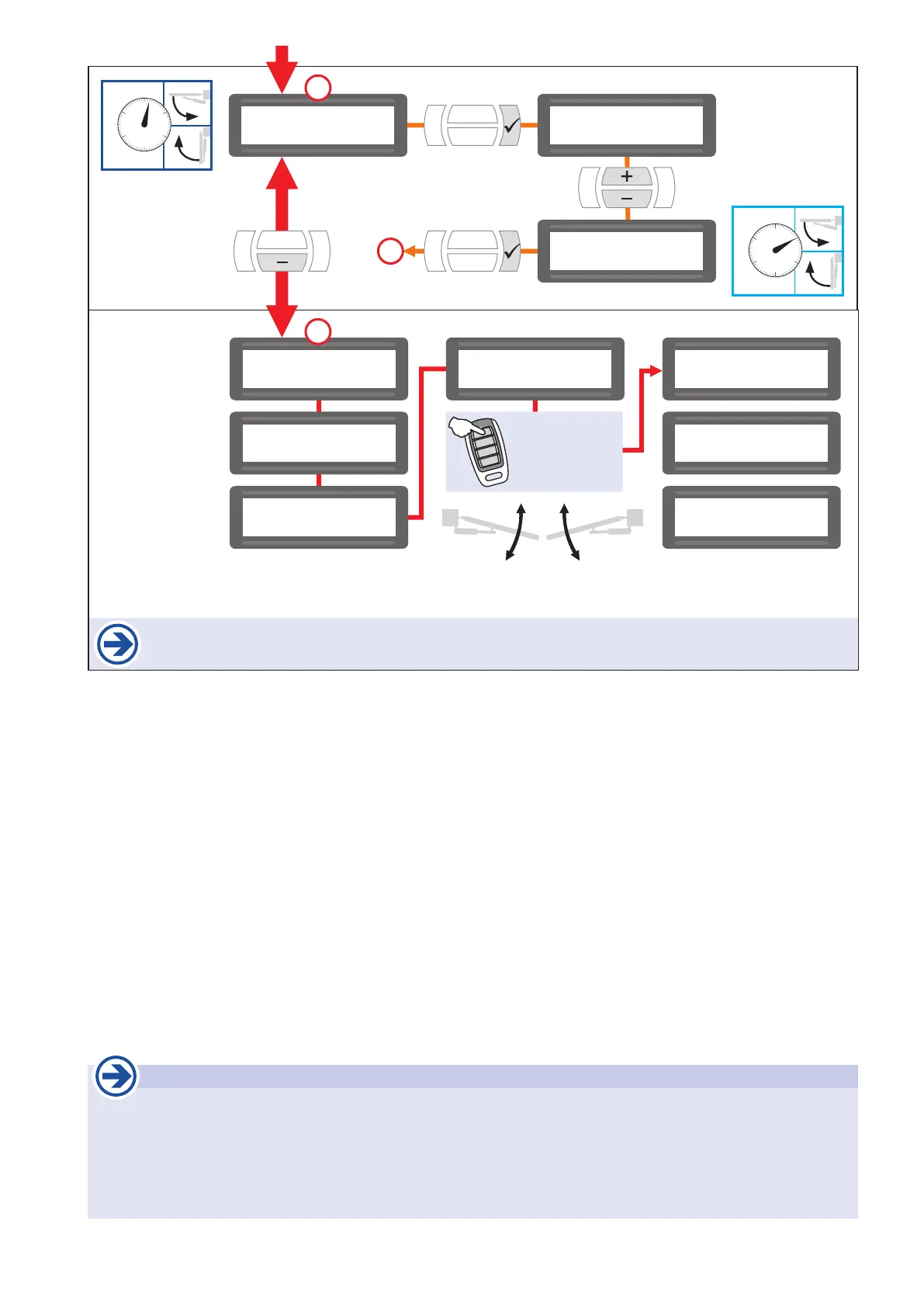
After giving the impulse to program the end positions, no other impulse must be given. Also the safety
devices mustn´t be triggered. This would lead to an interruption of the programming process.
$$$$$$$$$$$$$$$$
$$$$$$$$$$$$$$$$
system test
photocell
$$$$$$$$$$$$$$$$
$$$$$$$$$$$$$$$$
system test
mainsafety edge1
$$$$$$$$$$$$$$$$
$$$$$$$$$$$$$$$$
system test
mainsafety edge2
$$$$$$$$$$$$$$$$
$$$$$$$$$$$$$$$$
End positions
being detected
$$$$$$$$$$$$$$$$
$$$$$$$$$$$$$$$$
Open position
being detected
$$$$$$$$$$$$$$$$
$$$$$$$$$$$$$$$$
Close position
being detected
$$$$$$$$$$$$$$$$
$$$$$$$$$$$$$$$$
Ready
left motor right motor
INSIDE
$$$$$$$$$$$$$$$$
$$$$$$$$$$$$$$$$
delay time right $$$$$$$$$$$$$$$$
$$$$$$$$$$$$$$$$
delay time right
2s
$$$$$$$$$$$$$$$$
$$$$$$$$$$$$$$$$
delay time right
10s
change ? YES
adopt
14
time:
0–25s
e.g.10s
2s
13
13
Important
• The gate installation (1 or with 2 leaves) has to reect in the settings of the main menu !
• Factory setting: Operation of swing gate with 2 gate leaves, the left and right operator are turned on in main
menu: „ Motor ON“.
• IMPORTANT: With 1 leaf gate installation, only the operator of the actually existing gate leaf must be activated
in the main menu, the other one has to be disabled (deactivated) !
(In Main Menu: Left(Right) leaf / Motor / „Motor OFF“)
Impulse via
impulse button
or transmitter.


 To Next Page