19
Chapter 4
802.11n/ac mixed or 802.11ac only for 5GHz. It is recommended to keep the
default settings.
• Channel Width - Select a channel width for the wireless network, 40MHz or 20MHz
for 2.4GHz and 80MHz, 40MHz or 20MHz for 5GHz.
• Channel - Select an operating channel for the wireless network. The default channel
is Auto, which finds the best channel available automatically. It is recommended
to leave the channel to Auto if you are not experiencing the intermittent wireless
connection issue.
¾ Repeater/Bridge Mode
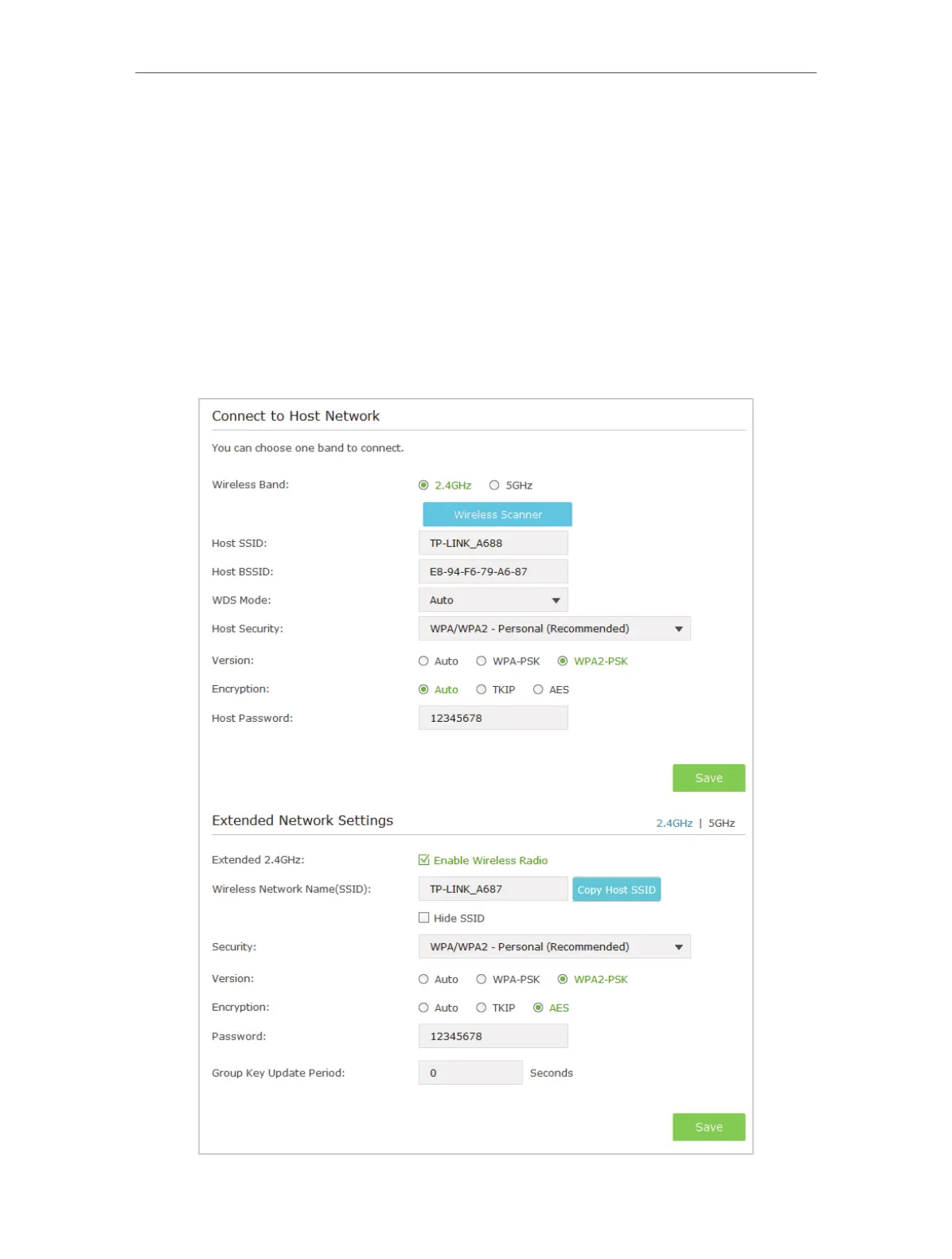
If Repeater/Bridge mode is selected, please take the following steps:







 To Next Page