83
Chapter 13
VPN Server&Client
4. Traffic sent from the WireGard VPN client to the allowed IPs (client) will be transmitted
through the tunnel. By default, all network traffic from clients will be transmitted
through the tunnel. Do NOT change it unless necessary.
5. Traffic sent from the WireGard VPN server to the allowed IPs (server) will be transmitted
through the tunnel. Do NOT change it unless necessary.
6. Enable or disable Pre-shared Key.
7. Click SAVE.
Note: One account can only be used by one WireGuard VPN client at the same time to connect to the WireGuard VPN
server.
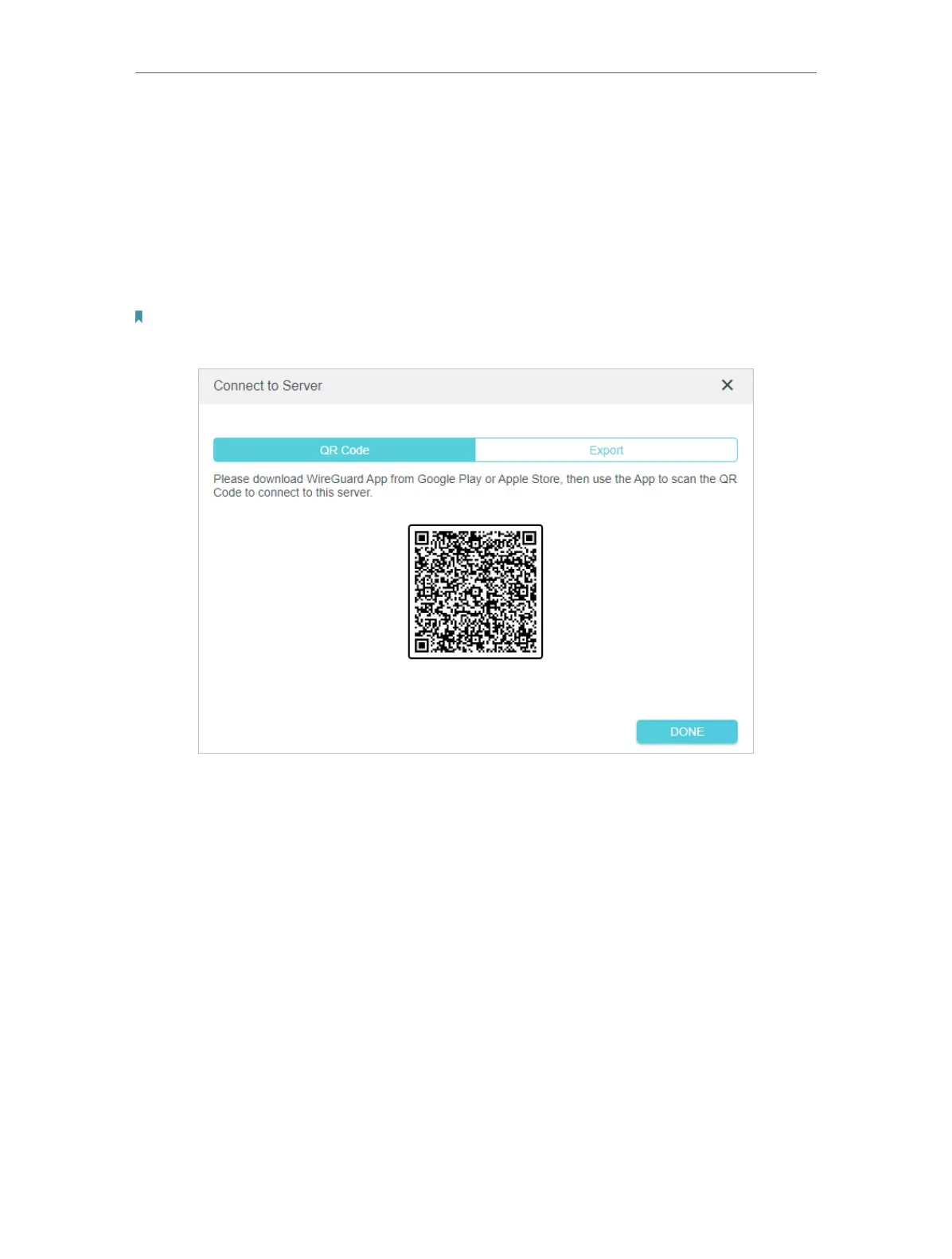
8. 8. Connect to the WireGuard server.
• For mobile phones, download WireGuard App from Google Play or Apple Store, then
use the App to scan the QR Code to connect to this server.
• For other devices (e.g. TP-Link WireGuard VPN client), Click EXPORT to save the
WireGuard VPN configuration file which will be used by the remote device to access
your router.





 To Next Page