84
Chapter 13
VPN Server&Client
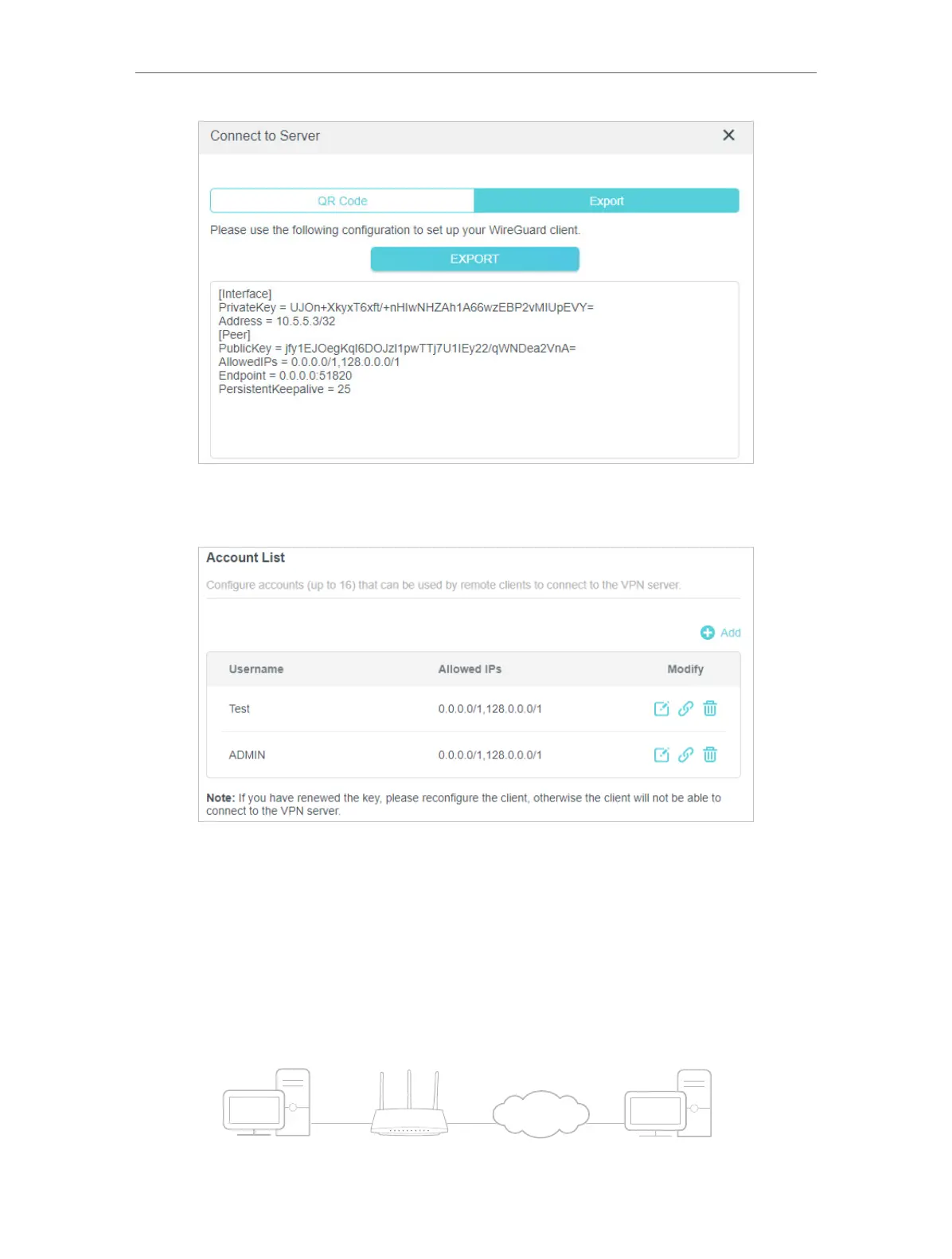
9. On the account list, you can click the button to modify the VPN server settings
connect to the server, or delete the account.
13. 5. Use VPN Client to Access a Remote VPN Server
VPN Client is used to create VPN connections for devices in your home network to
access a remote VPN server.
To use the VPN feature, simply configure a VPN connection and choose your desired
devices on your router, then these devices can access the remote VPN server. Please
follow the steps below:
Home Devices Router (VPN Client) VPN Servers




 To Next Page