32
Chapter 6
USB Application
Note:
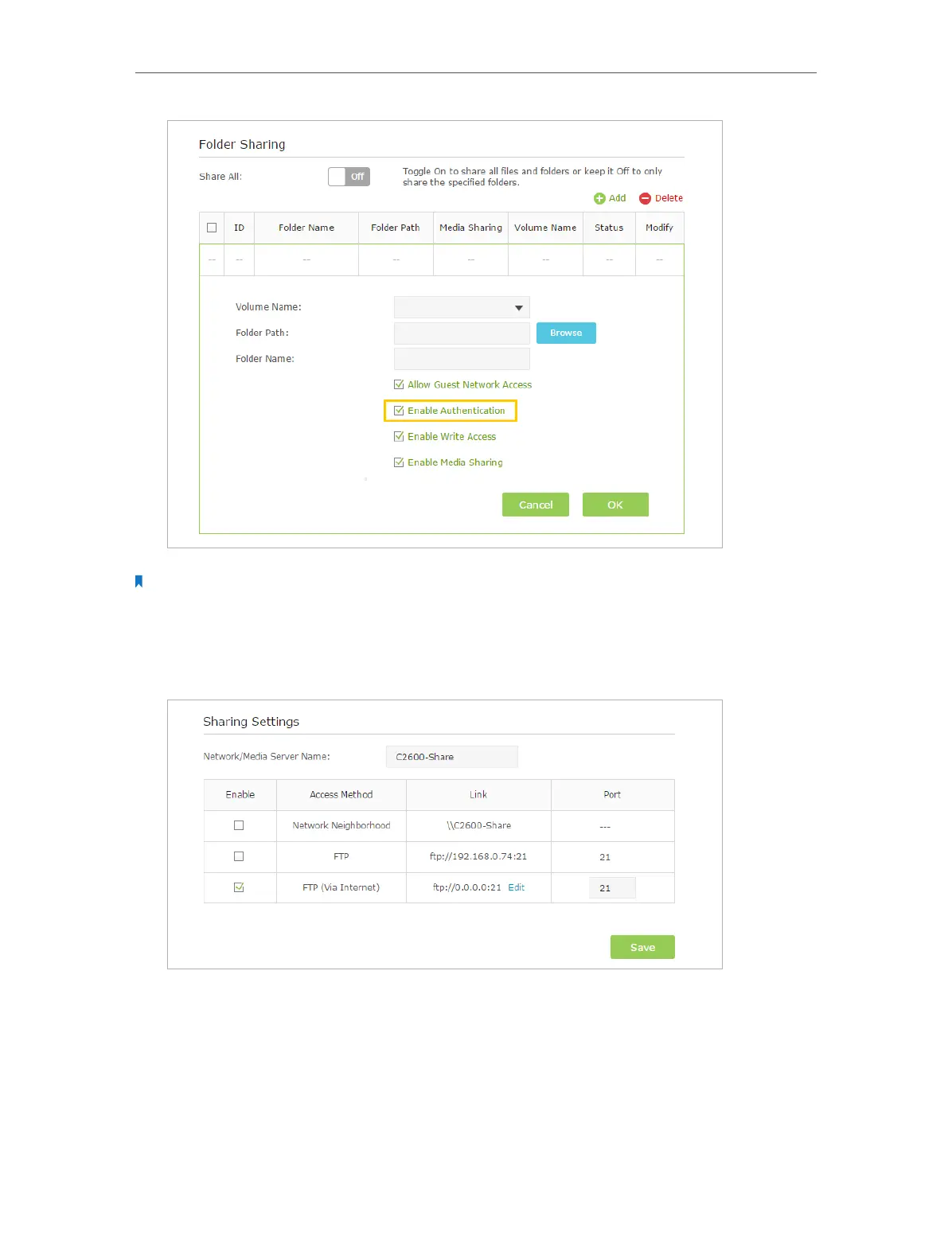
Due to Windows credential mechanism, you might be unable to access the USB disk after changing Authentication
settings. Please log out from Windows and try to access again.
3. Enable the FTP (via Internet)
Select the check box to enable FTP(via Internet), then click Save.
4. Access Your USB Disk via Internet
Now different clients with Internet connection can access the USB disk:














 To Next Page