3
Chapter 1
Get to Know About Your Router
1. 1. Product Overview
The TP-LINK router is designed to fully meet the need of Small Office/Home Office
(SOHO) networks and the users demanding higher networking performance. The
powerful antennas ensure continuous Wi-Fi signal to all your devices while boosting
widespread coverage throughout your home, and the built-in Ethernet ports supply
high-speed connection to your wired devices.
Moreover, it is simple and convenient to set up and use the TP-LINK router due to its
intuitive web interface and the powerful Tether app.
1. 2. Panel Layout
1. 2. 1. Top View
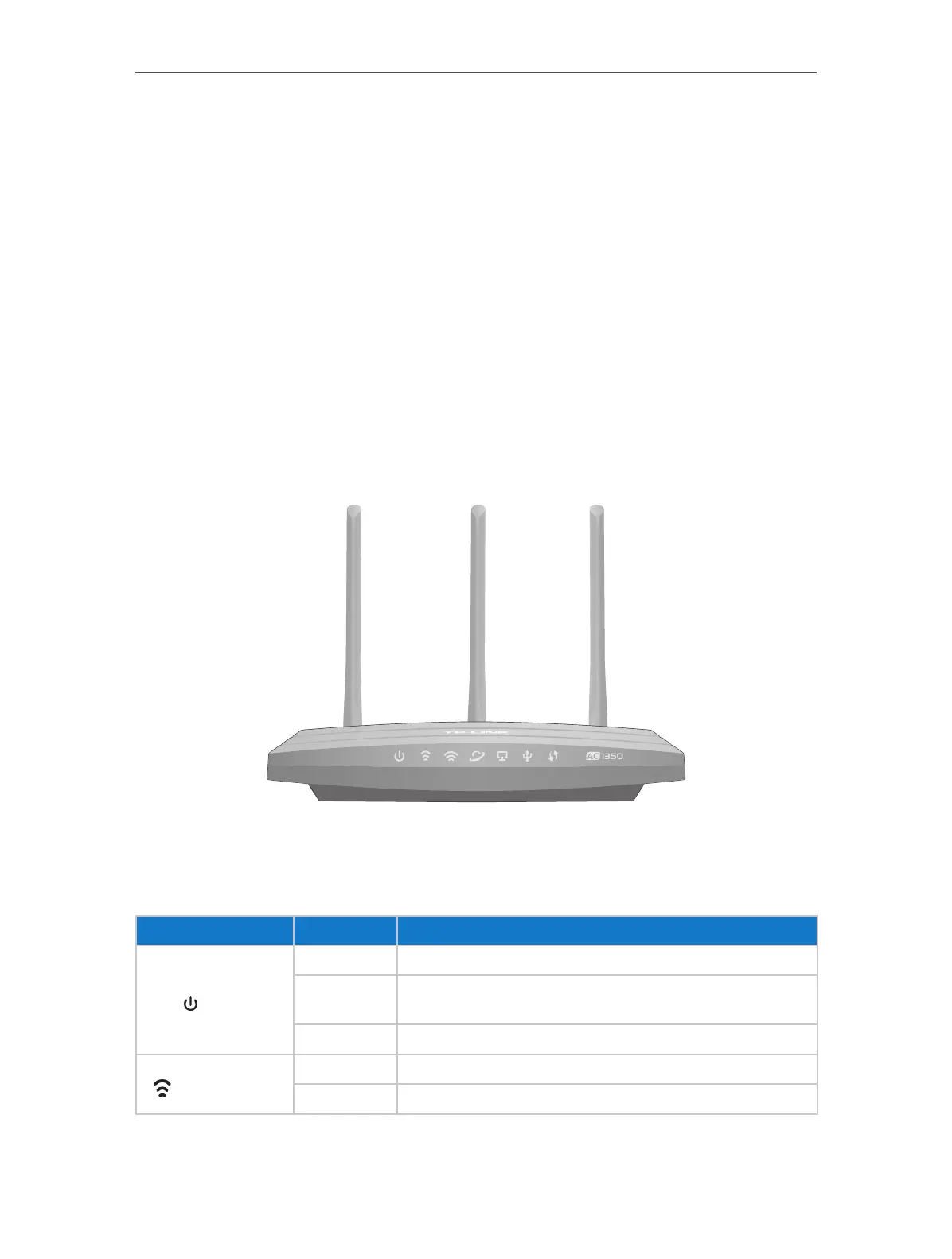
The router’s LEDs (view from left to right) are located on the front panel. You can check
the router’s working status by following the LED Explanation table.
LED Explanation
Name Status Indication
(Power)
On System initialization completes.
Flashing
System initialization or firmware upgrade is in process. Do not
disconnect or power off the router.
Off Power is off.
(2.4GHz Wireless)
On The 2.4GHz wireless band is working properly.
Off The 2.4 GHz wireless band is disabled.














 To Next Page