85
Chapter 13
Manage the Router
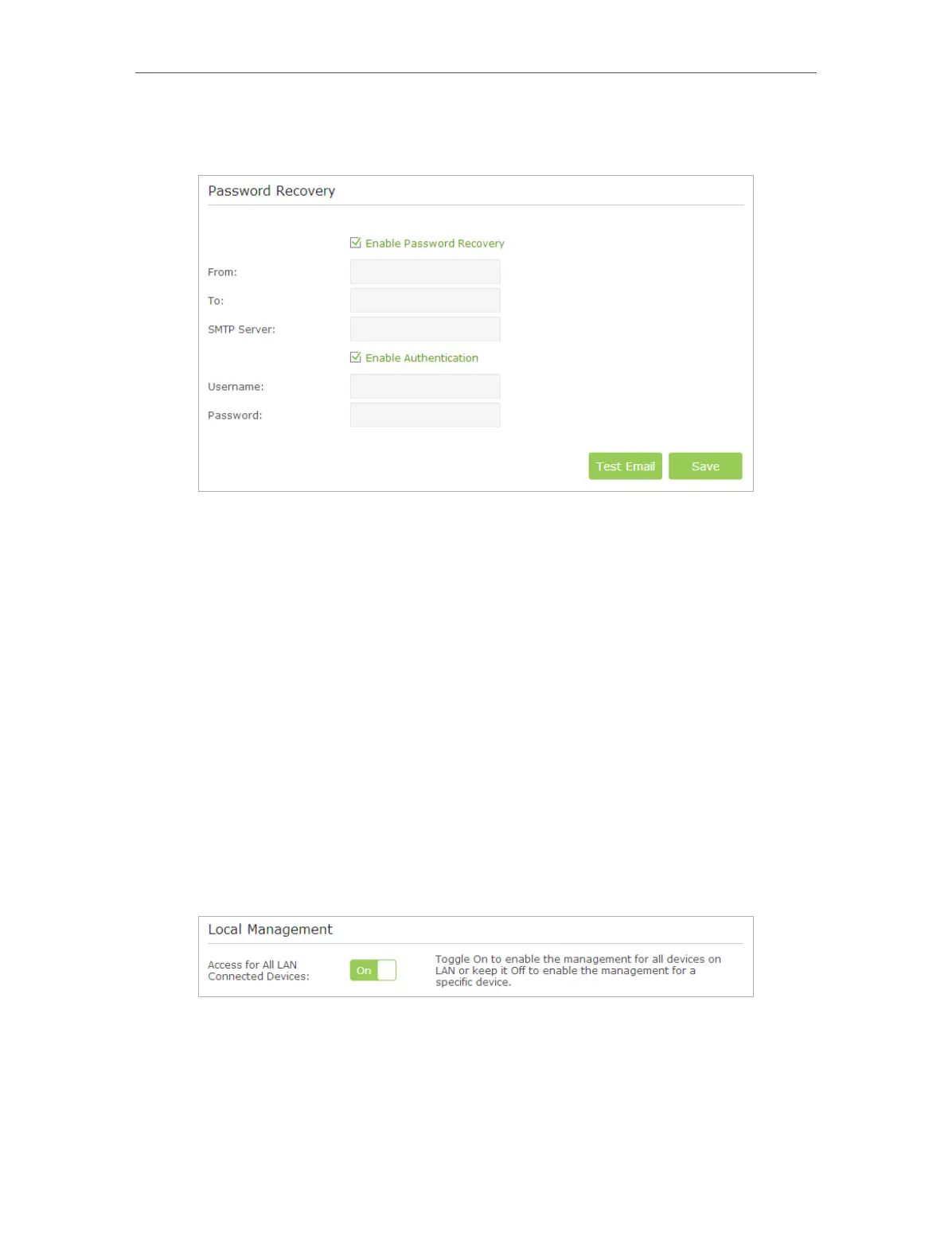
• Generally, Enable Authentication should be selected if the login of the mailbox requires username and
password.
5. Click Save.
You can click Test Email to test whether the configuration is successful. To recover the
default login username and password, please refer to FAQ.
13. 7. Local Management
This feature allows you to limit the number of client devices on your LAN from accessing
the router by using the MAC address-based authentication.
1. Visit http://tplinkwifi.net, and log in with the username and password you set for the
router.
2. Go to Advanced > System Tools > Administration and complete the settings In Local
Management section according to your needs.
• Allow all LAN connected devices to manage the router:
Toggle on Access for All LAN Connected Devices.
• Allow specific devices to manage the router:
1 ) Toggle off Access for All LAN Connected Devices.
2 ) Click Add.














 To Next Page