86
Chapter 13
Manage the Router
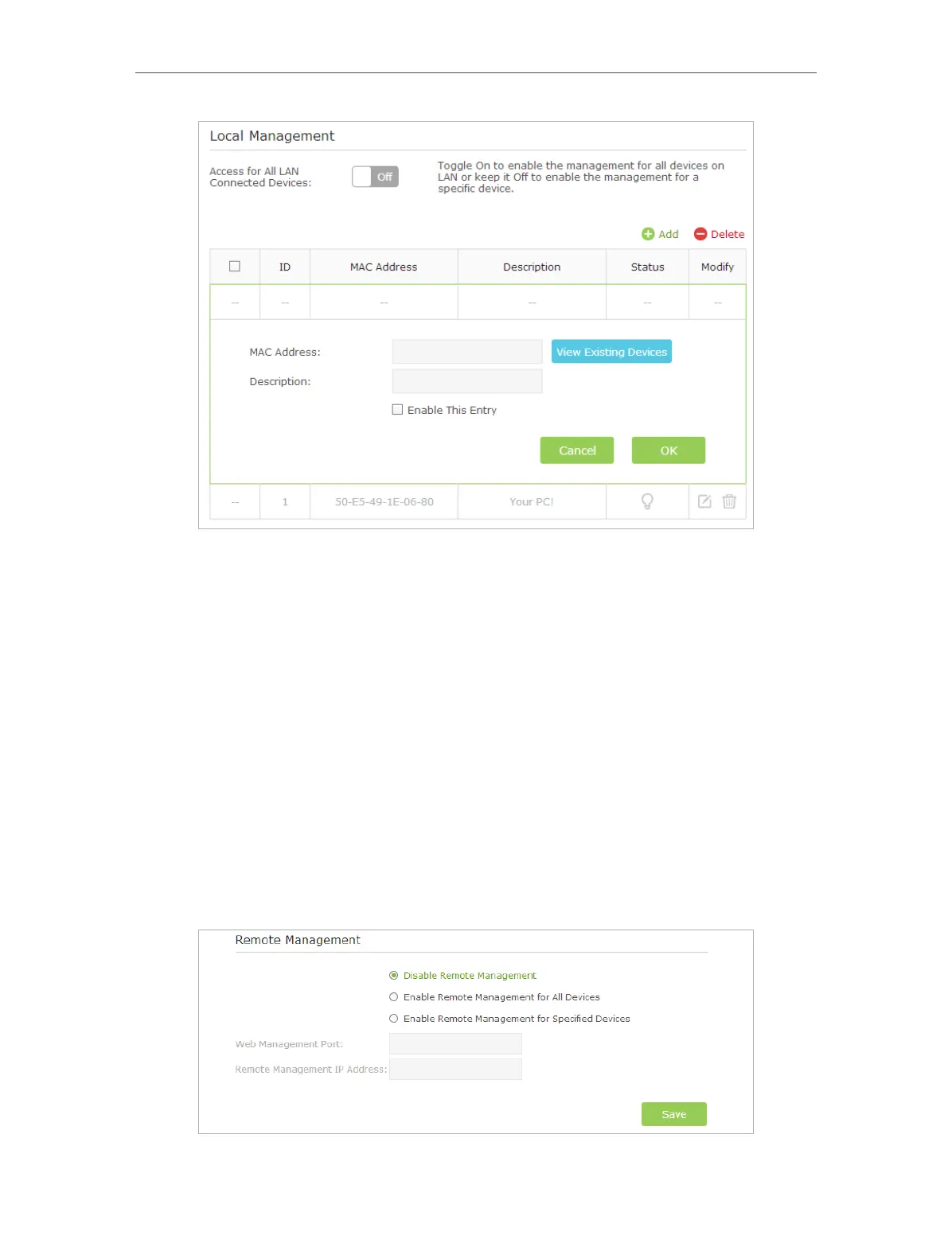
3 ) Click View Existing Devices and select the device to manage the router from
the Existing Devices list, or enter the MAC address of the device manually.
4 ) Specify a Description for this entry.
5 ) Tick the Enable This Entry checkbox.
6 ) Click OK.
13. 8. Remote Management
This feature allows you to control remote devices’ authority to manage the router.
1. Visit http://tplinkwifi.net, and log in with the username and password you set for the
router.
2. Go to Advanced > System Tools > Administration and complete the settings in
Remote Management section according to your needs.














 To Next Page