91
Chapter 13
Manage the Router
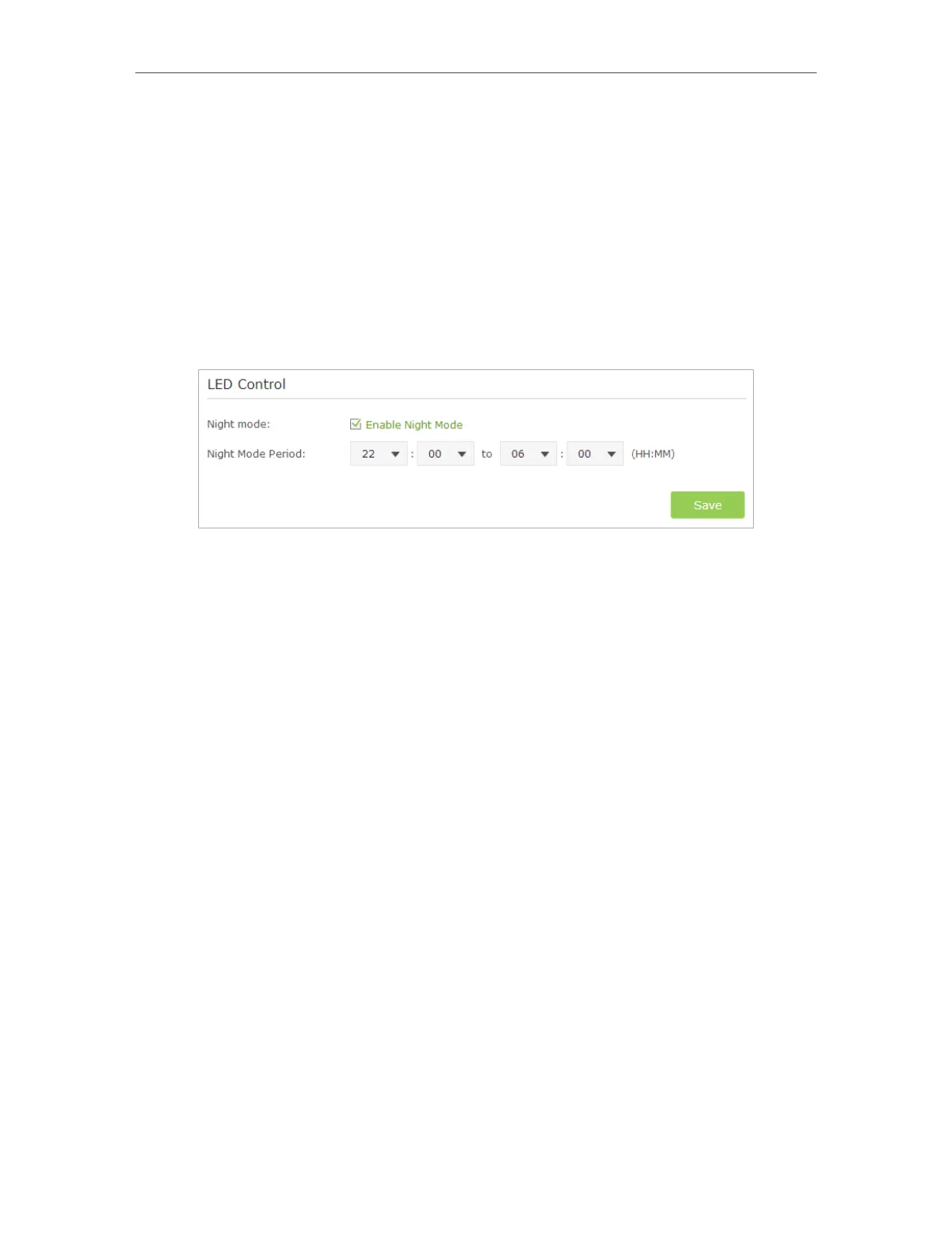
¾ To turn off LEDs during Night Mode Period:
1 ) Visit http://tplinkwifi.net, and log in with the username and password you set
for the router.
2 ) Go to Advanced > System Tools > System Parameters.
3 ) In the LED Control section, select the Enable Night Mode checkbox.
4 ) Specify a time period in the Night Mode Period according to your need, and the
LEDs will be off during this period.
5 ) Click Save to make the settings effective.














 To Next Page