19
Chapter 5
Network Security
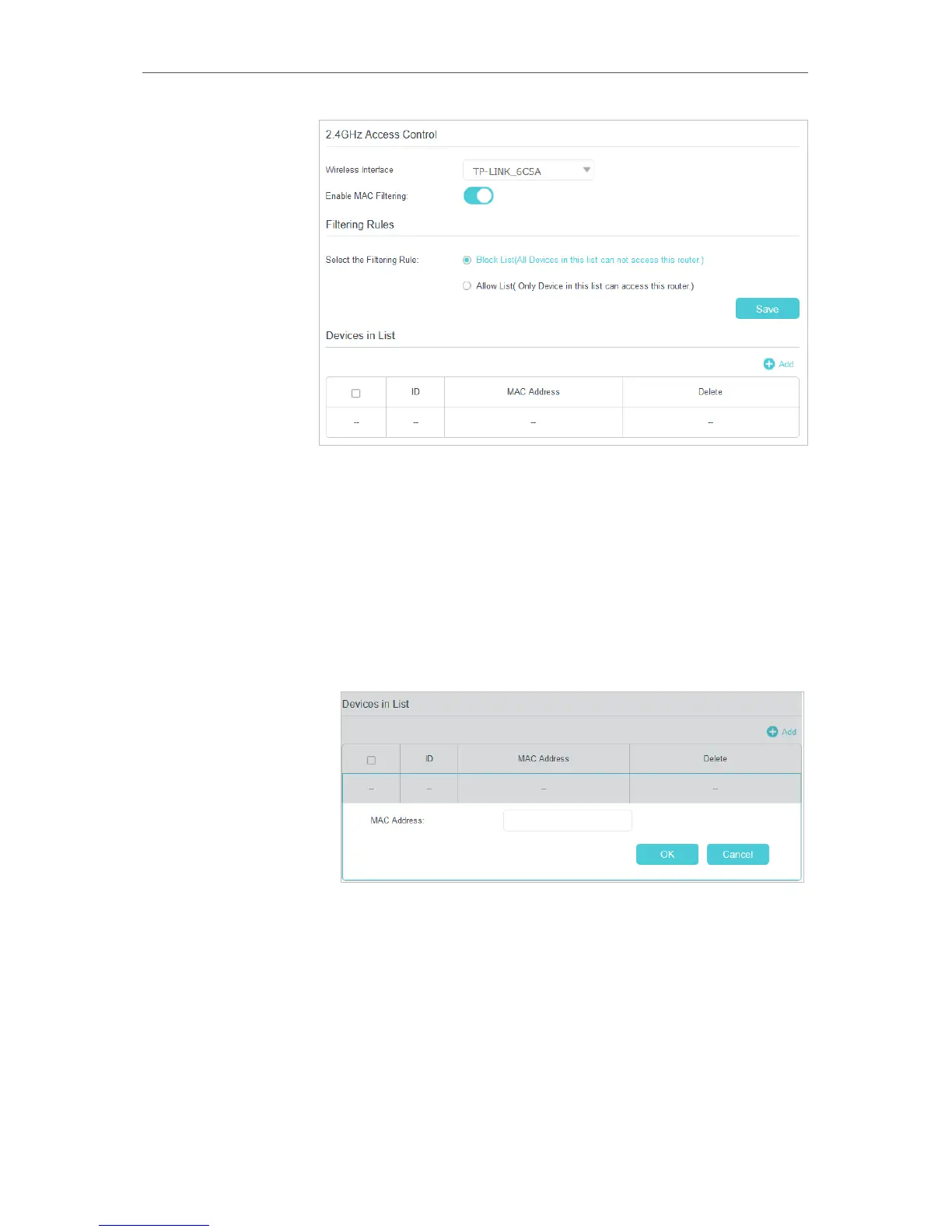
4. Select the filtering rule to either block (recommended) or
allow the device(s) in the list.
To block/allow specific device(s)
1 ) Select Block List (All devices in this list can not access
this router.) or Allow List (Only device in this list can
access this router.) and click Save.
2 ) Click Add.
3 ) Enter the MAC Address manually.
4 ) Click OK.
Now MAC Filtering is implemented to protect your wireless
network.
5. 1. 2. Deny Access By IP Address
If you want to deny clients’ access by IP address, follow the steps below to configure IP
Filtering:
Done!


 To Next Page