68
Chapter 11
Administrate Your Network
11. 1. View Basic Information
11. 1. 1. View System Information
1. Visit http://tplinkmodem.net, and log in with the username (admin) and password
(admin or the one customized by you).
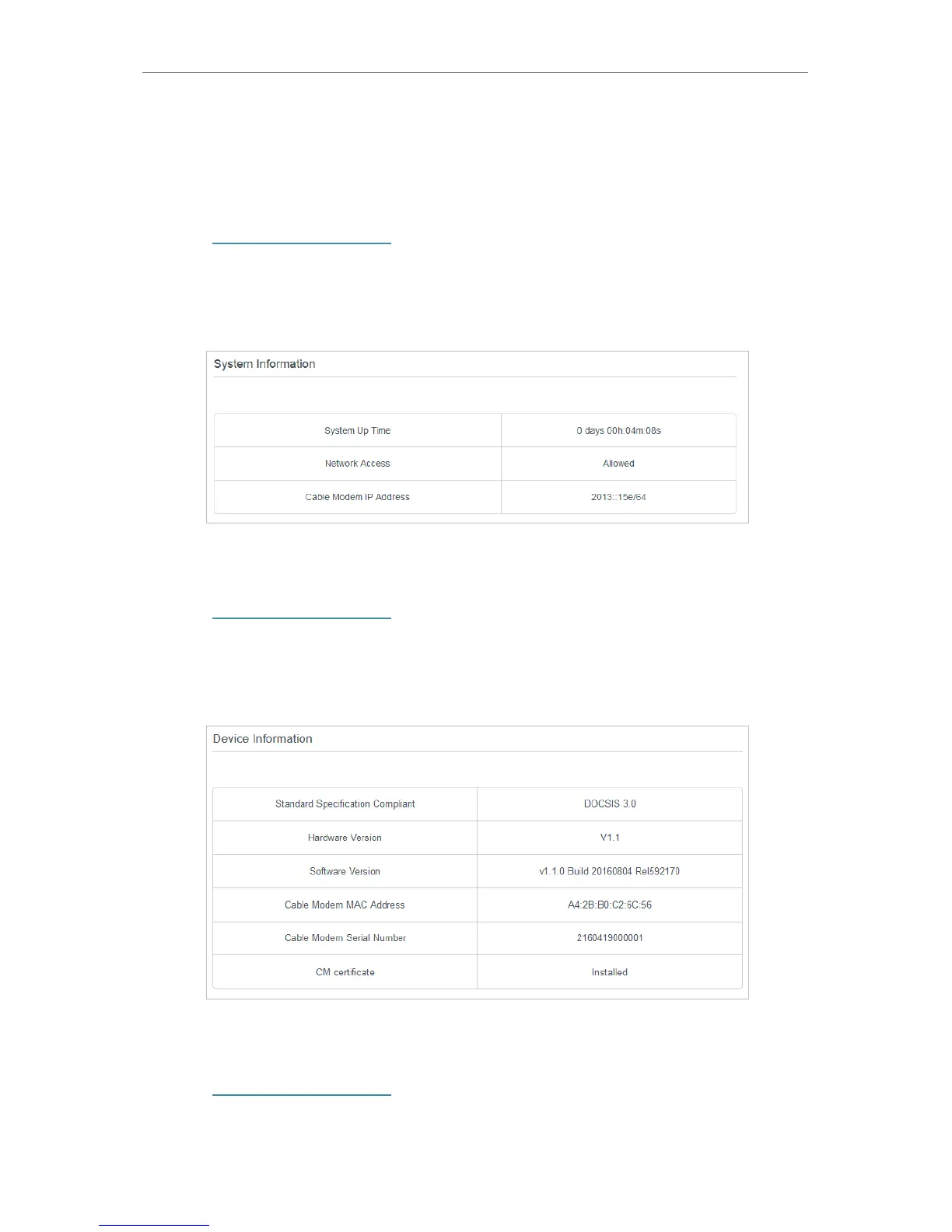
2. Go to Advanced > System Tools > System Information page, then you can view the
system information.
11. 1. 2. View Device Information
1. Visit http://tplinkmodem.net, and log in with the username (admin) and password
(admin or the one customized by you).
2. Go to Advanced > System Tools > Device Information page, then you can view the
device information.
11. 1. 3. View Connection Status
1. Visit http://tplinkmodem.net, and log in with the username (admin) and password
(admin or the one customized by you).


 To Next Page