32
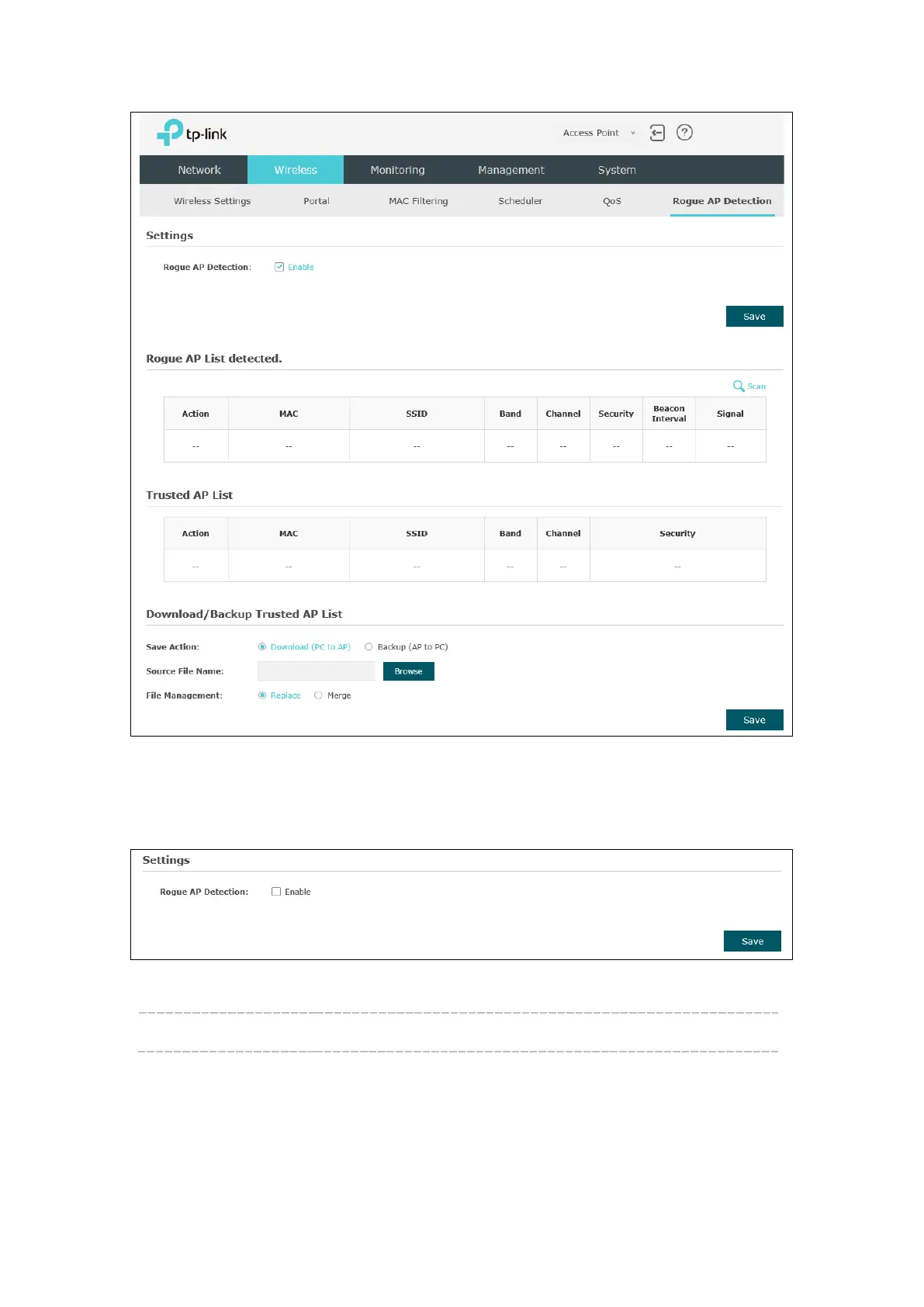
Figure 5-32 Rogue AP Detection Page
5.6.1 Settings
Figure 5-33 Enable Rogue AP Detection
Rogue AP Detection: Check the box to enable Rogue AP Detection, then click Save.
5.6.2 Rogue AP List detected
Information about the detected rogue APs is displayed in the list. By default, the status
of the detected rogue AP is unknown. You can click Known in Action column to move
the AP to the Trusted AP List.








 To Next Page