37
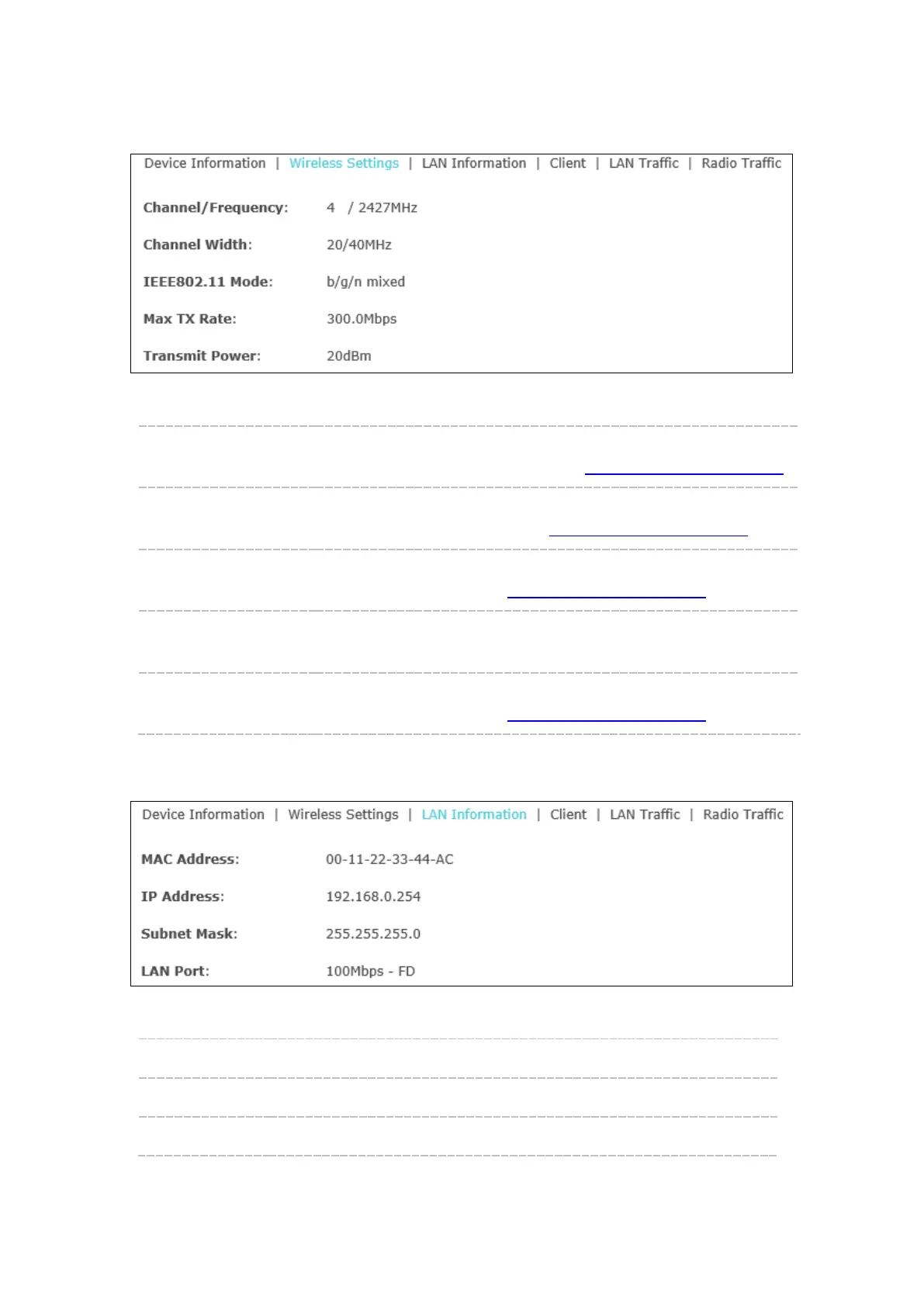
Wireless Settings
Figure 6-4 Wireless Settings
Channel/Frequency: Displays the channel number and the operating frequency. If you
want to change them, please refer to 5.1.1 Wireless Basic Settings
.
Channel Width: Displays the spectral width of the radio channel used by the device.
If you want to change it, refer to 5.1.1 Wireless Basic Settings
.
IEEE802.11 Mode: Displays the radio standard used for operation of your device. If you
want to change it, refer to 5.1.1 Wireless Basic Settings
.
Max TX Rate: Displays the maximum data rate at which the device should
transmit wireless packets.
Transmit Power: Displays the maximum average transmit power of the device. If you
want to change it, refer to 5.1.1 Wireless Basic Settings
.
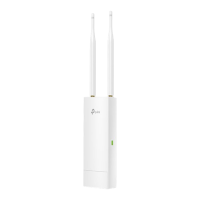
LAN Information
Figure 6-5 LAN Information
MAC Address: Displays the MAC address of the device.
IP Address: Displays the IP address of the device.
Subnet Mask: Displays the subnet mask of the device.








 To Next Page