56
Predefine
Country:
Select a predefined DST configuration. Europe is the predefined
country by default.
USA: Second Sunday in March, 02:00 ~ First Sunday in
November, 02:00
European: Last
Sunday in March, 01:00 ~ Last Sunday in
October, 01:00
Australia: First Sunday in October, 02:00 ~ First Sunday in April,
03:00
New Zealand: Last Sunday in September, 02:00 ~ First Sunday in
April, 03:00
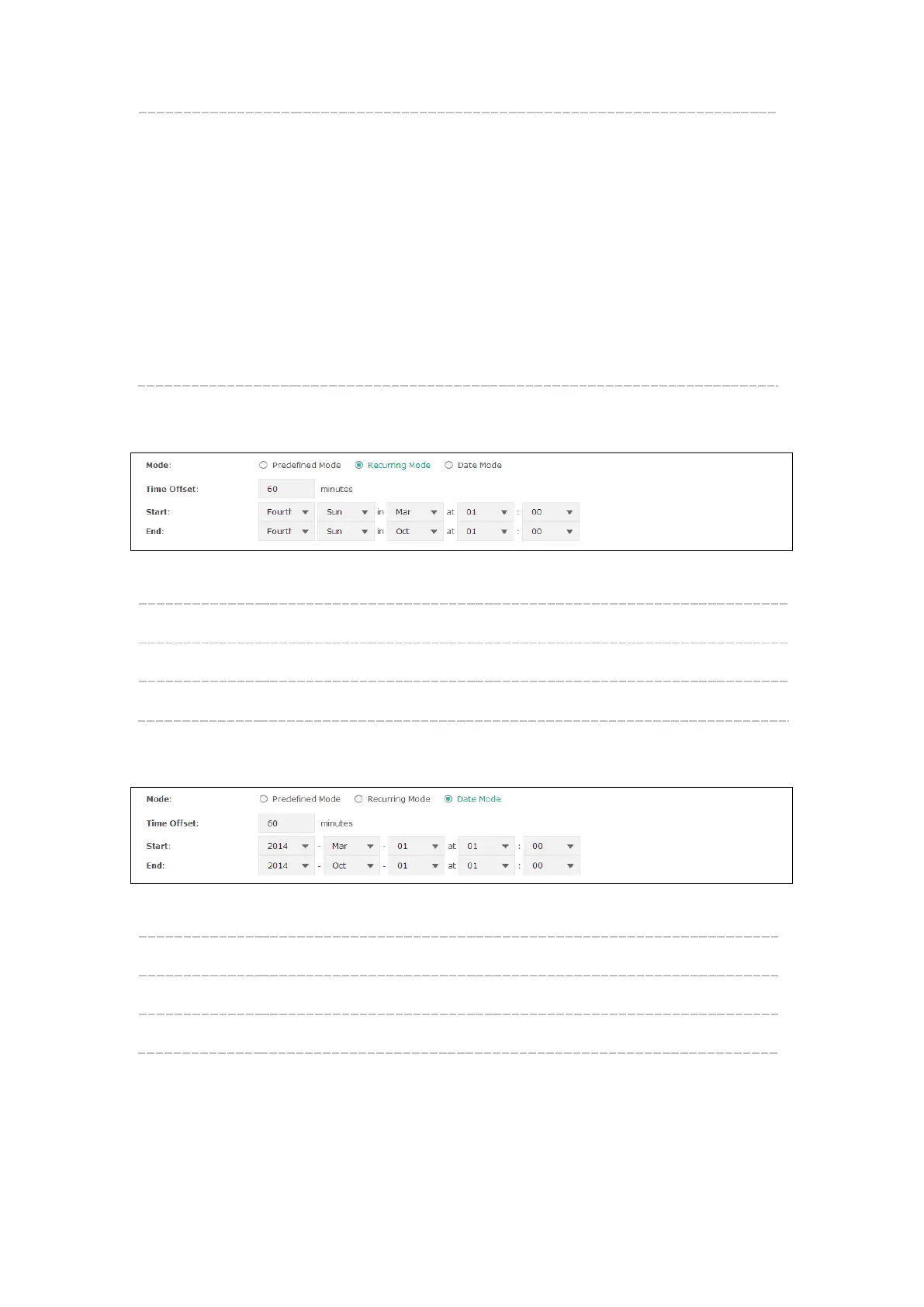
Recurring Mode
Figure 8-6 Recurring Mode
Mode: Select Recurring Mode. The configuration is recurring in use.
Time Offset: Specify the time adding in minutes when Daylight Saving Time comes.
Start/End: Select starting time and ending time of Daylight Saving Time.
Date Mode
Figure 8-7 Date Mode
Mode: Select Date Mode.
Time Offset: Specify the time adding in minutes when Daylight Saving Time comes.
Start/End: Select starting time and ending time of Daylight Saving Time.










 To Next Page