131
Chapter 17
Manage the Router
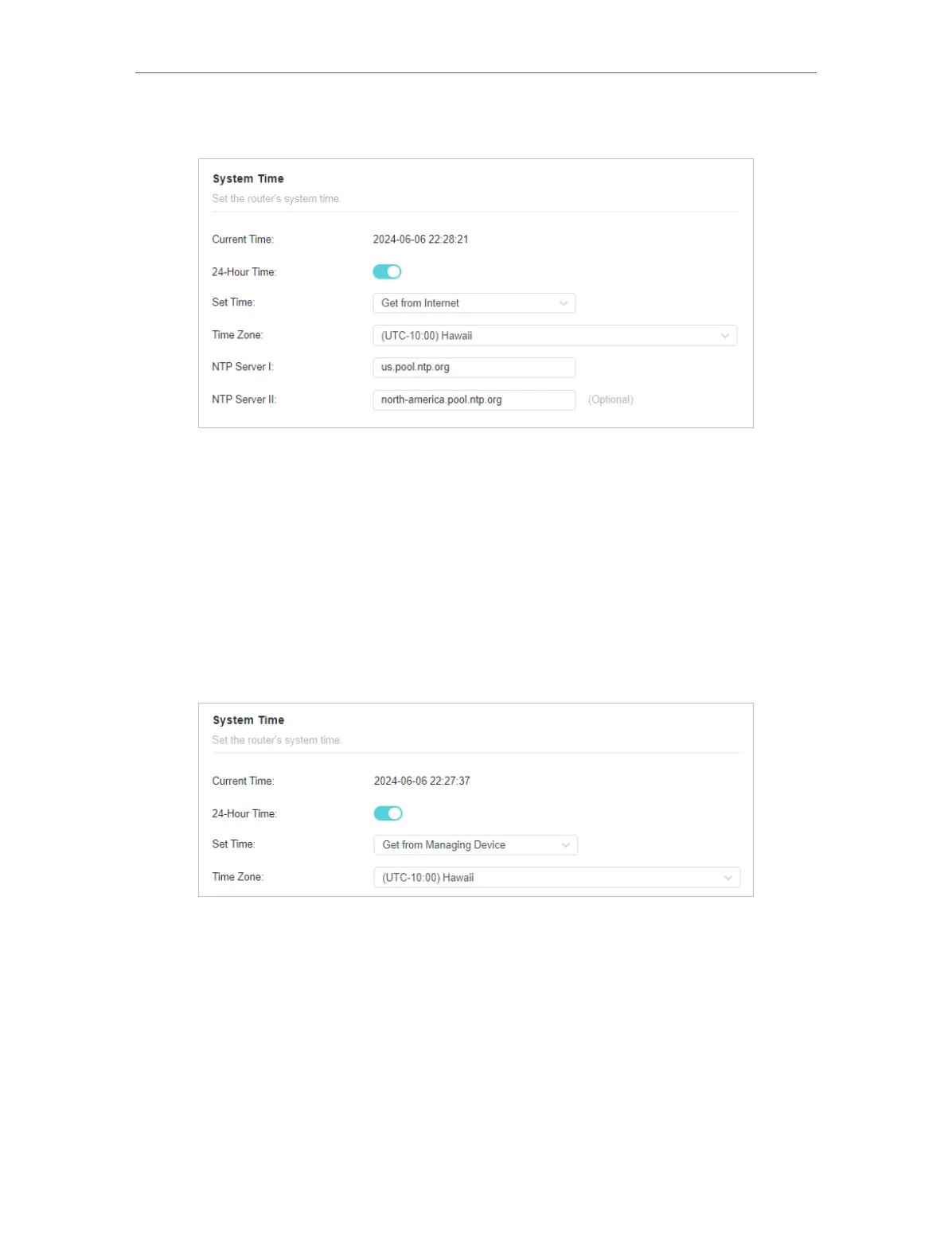
2. In the Set Time field, select Get from Internet.
3. Select your local Time Zone from the drop-down list.
4. In the NTP Server I field, enter the IP address or domain name of your desired NTP
Server.
5. (Optional) In the NTP Server II field, enter the IP address or domain name of the
second NTP Server.
6. Click SAVE .
• To get time from your computer:
1. In the Set Time field, select Get from Managing Device.
2. The time of your computer will then be displayed and click SAVE .
• To manually set the date and time:
1. In the Set Time field, select Manually.












 To Next Page