55
Chapter 10
USB Settings
10. 3. Time Machine
1. Visit http://tplinkwifi.net, and log in with your TP-Link ID or the password you set for
the router.
2. Go to Advanced > USB > Time Machine.
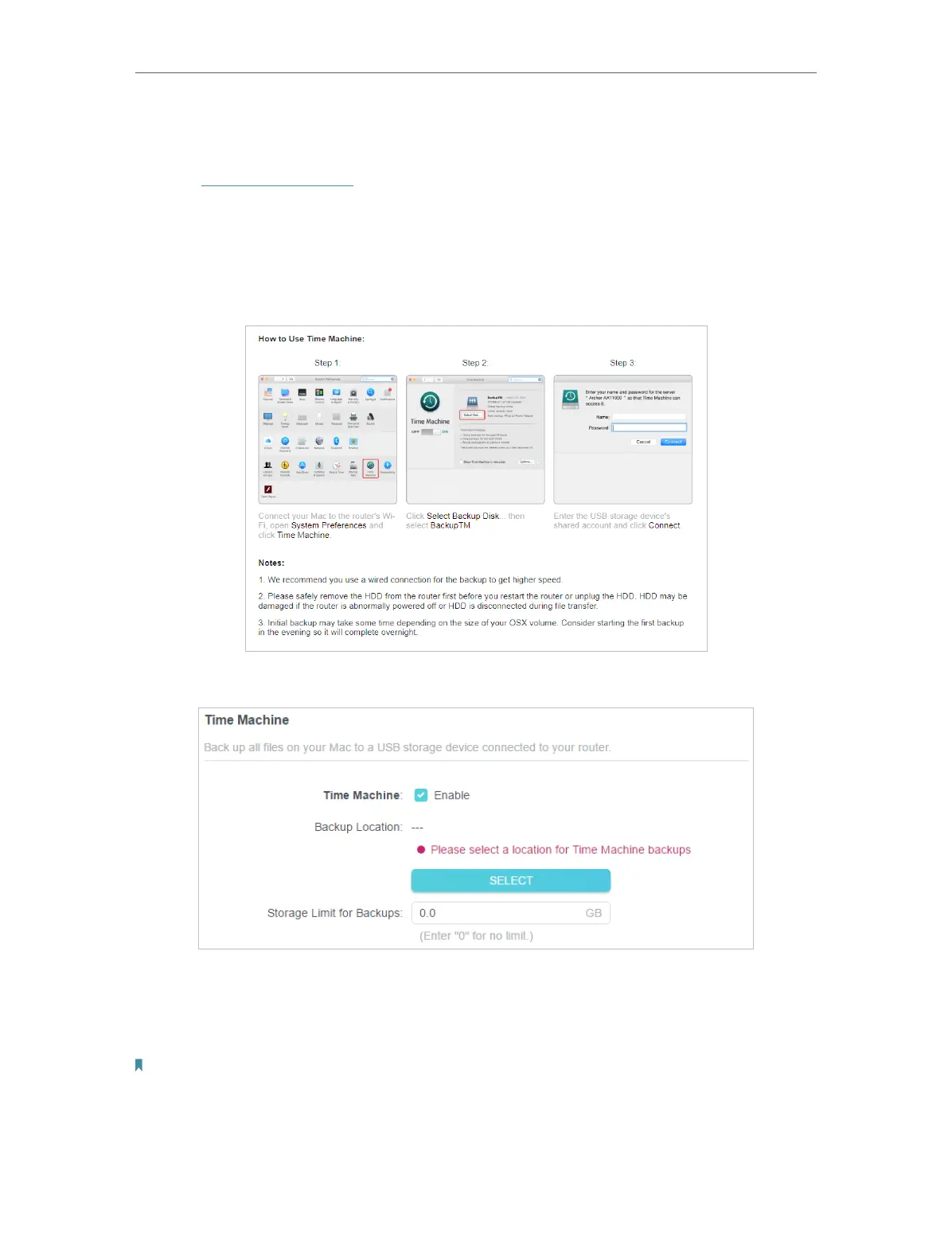
• You can follow the web instructions to back up all files on your Mac to a USB storage
device connected to your router.
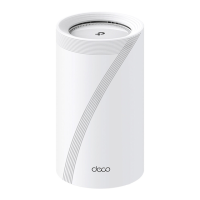
• Or follow the instructions below:
1. Tick the checkbox to enable Time Machine.
2. Click SELECT to select a location for Time Machine backups.
3. Set the Size Limit for Backups.
Note: 0 means no limit for the space.
4. Click SAVE .










 To Next Page