130
Chapter 17
Manage the Router
3 ) Modify the Ping Count number and the Ping Packet Size. It’s recommended to
keep the default value.
4 ) If you have chosen Traceroute, you can modify the Traceroute Max TTL. It’s
recommended to keep the default value.
4. Click START to begin the diagnostics.
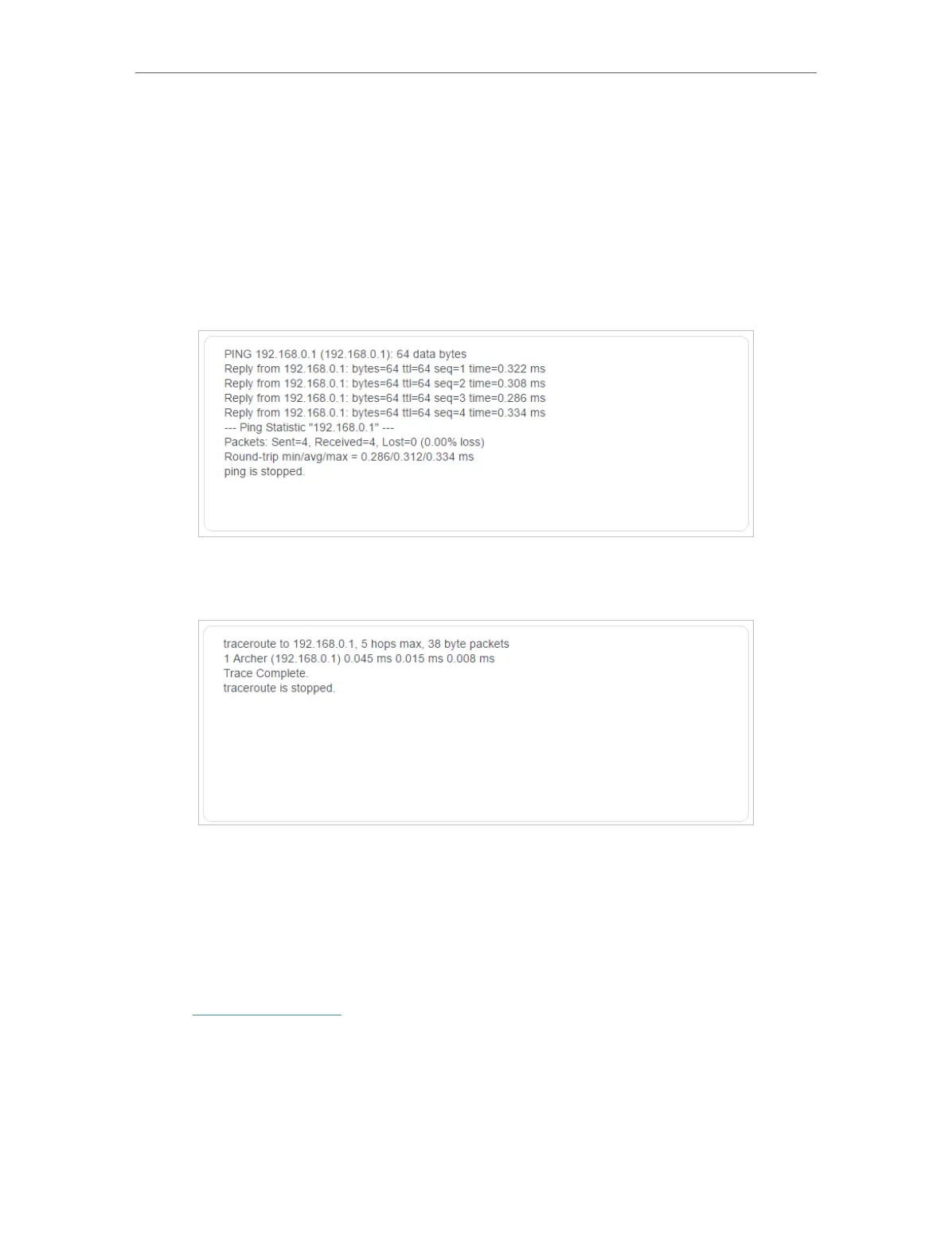
The figure below indicates the proper connection between the router and the Yahoo
server (www.Yahoo.com) tested through Ping.
The figure below indicates the proper connection between the router and the Yahoo
server (www.Yahoo.com) tested through Traceroute.
17. 9. Set System Time
System time is the time displayed while the router is running. The system time you
configure here will be used for other time-based functions like Parental Controls. You
can choose the way to obtain the system time as needed.
1. Visit http://tplinkwifi.net, and log in with your TP-Link ID or the password you set for
the router.
2. Go to Advanced > System > Time .
• To get time from the internet:
1. Enable 24-Hour Time if you want the time to display in a 24-hour way.










 To Next Page