8
Chapter 2
Connect the Hardware
2. 1. Position Your Router
• The product should not be located in a place where it will be exposed to moisture or
excessive heat.
• Place the router in a location where it can be connected to multiple devices as well as
to a power source.
• Make sure the cables and power cord are safely placed out of the way so they do not
create a tripping hazard.
• The router can be placed on a shelf or desktop.
• Keep the router away from devices with strong electromagnetic interference, such as
Bluetooth devices, cordless phones and microwaves.
• Generally, the router is placed on a horizontal surface, such as on a shelf or desktop.
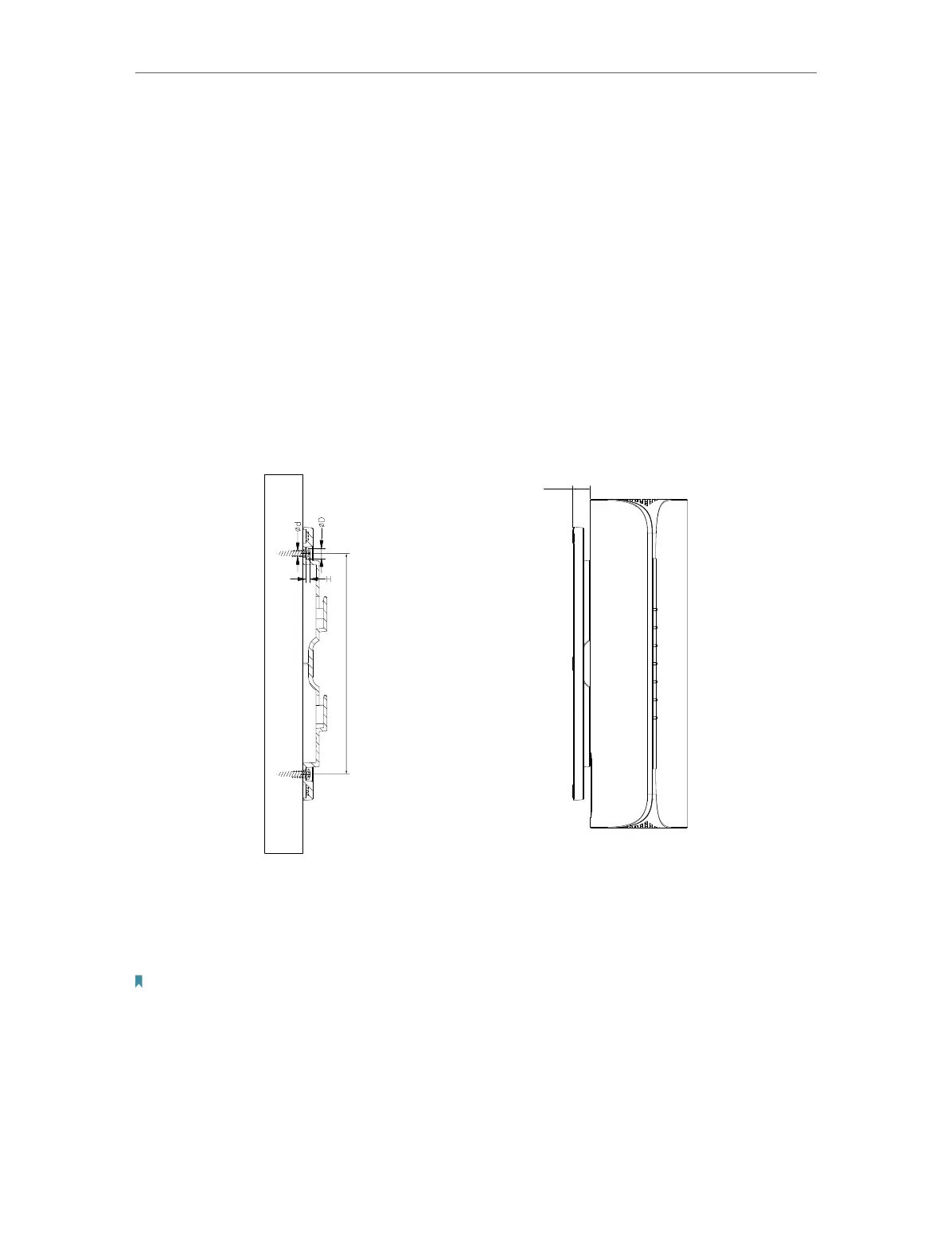
The device also can be mounted on the wall as shown in the following figure.
134.4
10.7
NOTE:
4.67mm<D<8mm;
d<4.0mm;
H<3mm;
Note:
The length of the screw need to be at least 20mm to withstand the weight of the product.
2. 2. Connect Your Router
Before you start:










 To Next Page