5
Chapter 1
Get to Know About Your Router
(5GHz Wireless)
On The 5GHz wireless band is enabled.
Off The 5GHz wireless band is disabled.
(Internet)
White On Internet service is available.
Red On
The router’s Internet port is connected, but the internet service
is not available.
Off The router’s Internet port is unplugged.
(Ethernet)
On
At least one powered-on device is connected to the router’s LAN
port.
Off No powered-on device is connected to the router’s LAN port.
(USB)
On The USB device is identified and ready to use.
Off No USB device is plugged in to the USB port.
(WPS)
On/Off
This light remains on for 5 minutes when a WPS connection is
established, then turns off.
Flashing WPS connection is in progress. This may take up to 2 minutes.
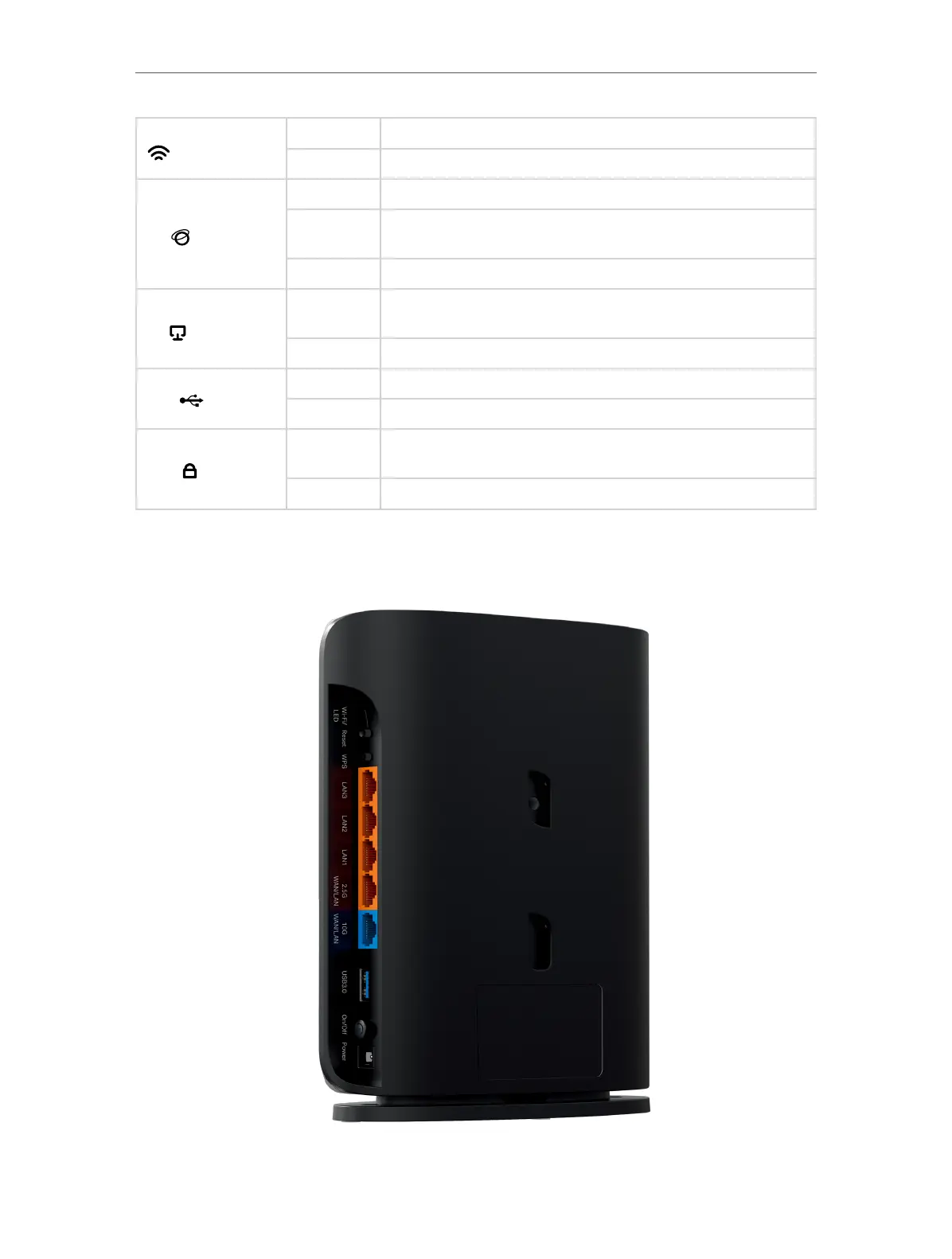
1. 2. 2. Back Panel










 To Next Page