16
Chapter 4
Set Up Internet Connection
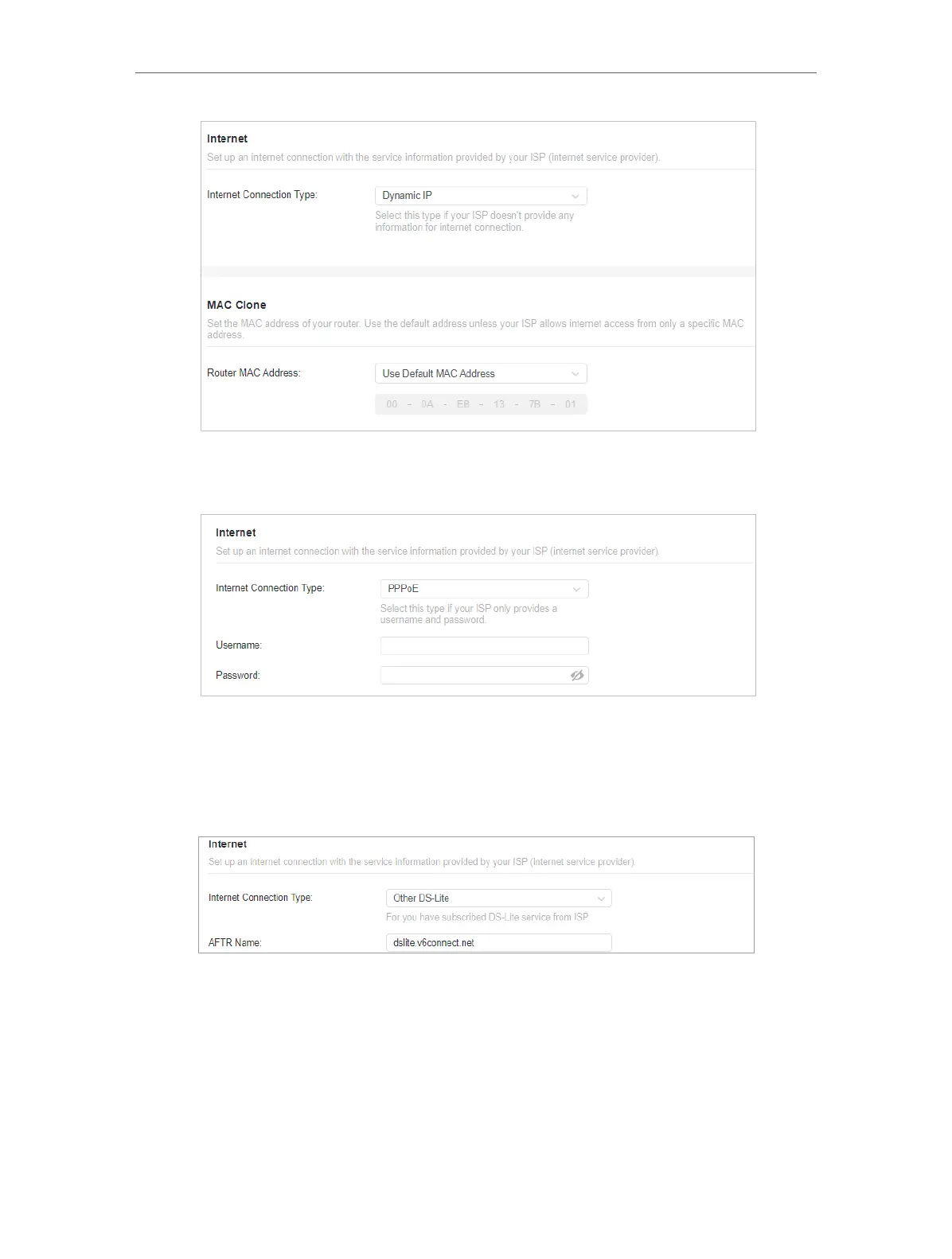
2 ) If you choose PPPoE, enter the username and password provided by your ISP.
PPPoE users usually have DSL cable modems.
3 ) If you choose Transix/ Xpass/ v6 Connect/ v6plus/ OCN Virtual Connect/ IPv6
Option, please note that some advanced features will be unavailable.
4 ) If you choose Other DS-Lite, enter the AFTR Name the provided by your ISP in
the corresponding fields.
5 ) If you choose Static IP, enter the information provided by your ISP in the
corresponding fields.










 To Next Page