23
Chapter 4
Set Up Internet Connection
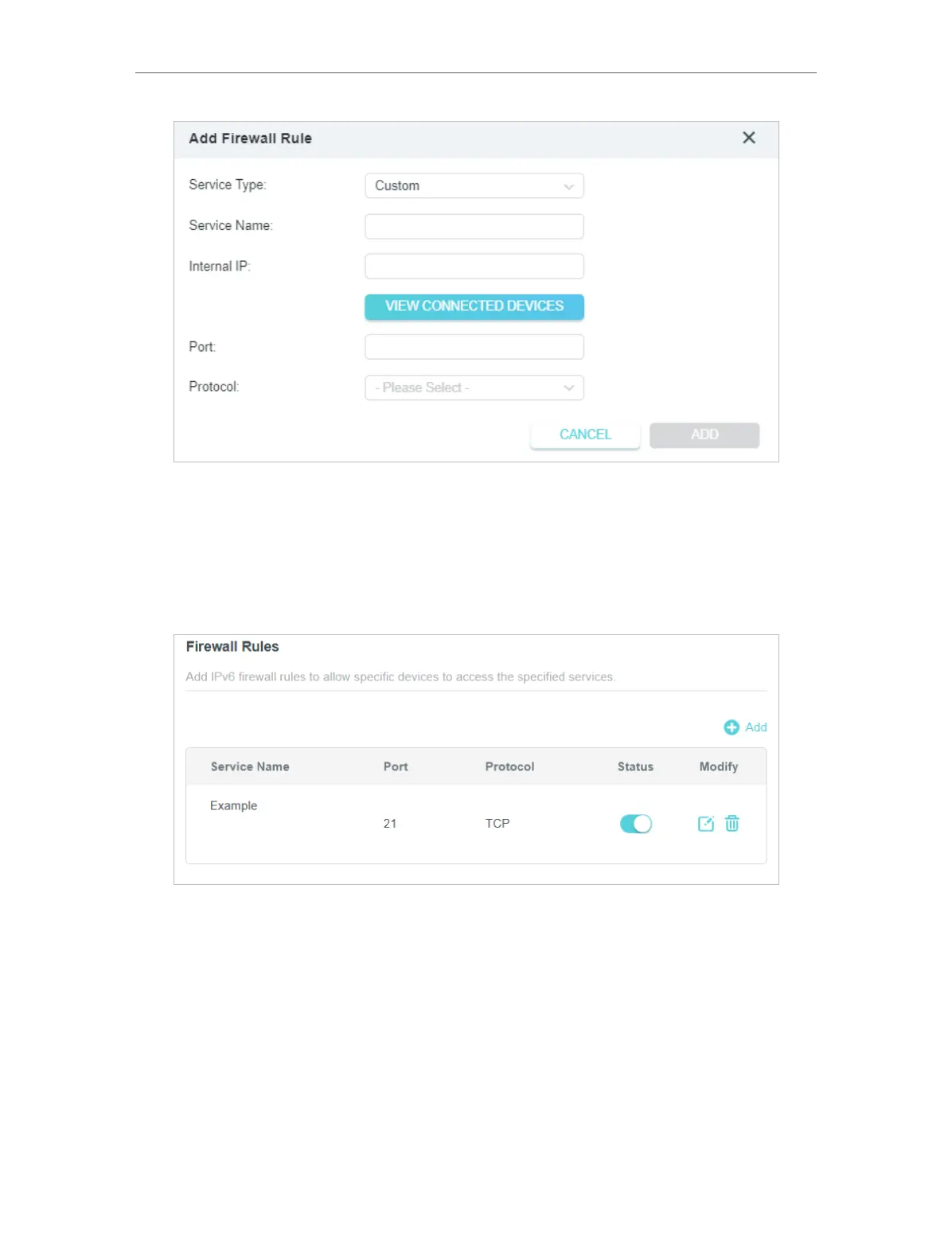
5. Specify a Service Name for the rule.
6. In the Internal IP field, enter a valid IPv6 address to run the service. You can click Select
from clients, choose a local host device, and its IPv6 address will be automatically
filled in as the Internal IP.
7. Click SAVE , and the newly created IPv6 firewall rule will appear in Firewall Rules.










 To Next Page