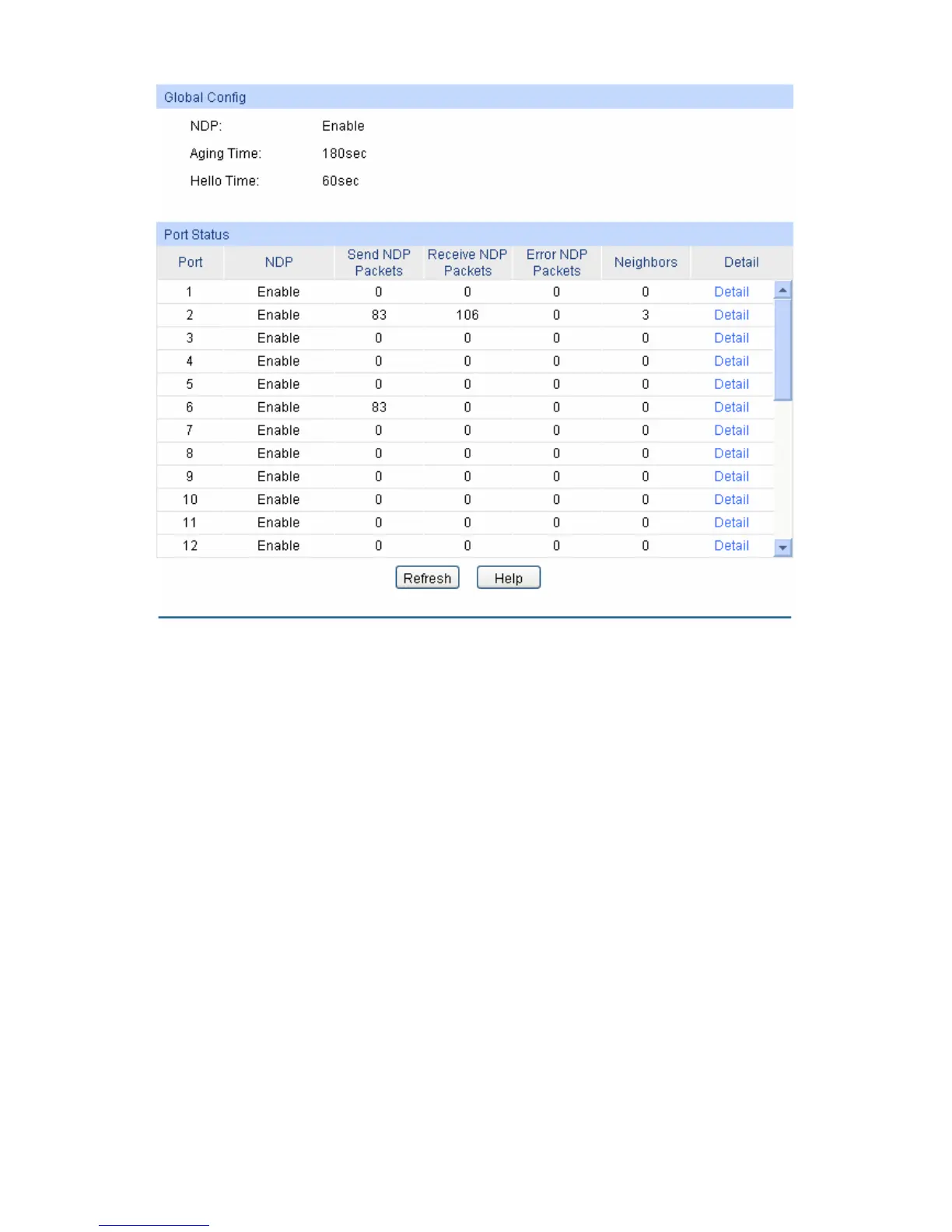
Figure 13-3 NDP Summary
The following entries are displayed on this screen:
Global Config
NDP: Displays the global NDP status (enabled or disabled) for the
switch.
Aging Time: Displays the period for the neighbor switch to keep the NDP
packets from this switch.
Hello Time: Displays the interval to send NDP packets.
Port Status
Port: Displays the port number of the switch.
NDP: Displays the NDP status (enabled or disabled) for the current port.
Send NDP Packets: Displays the count of currently sent NDP packets.
Receive NDP Packets: Displays the count of currently received NDP packets.
Error NDP Packets: Displays the count of currently received error NDP packets.
Neighbors: Displays the count of the connected neighbors.
185





 To Next Page