29
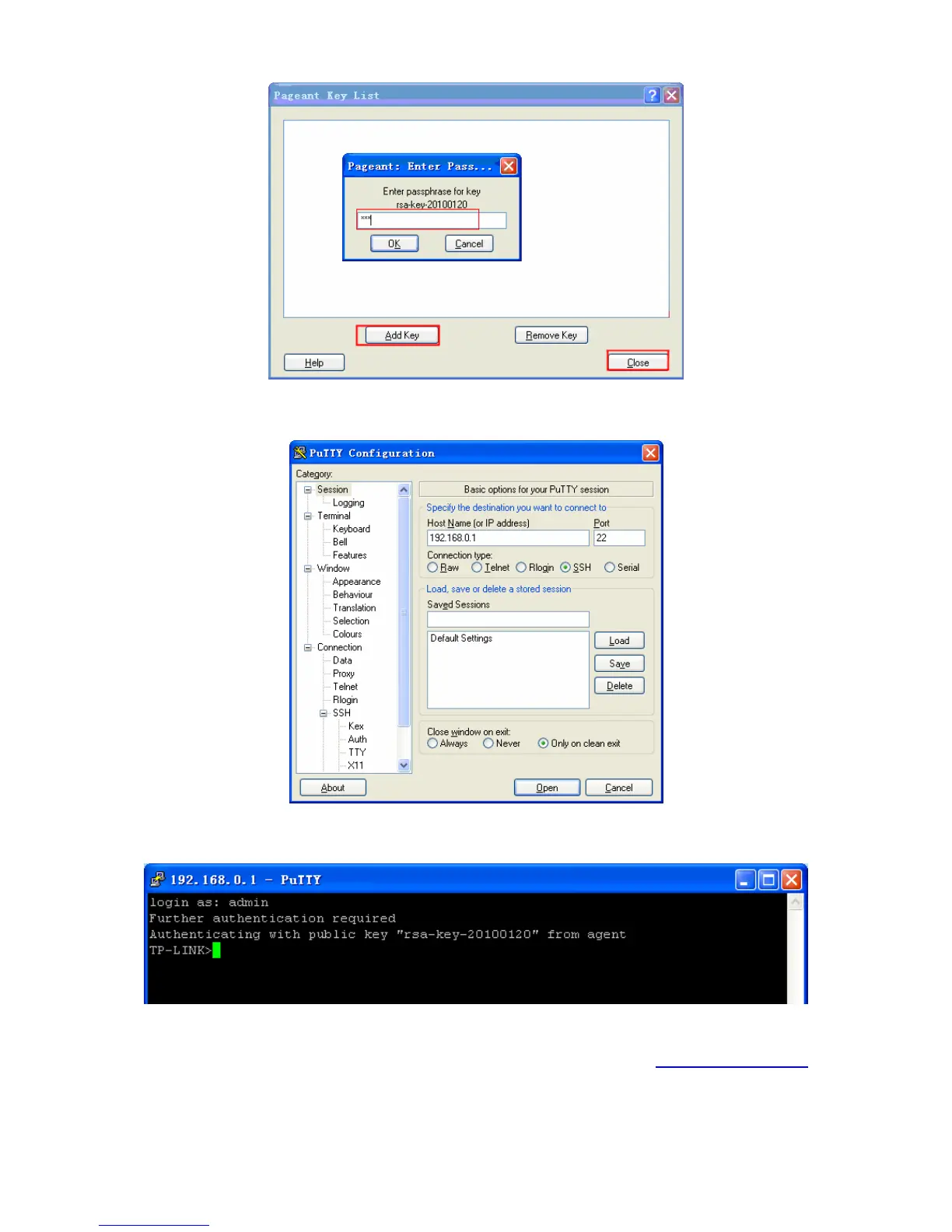
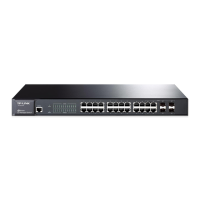
5. After the public key and private key are downloaded, please log on to the interface of PuTTY
and enter the IP address for login.
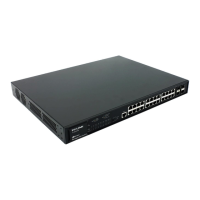
After successful authentication, please enter the login user name. If you log on to the switch
without entering password, it indicates that the key has been successfully downloaded.
Return to CONTENTS





 To Next Page