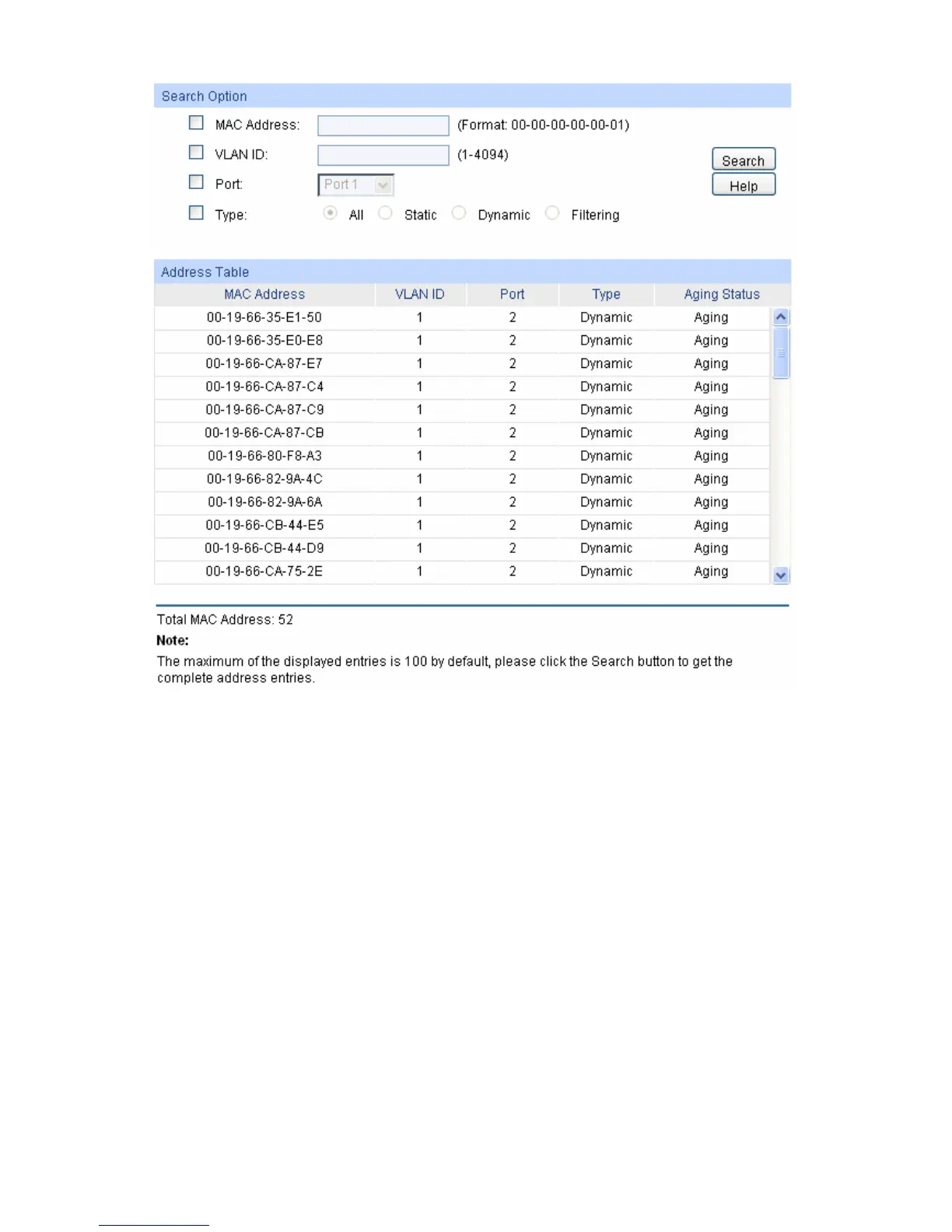
Figure 5-12 Address Table
The following entries are displayed on this screen:
Search Option
MAC Address: Enter the MAC address of your desired entry.
VLAN ID: Enter the VLAN ID of your desired entry.
Port: Select the corresponding port number of your desired entry.
Type: Select the type of your desired entry.
All: This option allows the address table to display all the
address entries.
Static: This option allows the address table to display the static
address entries only.
Dynamic: This option allows the address table to display the
dynamic address entries only.
Filtering: This option allows the address table to display the
filtering address entries only.
Address Table
46





 To Next Page