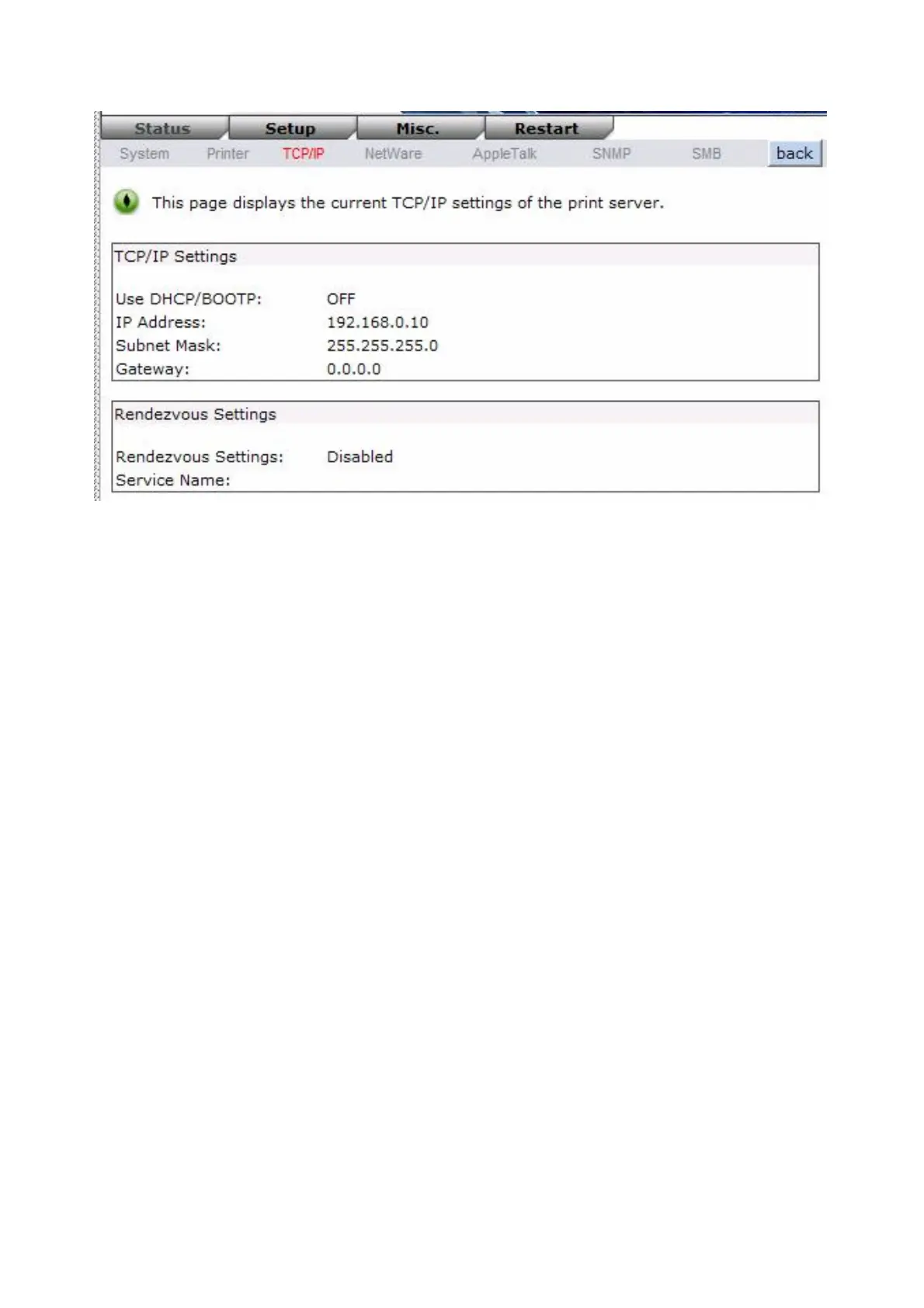
Use DHCP/BOOTP: This option allows you to view DHCP/ BOOTP status. If there is a
DHCP/BOOTP server on your network, this option allows the print server
to obtain IP-related settings automatically from your DHCP server.
IP Address: This option allows you to view IP address from the print server. The IP address
must meet the IP addressing requirements of the network segment. (default:
192.168.0.10)
Subnet Mask: This option allows you to view subnet mask from the print server.
Gateway’s IP: This option allows you to view gateway from the print server.
Rendezvous Settings: The Rendezvous(Bonjour) settings of print server Enable or Disable.
Netware Status:
1. Click Status, it then appears the sub-menu.
2. Click Netware it then as shown in the following picture.
31


 To Next Page