Configuring VLAN Configuration Example for 802.1Q VLAN
User Guide
57
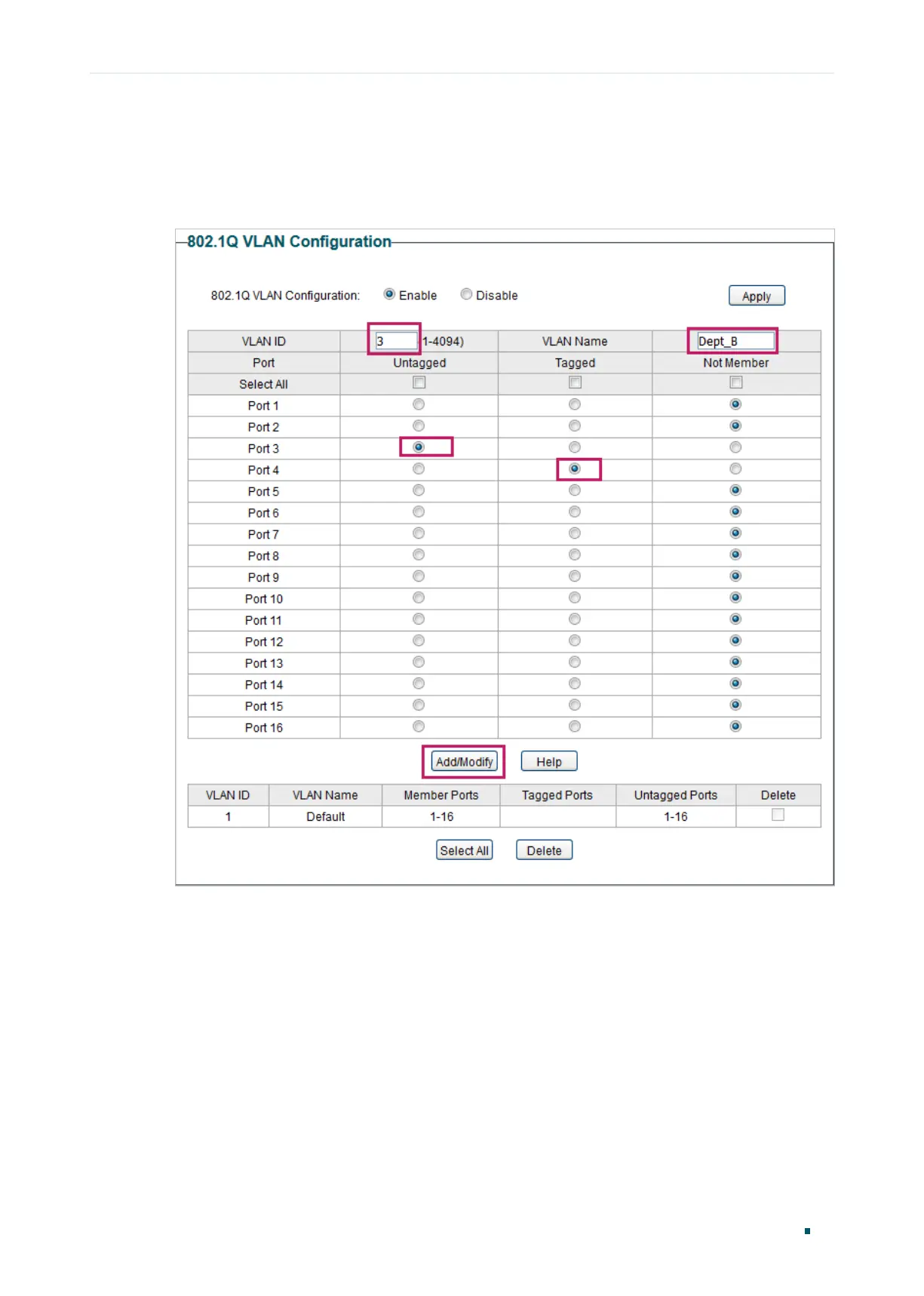
3) Choose the menu VLAN > 802.1Q VLAN to load the following page. Specify the VLAN
ID as 3, specify the VLAN name as Dept_B. Add port 3 to the VLAN as an untagged port.
Add port 4 to the VLAN as a tagged port. Click Add/Modify.
Figure 5-4 Creating VLAN 3 and Adding Ports to the VLAN
4) Choose the menu VLAN > 802.1Q VLAN PVID Setting to load the following page.
Specify the PVID of port 2 as 2 and click Apply. Specify the PVID of port 3 as 3 and click
Apply.










 To Next Page