33
¾ Port Isolation Config
Port: Select the port number to set its forwardlist.
Forward Portlist: Select the port that to be forwarded to.
¾ Port Isolation List
Port: Display the port number.
Forward Portlist: Display the forwardlist.
5.1.5 Loopback Detection
With loopback detection feature enabled, the switch can detect loops using loopback detection
packets. When a loop is detected, the switch will display an alert or further block the corresponding
port according to the port configuration.
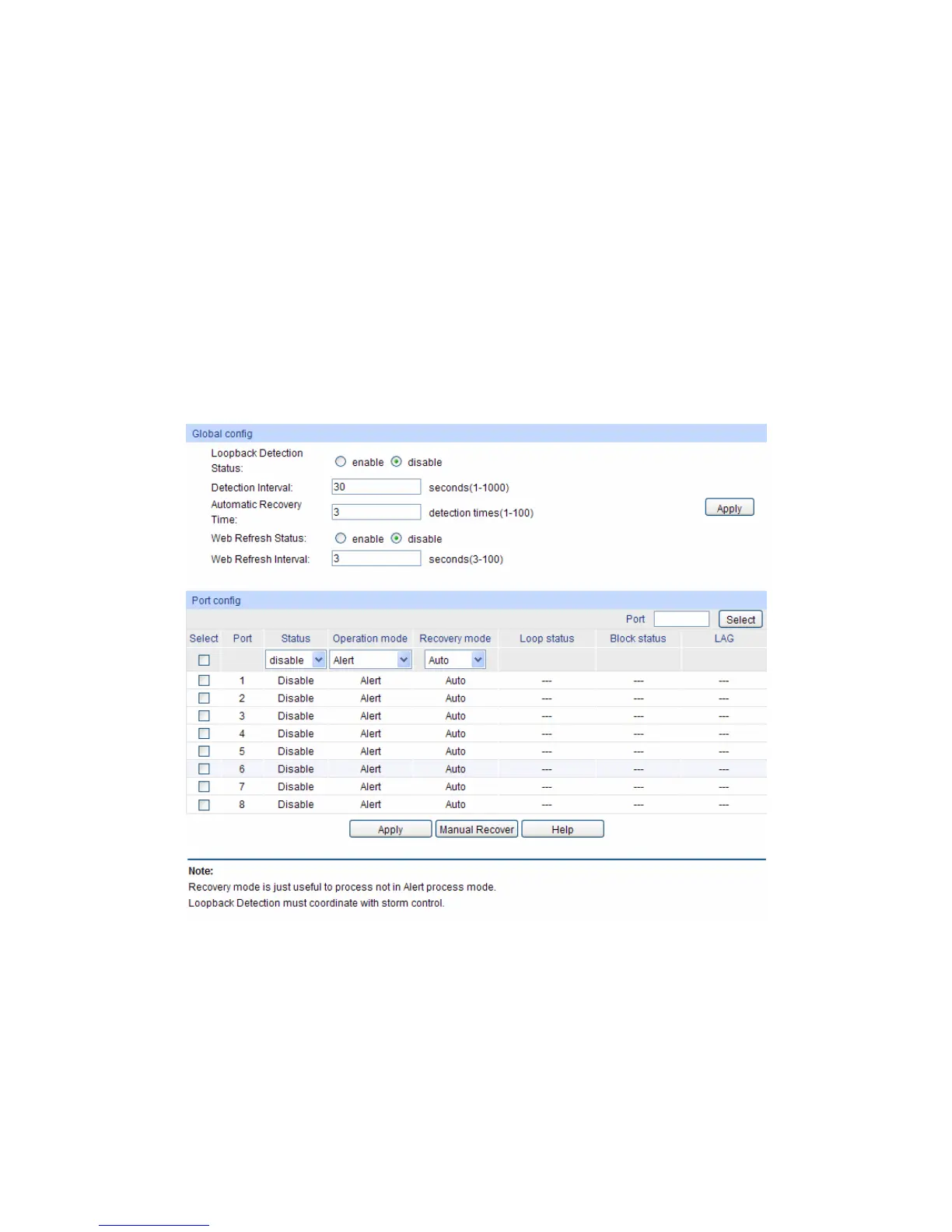
Choose the menu Switching→Port→LoopbackDetection to load the following page.
Figure 5-6 Loopback Detection Config
The following entries are displayed on this screen:
¾ Global Config
LoopbackDetection
Status:
Here you can enable or disable Loopback Detection function
globally.
Detection Interval: Set a Loopback Detection interval between 1 and 1000 seconds.
By default, it’s 30 seconds.











 To Next Page