1
Chapter 1 Appearance
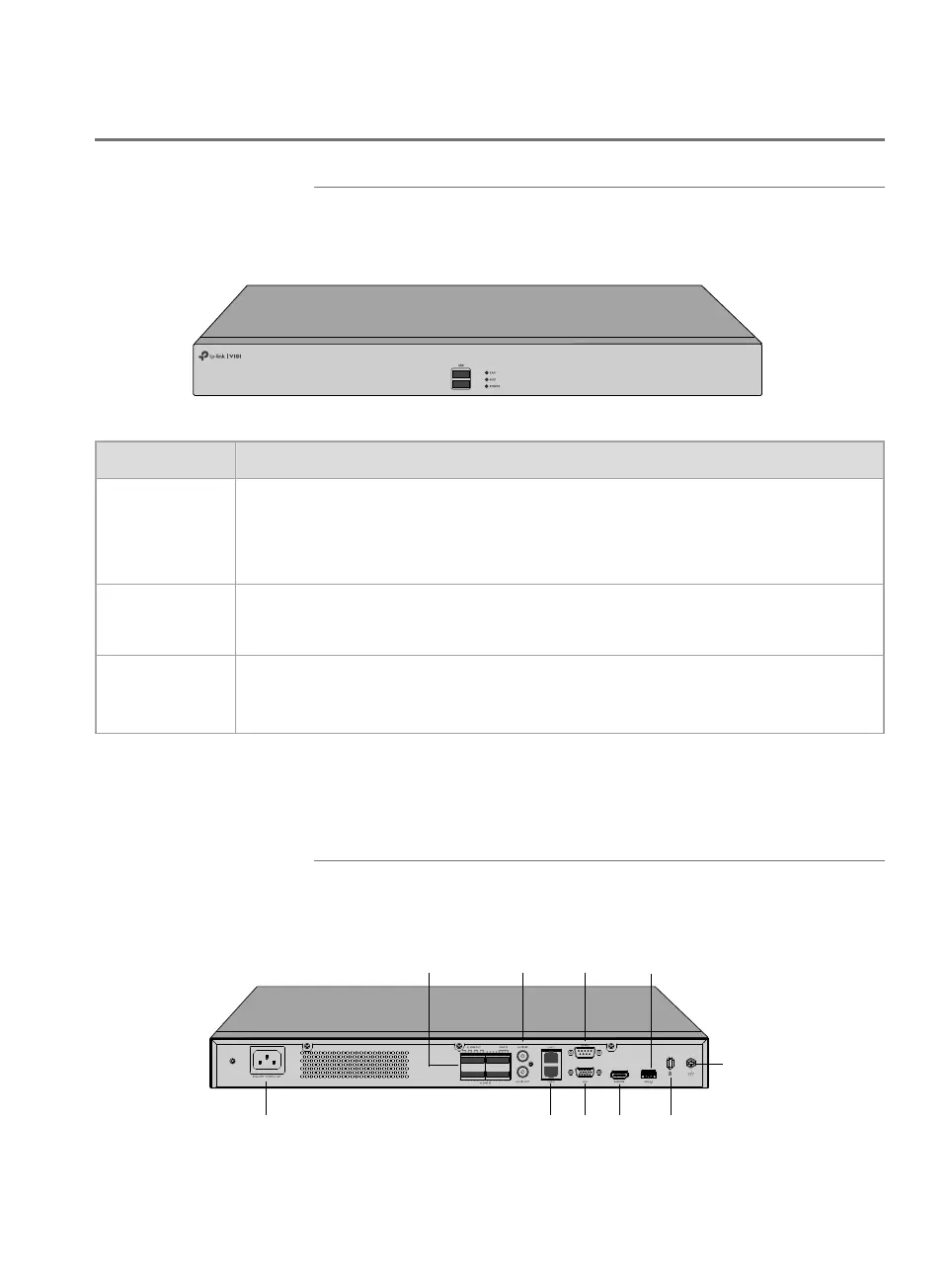
1.1 Front Panel
The figure is for demonstration purposes only. Your device may differ in
appearance from the depicted.
32 Channel Network Video Recorder
VIGI NVR4032H
LED Indication
LAN
On: Network is working properly.
Flashing: Data is being transmitted or received.
Off: Network is malfunctioning.
HDD
On: The HDD is normal.
Off: No HDD or the HDD is malfunctioning.
POWER
On: System is running normally.
Off: System is running abnormally.
USB Port
2 USB ports for additional devices such as USB mouse, USB storage
device, and USB keyboard.
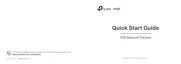
1.2 Rear Panel
The figure is for demonstration purposes only. Your device may differ in
appearance from the depicted.
Power Socket
Alarm In/Out Audio In/Out
LAN Ports VGA
HDMI
Kensington
Grounding
Terminal



 To Next Page