3
Chapter 2 Installation
2.1 Package Contents
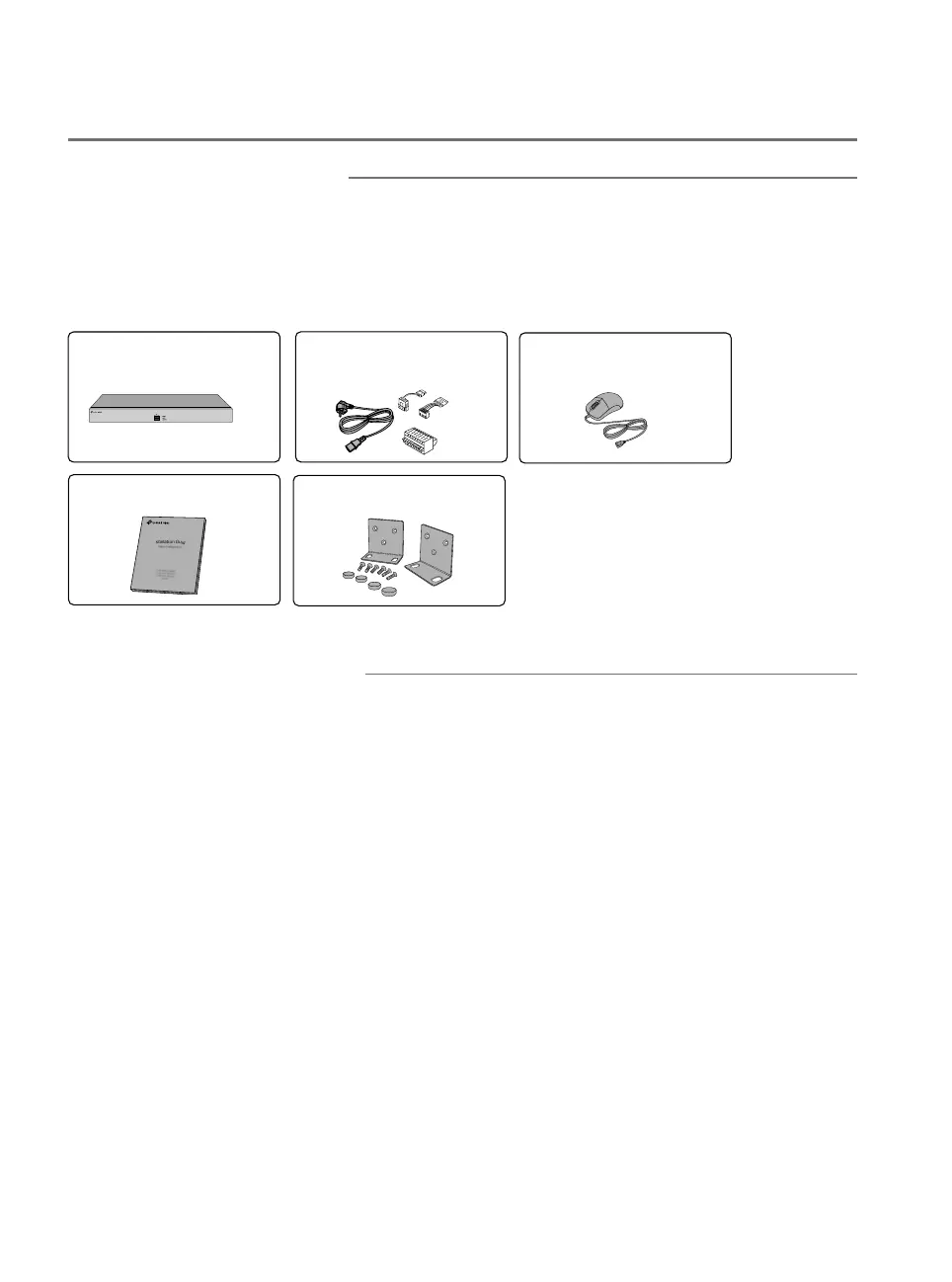
Make sure that the package contains the following items. Please
contact your distributor, if any of the listed items is damaged or missing.
The figures are for demonstration only. The actual items may differ in
appearance and quantity from the depicted.
NVR
32 Channel Network Video Recorder
VIGI NVR4032H
Installation Guide
Installation Guide
Mounting Brackets, Screws
and Rubber Feet
Power Cord, HDD Power
Cables, HDD Data Cables,
Terminal Blocks
Mouse
2.2 Safety Precautions
To avoid any device damage and bodily injury caused by improper use,
you should observe the following rules.
■
Safety Precautions
■
Keep the power off during the installation.
■
Wear an ESD-preventive wrist strap, and make sure that the wrist strap
has a good skin contact and is well grounded.
■
Use only the power cord provided with the device.
■
Make sure that the supply voltage matches the specifications indicated
on the rear panel of the device.
■
Ensure that the device is installed in a well-ventilated environment and
its ventilation hole is not blocked.
■
Do not open or remove the cover of the device.
■
Before cleaning the device, cut off the power supply. Do not clean it by
the waterish cloth, and never use any other liquid cleaning method.




 To Next Page