Page 16
4. Calibration
4.1 Calibration Procedure
1. Switch the miniCHEM-pH on.
2. Ensure that the pH and ATC sensors are correctly connected (see section 3.4).
If no ATC sensor is fitted, then a 12K resistor should be connected between
terminals 1 and 2. A stainless steel guard rod should then be substituted for the
ATC sensor during the calibration procedure detailed below.
3. Set the function switch to STANDBY, to ensure that the (optional) relay
output is not activated when moving the pH sensor from buffer to buffer.
4. Remove the wetting cap from the pH sensor.
5. Rinse the pH and ATC sensors in distilled water and blot them dry.
Asymmetry (Zero) Calibration
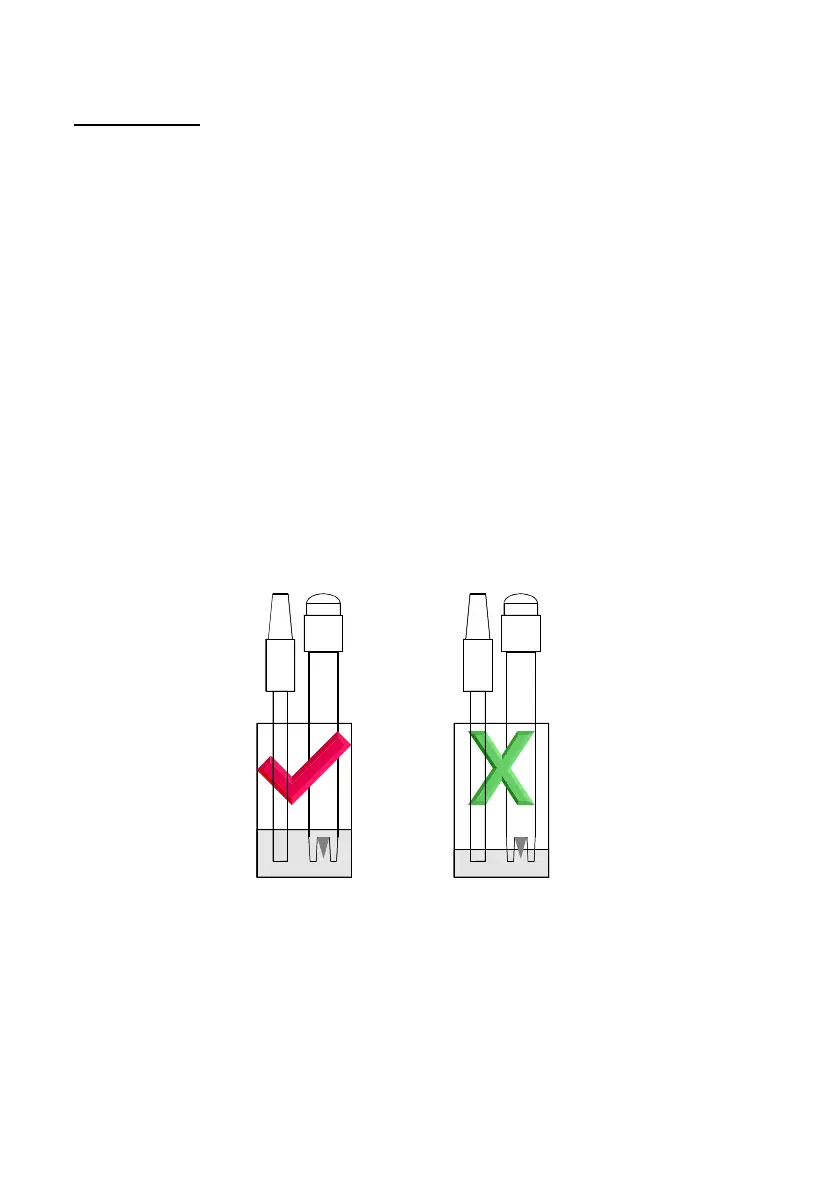
6. Place both sensors into a small sample of pH6.88 or pH7.00 buffer, so that the
bulb and reference junction are both covered (see diagram below). DO NOT
place the electrodes directly into the buffer bottle. Discard the used buffer after
use.
1. When the reading has stabilised, adjust the ZERO control until the display
shows the value of the buffer. The pH6.88 buffer supplied by TPS lists the pH
value of the buffer at various temperatures.
2. Rinse the pH and ATC sensors in distilled water and blot them dry.



 To Next Page