TracVision M3 User’s Guide
12
Chapter 2 - Operation
Turning the System On/Off
Since the interface box supplies power to the antenna, you can turn the
antenna on or off using the interface box POWER switch.
Turning On the System
Follow the steps below to turn on your TracVision system.
1. Make sure the antenna has a clear view of the sky.
2. Turn on your satellite TV receiver and TV.
3. Press the POWER switch on the front of the
TracVision interface box.
4. Wait one minute for system startup.
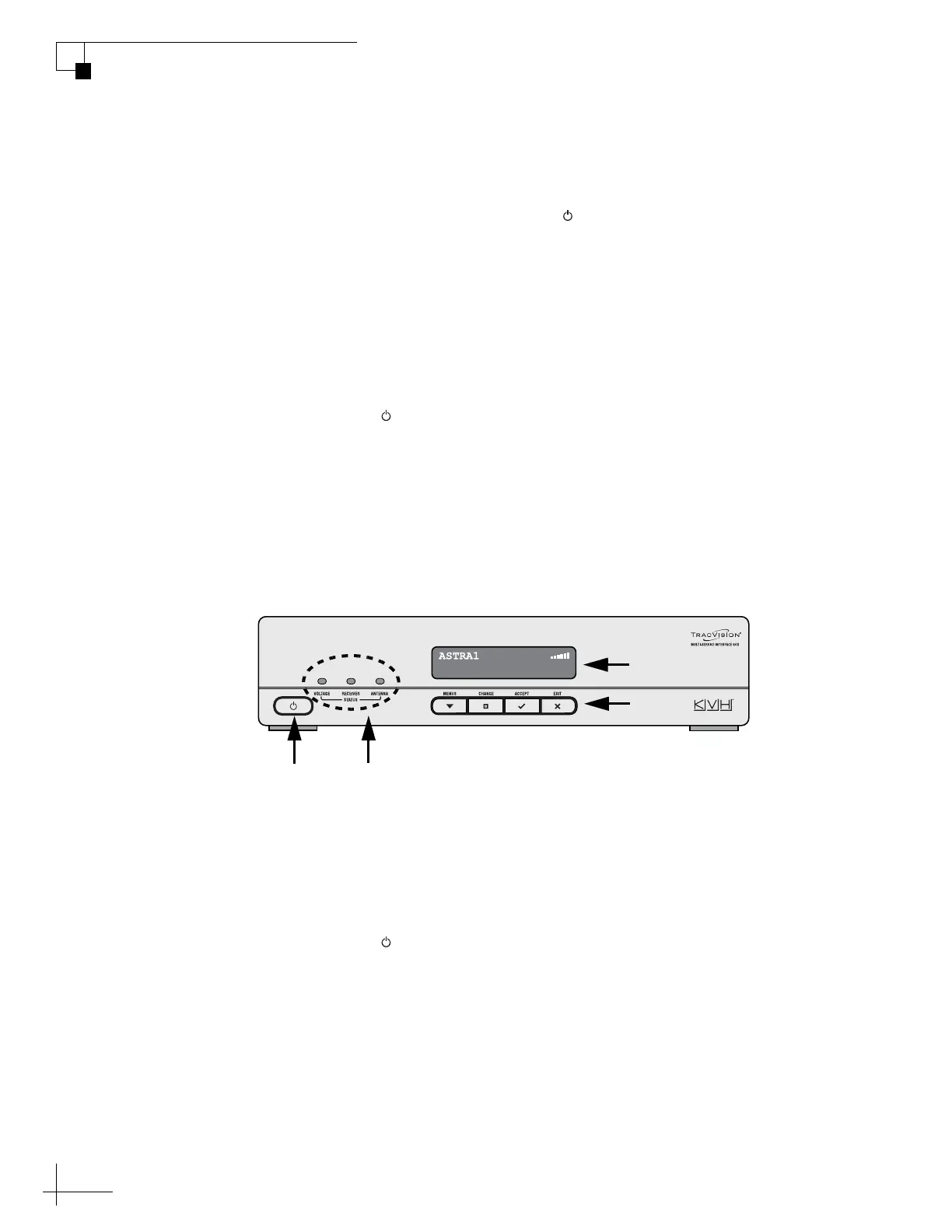
Once the antenna finds the correct satellite, all three status lights on
the interface box should be lit green. If any lights are not lit green, refer
to “System Status Lights” on page 40.
Figure 2-3 Interface Box Components
Turning Off the System
Follow the steps below to turn off the TracVision system.
1. Press the POWER switch on the front of the
TracVision interface box.
2. Turn off your satellite TV receiver and TV.
Display
Buttons
Power
Switch
Status
Lights



 To Next Page