22
VISIT TRAEGER APP
FOR MORE RECIPES
>Chicken Challenge
>Beginner’s Brisket
>NEW
>NEW
1
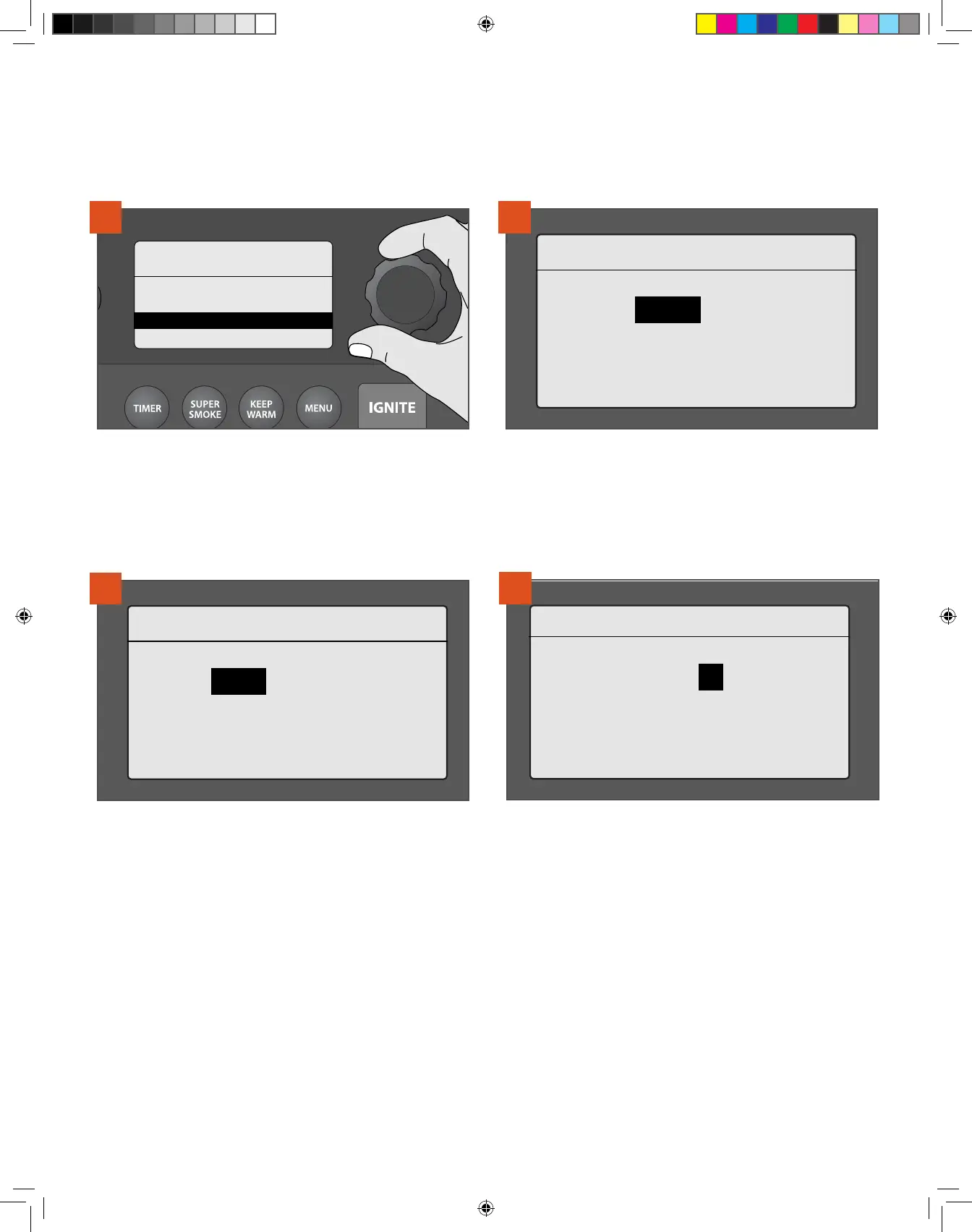
At the Cook Cycle menu, select NEW to display the Steps menu.
My Cook Cycle 3
STEP 1
> GRILL: 165°F
2
At Step 1, a prompt will display to select a grill temperature (default
temperature is 165°F [74°C]). Turn the Selection dial to the desired
temperature and press the center of the dial to select.
NOTE: Custom cook cycles allow a maximum of four steps.
My Cook Cycle 3
STEP 1
170°F> Time OR Probe
3
Once temperature is selected, choose either Time to cook for a
set time or Probe to cook until the meat probe temperature goal is
reached.
CREATING A CUSTOM COOK CYCLE
Use this method to create and save up to four of your own cook cycles, or to delete or edit an
existing cook cycle.
CHOOSING A COOK METHOD CONTINUED
My Cook Cycle 3
STEP 1
170°F> | TIME: 00:00
HR: MIN
4
If the recipe calls for a specific number of hours at a set
temperature, select TIME. To select hours, rotate the dial. Press to
select and move to minutes. Rotate to choose minutes and press the
dial to select.
REMINDER: When using the selection dial to choose options, remember to press and hold the center of the dial to select your preferred option.
T09627_Redland_OM_EN.indd 22T09627_Redland_OM_EN.indd 22 9/16/22 10:59 AM9/16/22 10:59 AM



 To Next Page