T10 Installation Notes v1.7
Generic T10 Installation Notes v1.7.doc 12.08.2015
Page 15
5.5.3 Driver Interface Button Installation (T10-Lite 9wire ONLY)
The T10-Lite 9wire has the option of fitting one of two driver interface buttons (CAB601/CAB602)
to the main power loom of the vehicle (CAB415).
The functionality of these variants is determined via software control.
The two variants are typically used to provide the following functionality:
a. Engineering mode
b. Business/Private Journey control.
c. Driver Alert button (Panic).
The construction of the CAB415 has been done in such a way as to make these functions a plug
and play option with either of the Trakm8 driver interface button options.
The CAB601 is used where a button and LED are required for business/private functionality.
The CAB602 is used where Dallas I-Button functionality is required.
This second option allows flexibility as to whether the LED is used within the driver button or the
Dallas I-Button. A buzzer cable can also be added instead of the LED or in addition to the LED by
using cables CAB754 and CAB758 respectively.
Both options are a plug and play solution to give the maximum flexibility in delivering the user
functionality with the minimal of installation. Each driver interface button option has either a
single connector (CAB602) or a twin connector (CAB601) arrangement.
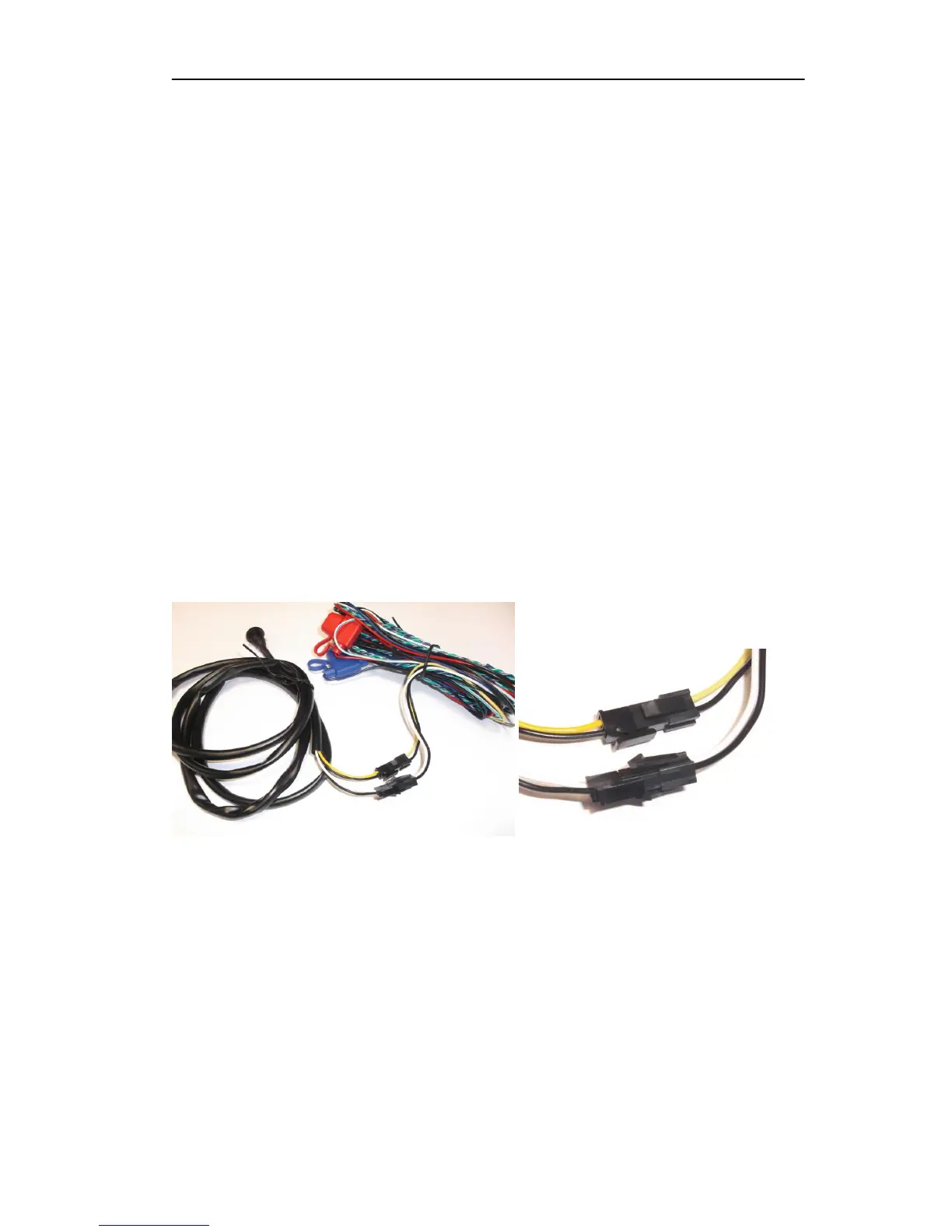
The wire colour pair of the button assembly is simply matched with its equivalent on the main
loom (CAB415) as shown in the pictures below.
NOTE
The driver interface button connectors are polarised and therefore should be aligned
correctly before inserting fully home to avoid damaging the internal contacts. They
should NOT be forced into place.
They can also be used in conjunction with other accessories such as the Dual Driver
LED, Buzzer and Dallas I-Button cables. Please refer to the specific section pertaining
to these accessories for further details.



 To Next Page