66
18-GJ96D1-1B-EN
System Start Up
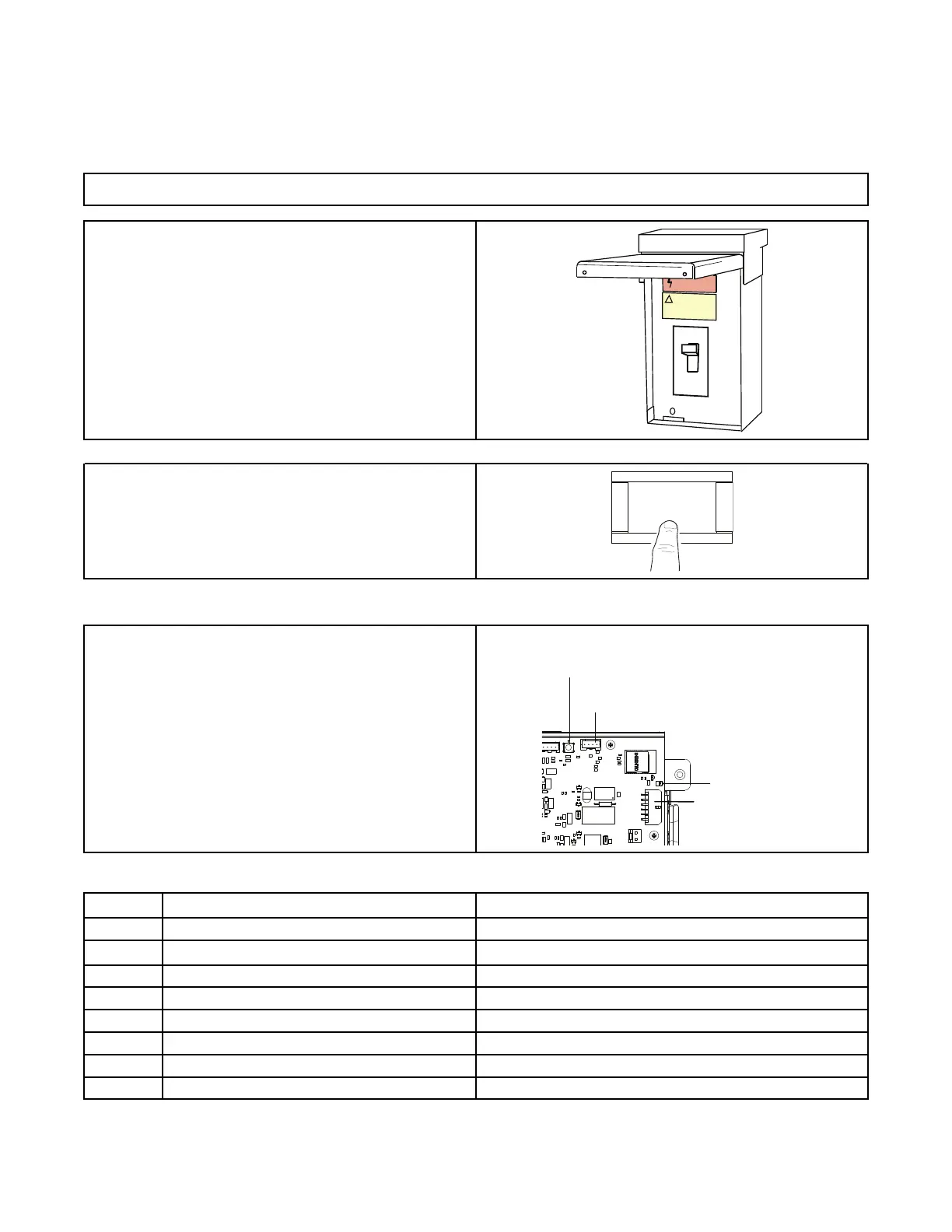
1. Make sure all panels are securely in place and that all wiring has been properly dressed and secured.
2. Turn on electrical power disconnect(s) to apply power to the
indoor and outdoor units.
3. Set the system thermostat to ON.
Fault Reporting
The Air Handler Control (AHC) will show active faults and store
historical faults in 24 volt mode. In 24 volt mode, the AHC will report
active faults continuously and will report the last four faults stored
after a power cycle of the unit. Refer to the LED flash code or
Diagnostics Mobile App for fault code identification.
In Link Communicating mode, faults will report to the UX360 User
Interface Service Menu and Diagnostics Mobile App.
AHC
J15 24 Volt low
voltage harness
Red Fault LED
S1 BLE
Button
J12
Table 32. RED LED Fault Codes
Flash
Code
Alarm Group
Alarm
2
Equipment Missing, Mismatch or Configuration Issue No Model Number, Bad Model Number, No Valid Configuration
3 Blower Issue
Blower Communication, Low or No Airflow, Blower Motor Power High,
Blower Motor Mismatch
4 EEV Issue
Coil is shorted or open, Valve Stuck, ET, GT, Low SH, High SH
5 Sensor Issue
SAT Sensor out of range, RA Static Pressure Sensor out of range
6 Indoor Heat Issue
CFG1–Electric Heat not detected, CFG2–Electric Heat not configured
7 External Switch Switch 1 or Switch 2
8 Condensate Issue
9 Frost Issue


 To Next Page