Configuring the BCI-R
RF-SVN03F-EN 17
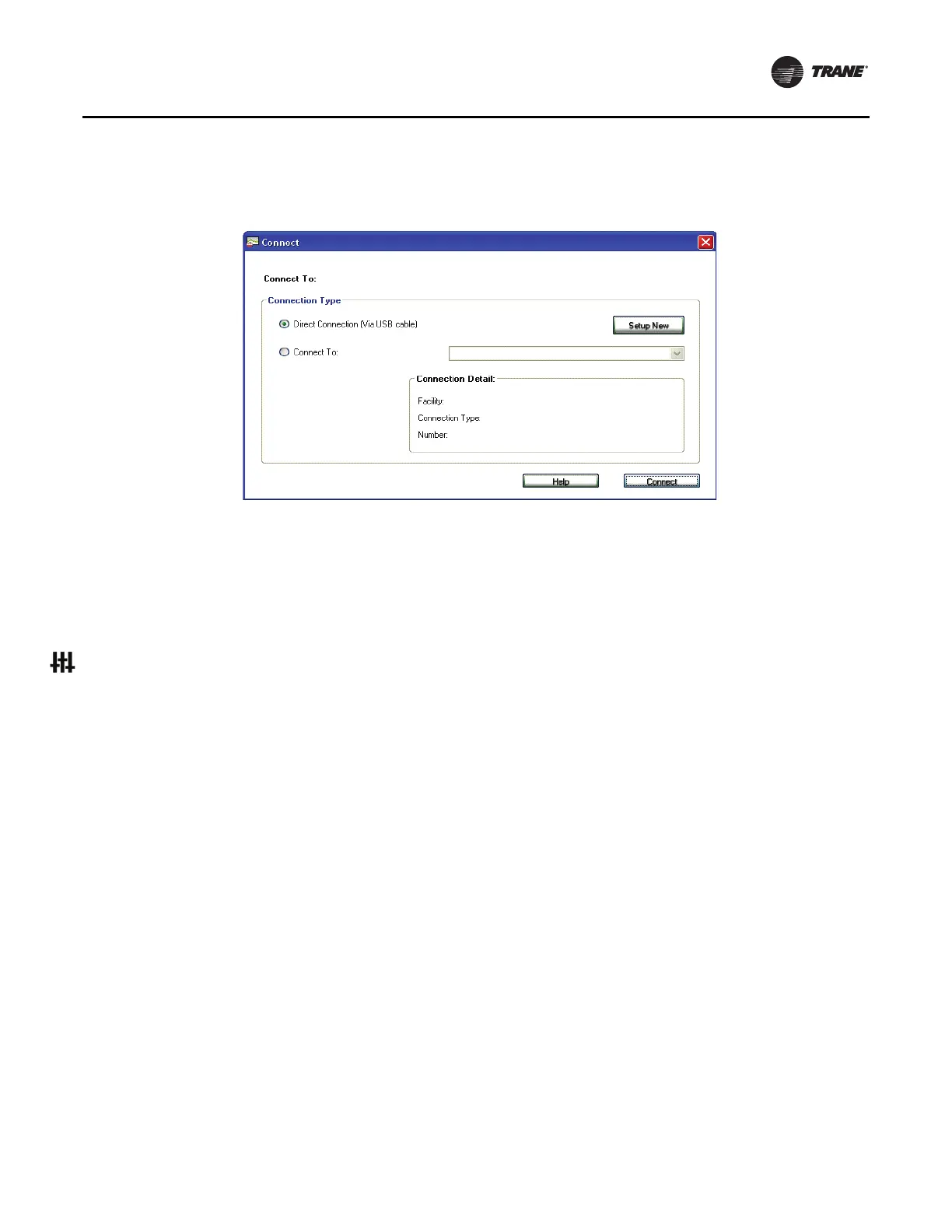
The Tracer TU splash screen appears briefly followed
by the Connect dialog box.
Figure 14. Connect dialog box
3. Select the Direct Connection (USB cable) radio
button
if it is not already selected.
4. Click the Connect button and the Unit Summary page
will
appear after successful connection.
To configure the BCI-R controller:
1.
Select the Controller Settings Utility tab from the
vertical tab set located on the right side of the TU
window.
Note: The content of this
screen is based on the type
of controller that is connected and the system
protocol used to communicate with the
controller.
2. Enter a meaningful name for the controller.
3. Click the Controller Units expanding box label to
display its contents.
4. Confirm the preferred units of measure for data
communicated across the BACnet
link.
5. Click the Protocol expanding box heading to
display its
contents.
6. Select the preferred Baud Rate in the drop-down
list
box.
7. If a software Device ID is required, check the Use
Software Device ID box and
enter a BACnet Device ID.
8. Click Save.
Understanding Rotary Switch
Values and BACnet Device IDs
Rotary Switch Values
The rotary switch value is the physical address of a device
on a network. It is often referred to as the MAC address.
The term is generic and is used to denote the physical
address of many types of networks.
For example, the rotary switch value of a BACnet MS/TP
network has a valid
range of zero (0) to 255 and can be
represented by a single byte. The rotary switch value of an
Ethernet network is six bytes in length. Each device must
be assigned a unique rotary switch value. Failure to assign
a unique address to each device will result in
communication errors.
BACnet Device ID
The BACnet Device ID uniquely identifies each BACnet
device as a logical address. The valid range of this address
is 0 to 4194303. The logical address in an Internet Protocol
(IP) network is the IP address, which is four bytes in length
and is typically written in the format of 192.168.1.125.
Failure to assign unique address to each device will result
in communication errors.
Tracer SC uses the rotary switch value to create the BACnet
device
ID. The Tracer SC adds an SC rotary switch address
and a link number to artificially create a unique BACnet
Device ID for each node.
Figure 15, p. 18 shows how Tracer TU displays the rotary
dial settings and the
resulting BACnet device ID:
• The rotary switch values on the BCI-R are set to 30
(0,3,0).



 To Next Page