14 BAS-SVX10F-EN
Installation and Configuration: Display Sensor
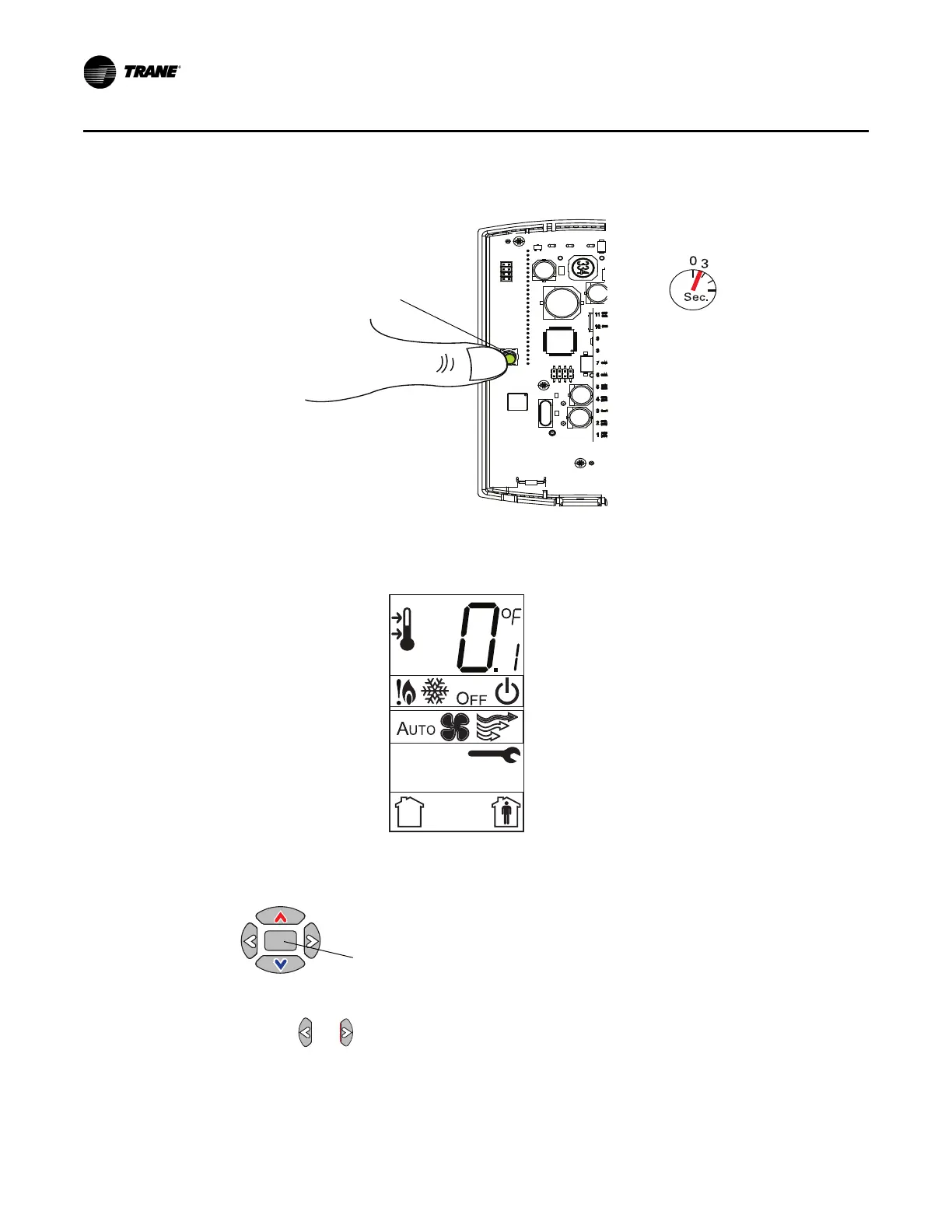
1. Press the configuration button for 3 seconds.
The display will change to configuration mode. When the sens
or is in configuration mode, a wrench
symbol appears on the display and the menus are separated by lines, as illustrated below.
1. Press the center button on the keypad to begin the configuration process.
2. Configure the sensor options in the order shown in the table.
• Press or to scroll to the next selection (as illustrated).


 To Next Page