22 BAS-SVX10F-EN
Installation: All Models Other Than the Display Sensor
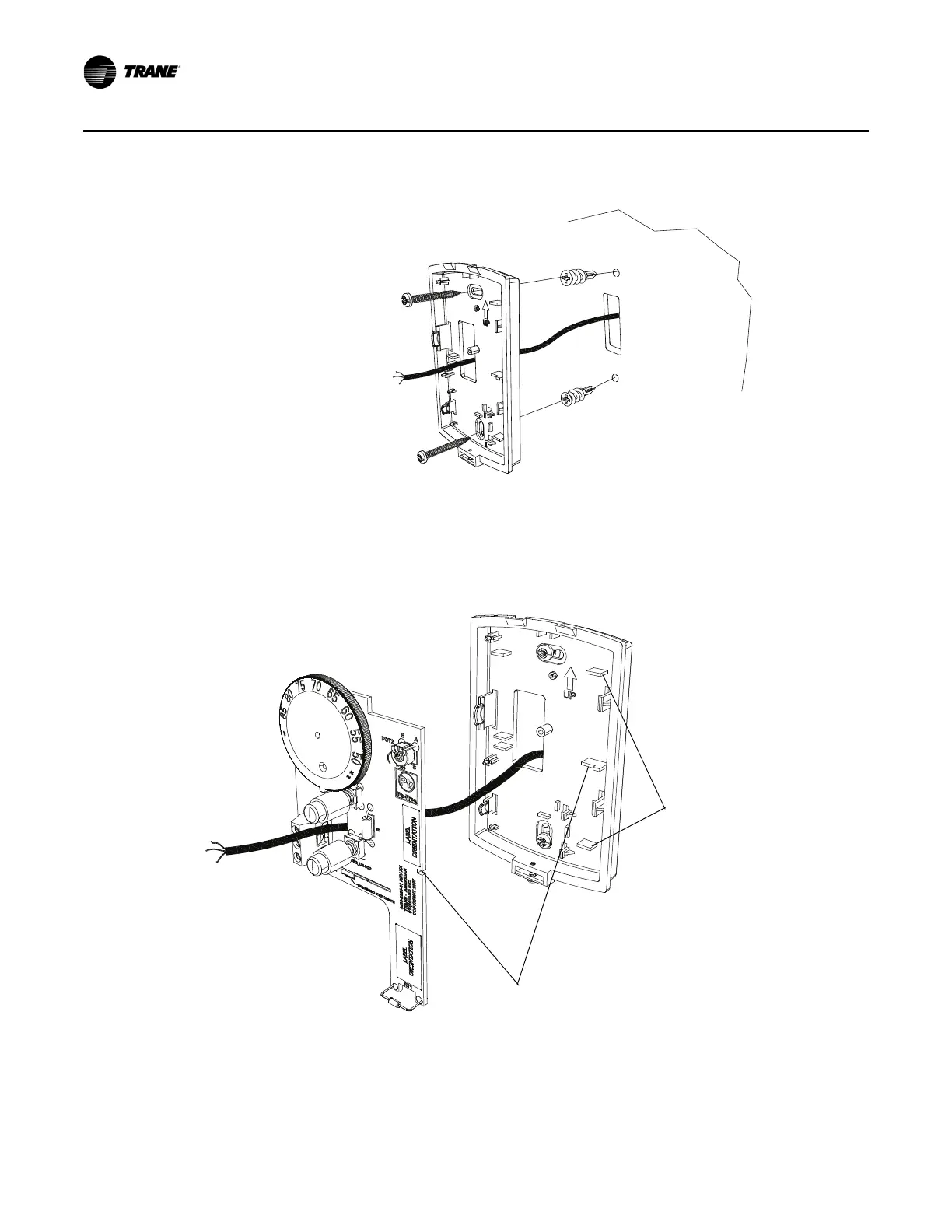
6. Secure the back plate to the mounting surface using the included hardware.
7. Feed the wires through the opening in the circuit board.
8. Replace the circuit board by sliding the right side of the board under the two catches on the right
si
de of the back plate, while aligning slot on board with tab on back plate. Press firmly on the
left side of the circuit board to snap it into place.
Circuit board fits under catches
Slot on circuit board aligns with tab on back plate


 To Next Page