
 To Next Page
B
Barry HollandAug 2, 2025
Why is my Trane Link UX360 Thermostat reading higher than the appropriate range?
- LlarsonmartinAug 2, 2025
A higher than appropriate range reading on your Trane Thermostat may be due to a possible open circuit on the bus.

Why is my Trane Link UX360 Thermostat reading higher than the appropriate range?
A higher than appropriate range reading on your Trane Thermostat may be due to a possible open circuit on the bus.
Lists items included in the product package for installation.
Lists optional accessories that can be used with the thermostat.
Details how Trane Link systems are designed for plug-and-play installation and automatic configuration.
Explains how to verify all system modes of operation and obtain a commissioning report.
Describes remote system monitoring capabilities and performance tracking.
Discusses remote software upgrades for installed communicating equipment.
Provides guidelines for selecting an optimal location for the thermostat and SC360.
Covers general system configuration settings like system name and dealer code.
Details settings related to climate control, including load values and recovery settings.
Lists all sensors that can be connected and assigned to the system.
Displays detailed information about each sensor and its configuration options.
Details the process and requirements for updating the thermostat's software.
Lists and explains the five available system modes (Heating, Cooling, Off, Auto, Emergency Heating).
Describes the three available fan modes: Auto, On, and Circulate.
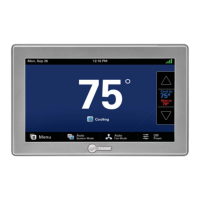
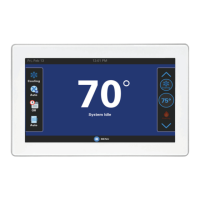
The Trane Link UX360 Smart Thermostat is a sophisticated device designed to manage and optimize indoor climate control in residential and commercial settings. It functions as a central hub for Trane Link systems, offering a "plug and play" installation experience where connected outdoor units, indoor units, and system controllers automatically communicate and configure to default settings upon power-up. This self-configuring capability simplifies the initial setup process, reducing the need for extensive manual adjustments.
One of the primary functions of the UX360 is to provide comprehensive control over heating, cooling, and fan operations. Users can select from various system modes, including Auto, Heating, Cooling, Off, and Emergency Heat, allowing for flexible climate management based on specific needs or preferences. The Auto mode intelligently switches between heating and cooling based on indoor temperature relative to setpoints, ensuring optimal comfort. For fan operation, options include Auto (fan runs only with a call for heating or cooling), On (fan runs continuously), and Circ (fan runs for a user-selected minimum amount of time each hour), which helps maintain consistent air circulation.
The thermostat also integrates advanced features for managing accessories like air cleaners, humidifiers, and ventilation systems. When an air cleaner is installed, the UX360 offers Auto, Quick (3-hour operation at 100% blower speed), and Allergy (24-hour operation at 100% blower speed) modes, providing tailored air purification options. For humidifiers, the system allows for control based on active heat calls and offers adjustable airflow during humidifier-only operation. Ventilation systems can be configured with minimum run times and outdoor temperature override settings, promoting healthy indoor air quality.
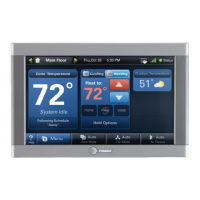
The UX360 is designed with user convenience in mind, featuring a clear display that shows current temperature, humidity, and system status. It supports the assignment of up to four indoor temperature and humidity sensors (including wired, wireless, and onboard sensors from the UX360 and SC360 System Controller) for averaging, which can provide a more accurate representation of the overall indoor climate, especially in non-zoned systems. This multi-sensor capability allows for precise temperature and humidity monitoring across different areas, enhancing comfort and energy efficiency.
Remote control and monitoring are key usage features of the UX360. When connected to the Trane Home mobile app via an Internet-connected SC360 System Controller, homeowners can remotely adjust settings, monitor system data, and track performance over time. This includes access to a "birth certificate" that captures initial system operation data and ongoing performance metrics. The system also supports remote software upgrades, ensuring that the thermostat and connected communicating equipment always have the latest features and improvements without requiring a dealer visit or SD card updates.
For installers, the UX360 offers robust verification and commissioning tools. It can run and verify each mode of operation, ensuring the system functions properly and meets specifications. Commissioning reports can be generated to document these results, providing a record of proper installation and performance. The standardized four-wire connection for all communicating equipment simplifies wiring, making installation faster and more consistent.
Maintenance features are integrated into the UX360 through service reminders. These reminders can be configured to notify users when maintenance is due for filters, humidifiers, ventilation systems, UV lights, and general HVAC system upkeep. Reminders can be time-based (calendar days) or based on system run time, helping homeowners stay on top of routine maintenance and prolong the life of their equipment. Alerts are also displayed on the screen, categorized by severity (Critical, Major, Normal), to inform users of any system issues, service calls required, or diagnostic information. These alerts provide descriptions and possible causes, guiding users or technicians toward appropriate actions.
Troubleshooting is facilitated by the UX360's diagnostic capabilities. The system can display information about electrical interference, communication status, and sensor calibration issues. For instance, if the indoor temperature or humidity display is incorrect, the system allows for calibration adjustments. It also provides guidance for common issues like the system not heating or cooling, fan operation problems, or incorrect time settings, often suggesting simple user actions or indicating when professional service might be needed. The ability to test various system components, such as the blower, compressor, and auxiliary relays, further aids in diagnosing and resolving issues efficiently.
Overall, the Trane Link UX360 Smart Thermostat is designed to be an intelligent, user-friendly, and highly functional device that provides comprehensive climate control, remote management, and proactive maintenance support for modern HVAC systems.
 General
| Type | Smart Thermostat |
|---|---|
| Display Type | Color Touchscreen |
| Connectivity | Wi-Fi |
| Voice Control | Amazon Alexa, Google Assistant |
| Geofencing | Yes |
| Installation | Professional installation recommended |
| Mobile App | Trane Home |
| Energy Savings | Yes |
| Remote Access | Yes |
| Energy Monitoring | Yes |
| Alerts | System alerts |
| Compatibility | Works with Trane and American Standard HVAC systems |