EasyManua.ls Logo

Trane PM014 - User Manual

Trane PM014
20 pages
Print Icon
To Next Page IconTo Next Page
Loading...
SAFETY WARNING
Only qualified personnel should install and service the equipment. The installation, starting up, and servicing
of heating, ventilating, and air-conditioning equipment can be hazardous and requires specific knowledge and
training. Improperly installed, adjusted or altered equipment by an unqualified person could result in death or
serious injury. When working on the equipment, observe all precautions in the literature and on the tags,
stickers, and labels that are attached to the equipment.
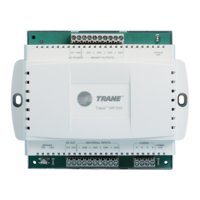
Power Supply Module PM014
24 Vdc forTrane
®
inter-module communication buses
PM014
Installation, Operation,
and Maintenance
BAS-SVX33F-EN
January 2018

Questions and Answers

  • S
    Sherri HughesAug 7, 2025
    How to troubleshoot a Trane Control Unit when the LED is not lit?
    • V
      vsnyderAug 7, 2025
      If the LED on your Trane Control Unit is not lit, take the following steps: * Verify that the 24 Vac power wiring is correctly connected. * Measure the input voltage to ensure it's within the rated range. * Check for continuity to ensure the output wiring isn't shorted. * Disconnect the load and measure the output voltage to verify correct operation. * Consider other loads on the 24 Vac transformer. * Verify the load is correctly sized for the power supply module. * Measure the output voltage to ensure it's within the rated range. * Ensure other modules aren't switching on loads, causing the load current to exceed the recommended rating.

Trane PM014 Specifications

General IconGeneral
TypeProgrammable Thermostat
Wi-Fi CapabilityNo
Remote AccessNo
Programmability7-Day Programmable
Humidity ControlYes

Related product manuals