Need help?
Do you have a question about the Trane SPLIT AC and is the answer not in the manual?
Essential safety guidelines, warnings, and precautions for operating the air conditioner.
Detailed overview of the indoor and outdoor unit components and the remote control.
Instructions for remote operation, manual control, and the auto-restart function.
Explanation of unit indicators and different remote control display modes.
Details on remote control functions, symbols, operation range, and key features.
Guide to using TRANE Mode, Cool Mode, Dry Mode, and Fan Mode for efficient operation.
Instructions for Sleep Mode, Turbo Mode, and Night Latch feature for enhanced functionality.
Adjusting fan speed, using Multi Room, and controlling unit power.
How to use swing control, power ON/OFF, and replace remote batteries.
Table detailing recommended stabilizer KVA ratings for different AC tonnages.
Step-by-step guide on how to clean the air filter of the indoor unit.
Instructions for performing maintenance when the unit is not in use for an extended period.
Essential checks to perform before operating the air conditioner for optimal performance.
Lists common operational problems and provides corresponding solutions for user troubleshooting.
Table of error codes, their display messages, unit responses, and required user actions.
General terms governing the product warranty, including coverage, exclusions, and validity.
Details on recommended maintenance schedule and procedures for breakdown complaints.
Specific clause for compressor warranty and other applicable terms.
Lists conditions under which the product warranty becomes invalid.
Essential safety guidelines, warnings, and precautions for operating the air conditioner.
Detailed overview of the indoor and outdoor unit components and the remote control.
Instructions for remote operation, manual control, and the auto-restart function.
Explanation of unit indicators and different remote control display modes.
Details on remote control functions, symbols, operation range, and key features.
Guide to using TRANE Mode, Cool Mode, Dry Mode, and Fan Mode for efficient operation.
Instructions for Sleep Mode, Turbo Mode, and Night Latch feature for enhanced functionality.
Adjusting fan speed, using Multi Room, and controlling unit power.
How to use swing control, power ON/OFF, and replace remote batteries.
Table detailing recommended stabilizer KVA ratings for different AC tonnages.
Step-by-step guide on how to clean the air filter of the indoor unit.
Instructions for performing maintenance when the unit is not in use for an extended period.
Essential checks to perform before operating the air conditioner for optimal performance.
Lists common operational problems and provides corresponding solutions for user troubleshooting.
Table of error codes, their display messages, unit responses, and required user actions.
General terms governing the product warranty, including coverage, exclusions, and validity.
Details on recommended maintenance schedule and procedures for breakdown complaints.
Specific clause for compressor warranty and other applicable terms.
Lists conditions under which the product warranty becomes invalid.
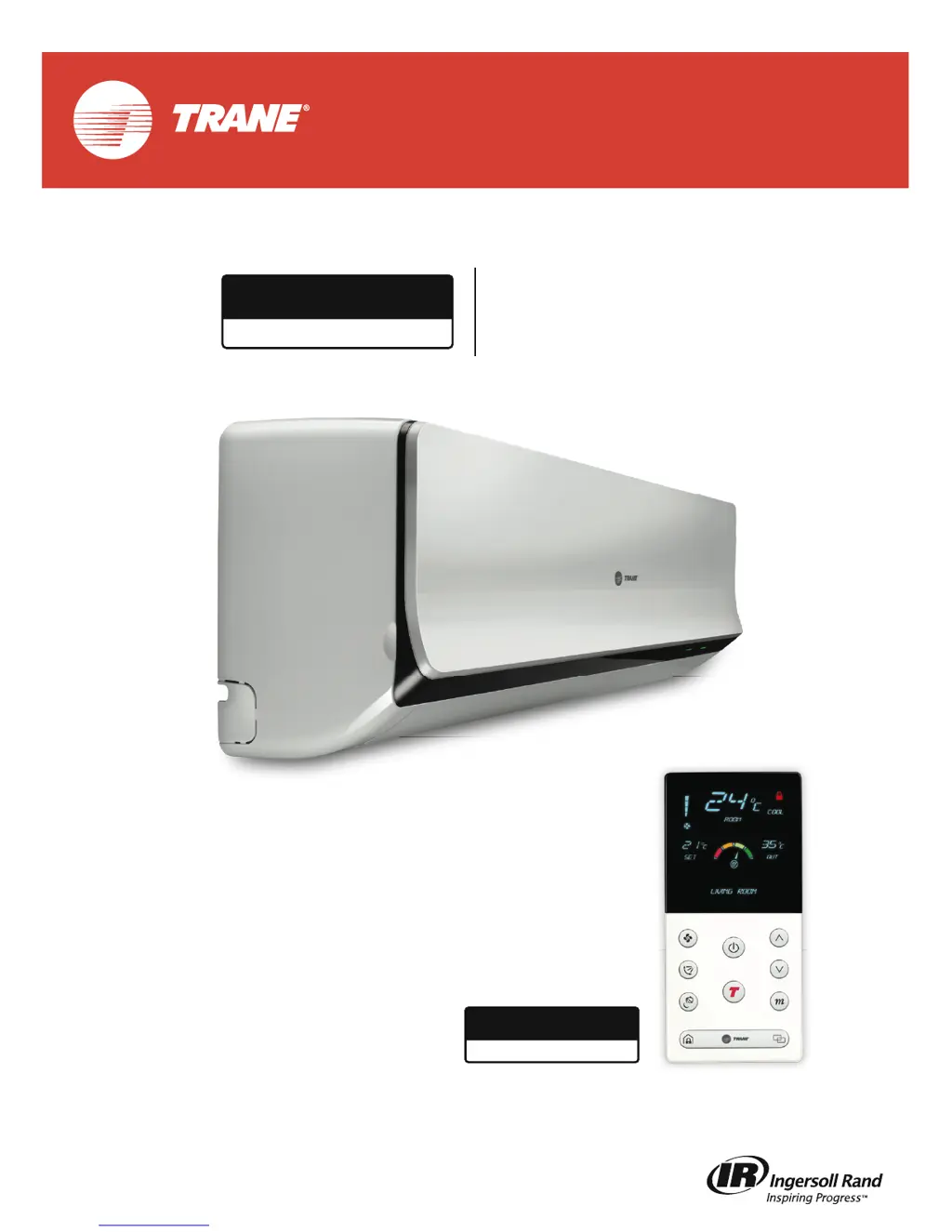
This document describes the TRANE Interactive Air Conditioner, a split AC unit designed for home use, emphasizing intuitive operation, energy efficiency, and modern design. It provides guidance on operating the unit, its remote control, and performing periodic maintenance.
The TRANE Interactive AC is a heating, ventilation, and air conditioning (HVAC) unit that assesses, manages, and provides feedback on your in-home climate. It features an "Interactive AC" system that intelligently adjusts settings based on outdoor temperature to optimize comfort and efficiency. The unit operates in various modes, including:
The unit also includes a Night Latch Mode (for units with "TRANE Lock"), which helps prevent unauthorized access to the home by operating only when the lock and AC are connected on a network. A Multi Room feature allows a single remote to select and control two or more AC units within a network, displaying the name and current settings of the selected AC on the remote.
The TRANE Interactive AC is designed for ease of use with a comprehensive remote control and manual operation options.
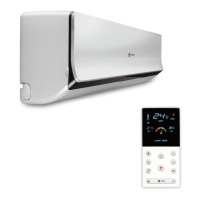
Remote Control: The remote control is the primary interface for operating the AC unit. It features a clear LED display that shows:
Key buttons on the remote allow users to:
The remote control has a range of 14 meters indoors and 160-175 meters outdoors (without obstacles). It is important to keep the remote away from metals, electronic, or heating devices to prolong its life and avoid direct sunlight to prevent display issues.
Manual and Auto Restart Operation: In situations where the remote control is unavailable, the unit can be operated manually. By lifting the front panel (up to 60 degrees), a manual control button can be accessed. Pressing this button switches the unit on with default settings: COOL mode, MEDIUM fan speed, SWING louver, and a SET TEMP of 24°C.
The Auto Restart Function ensures that if a power cut occurs during operation, the unit will automatically restart with all previously saved settings once power is restored.
Indicators and Sound: The indoor unit features LED indicators (LED1 and LED2) that provide visual feedback on the unit's status, such as Standby, Operating, TRANE mode active, and error conditions. The remote control also displays error messages and the energy efficiency meter. Sound indicators (beeps) confirm power ON/OFF, mode changes, and button presses on the remote.
Regular maintenance is crucial for the efficient and safe operation of the TRANE Air Conditioner. The manual outlines several user-performable maintenance tasks and emphasizes the need for professional service for outdoor unit maintenance.
Cleaning Air Filter: Clogged air filters reduce cooling efficiency. It is recommended to clean the air filter every two weeks.
Maintenance for Long Duration Non-Use: If the unit will not be used for an extended period:
Checks Before Operation (Seasonal Use): Before starting the unit after a period of non-use:
Battery Replacement for Remote Control:
Troubleshooting: The manual provides a troubleshooting guide for common issues like lack of cool air, unusual odors, water flow sounds, mist formation, creaking noises, unit not operating, decreased cooling efficiency, and remote control malfunction. For persistent problems or error messages displayed on the remote (e.g., EEPROM ERROR, COMPRESSOR FAILURE, SENSOR ERRORS, COMMUNICATION ERROR, INPUT POWER ERROR, FAN FAILURE, BATTERY LOW ERROR), users are advised to contact a local dealer or customer service center. It explicitly states that users should not attempt to repair the unit themselves.
Stabilizer Detail: A table provides recommended Stabilizer KVA based on AC Tonnage (e.g., 1.0 AC Tonnage requires 3 KVA, 2.0 AC Tonnage requires 5 KVA). It is suggested to use a TRANE recommended stabilizer.
The TRANE Interactive AC is designed to offer a comfortable, efficient, and convenient home environment, backed by comprehensive operational and maintenance guidelines to ensure its longevity and performance.
 General
| Brand | Trane |
|---|---|
| Model | SPLIT AC |
| Category | Air Conditioner |
| Language | English |


 To Next Page