ARTC-SVX013A-EN
35
Table 10. HMI settings menu screens (continued)
Screen User Interface Function Access
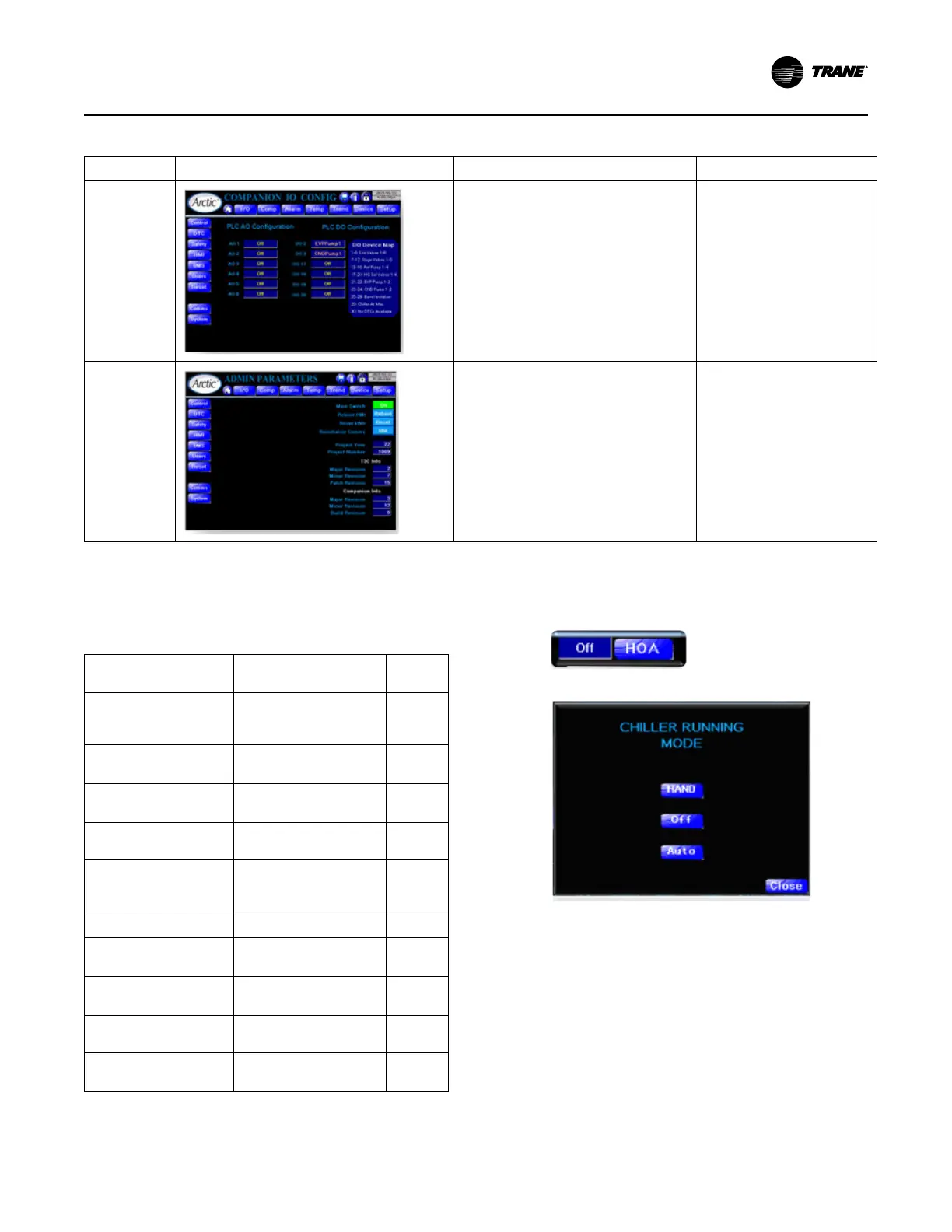
Companion IO
Configuration
• Allows use of T3C Output terminals, both
analog and digital for Companion
functions.
• Touch each output configuration box to
scroll through available functions.
• Since this page is accessed through the
HMI configuration page which has admin
access only, this page is also admin
access only.
Main Menu > Settings Menu >
HMI > Companion > T3C IO
Admin
Parameters
(Admin
Credentials)
• Controller Software Revision
• Project information
• Master Switch control
• Power Metering reset
• Re-initialize compressor communication
• HMI reset
Main Menu > Settings Menu >
HMI > Admin Parameters
Admin access only.
Special Functions
The following table lists the special functions of this control
system:
Table 11. Chiller control system special functions list
Function Brief Access
Level
Hand/Off/Auto Allows user to manually
enable the chiller to operate
based on its own signals
User
Chiller Setpoint (User) Allows user to view the
chillers setpoint.
User
Chiller Setpoint (advanced) Allows user to change the
setpoint functions
Admin
EXV Control Monitor and Control EXVs
functions
Tech
Condenser Control Monitor and Control fan
banks and condenser
bypass valve functions
Tech
Tonnage and Power (View) See pop-up display of data User
Tonnage and Power
(Control)
Adjust settings Admin
Metric/Imperial Set system to display either
metric or imperial units
Admin
BMS Monitor and Control Provides interface between
chiller and BAS
Admin
Compressors Staging Valve
Control
Monitor and Control
compressor staging valves
Tech
Hand/Off/Auto
The Hand/Off/Auto control consists of 2 components:
• Display and Access button (invokes control screen)
• Control screen
The Hand/Off/Auto function has 3 modes:
• Off – no function. Compressors are off and remain so
regardless of loop temperatures. All display functions
work as normal. Chiller Enable is White and OFF.
• Hand – the chiller controls the compressors based on
(by default) achieving setpoint on leaving chilled water
temperature. Chiller Enable displays Red and Hand.
• Auto – this mode requires an external (hardwired)
signal providing Chiller Enable; otherwise, Chiller is Off.
Once Chiller Enable signal is provided, chiller controls
compressors according to setpoint. Chiller Enable
displays White and Auto.
Operating Procedures


 To Next Page