58
ARTC-SVX013A-EN
Table 17. Chiller pump control
Screen User Interface Function Access
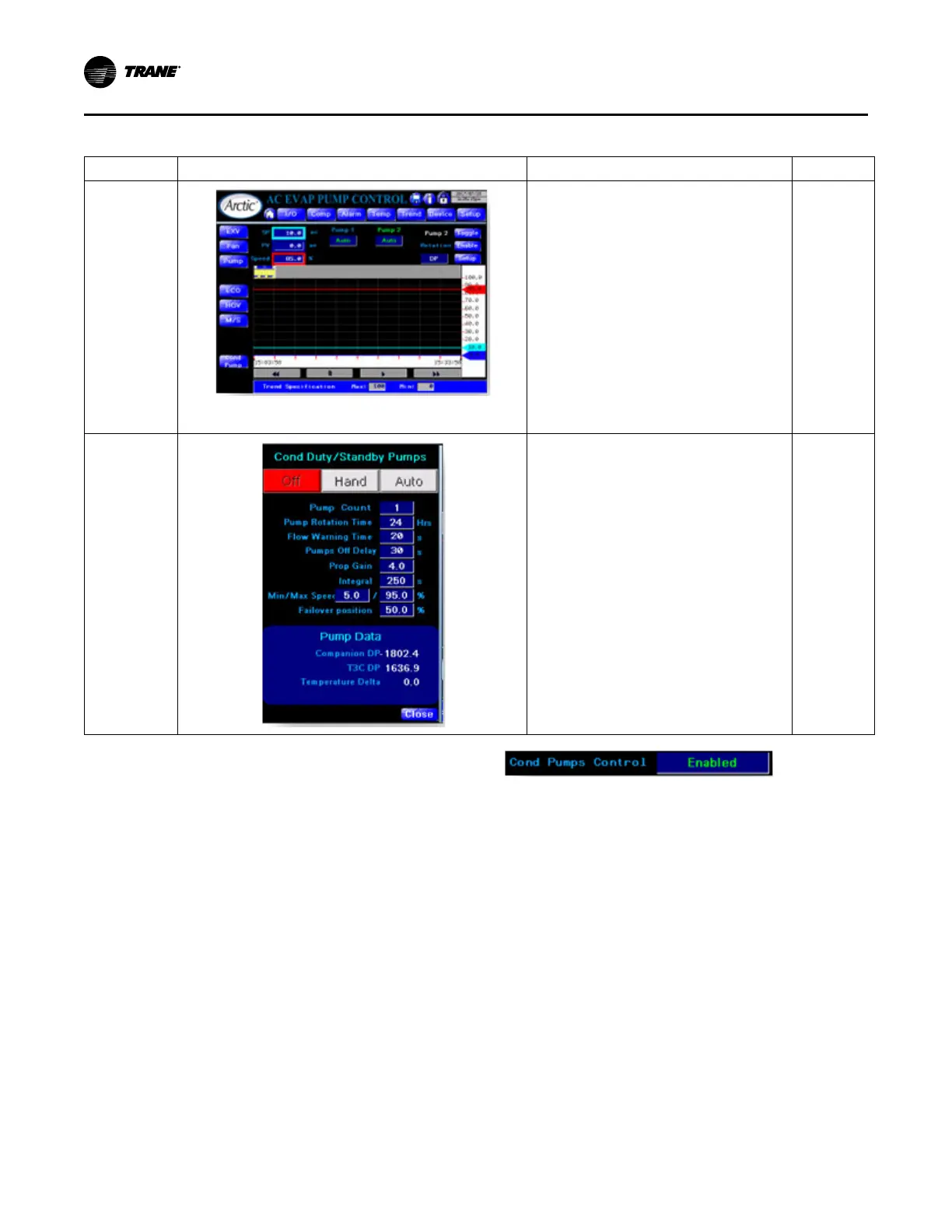
Evaporator
Pumps Control
• Displays trend and current values for Setpoint,
Process Value and Control value. Pumps
speed is controlled based on:
– DP - Differential pressure sensor
connected to companion controller
– dT - Evaporator inlet/outlet temperature
delta
– T3C dP - Evaporator inlet/outlet pressure
delta
• Setpoint is tech level adjustable.
• Rotation enables Duty/Standby pumps rotation.
• Toggle forces Duty/Standby pumps rotation.
• To access other settings, click Setup.
• Trend has y-axis zoom capability.
Main Menu >
Devices
Menu >
Pump
Evaporator
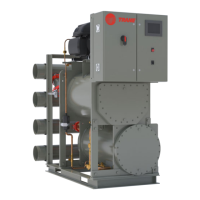
Pumps Setup
• P-Gain and I PID constants.
• Max and Min pumps speed settings.
• Failover position. Pumps speed when
controlled sensor fails.
• Pump Count. 1 – only one evaporator pump is
controlled. 2 – two pumps Duty/Standby control
is active.
• Pump Rotation time. When this time elapses
Duty pump stops and Standby pump starts.
• Flow warning time. If there is no flow for this
time while pump is operating, respective pump
flow alarm is triggered.
• Off delay at switchover. As Duty pumps starts,
Standby pump keeps running for this time to
ensure flow presence.
• Pumps Off Delay. When chiller turns off pump
keeps running for this time until compressors
come to a complete halt.
Main Menu >
Devices
Menu >
Pump
button >
Setup
button
Condenser Pumps
To activate condenser pumps control in the controller, set
up Cond Pumps Control on the HMI Configuration page to
Enabled.
Operating Procedures


 To Next Page