VAV-SVX01C-EN 31
UCM Programming and Operation
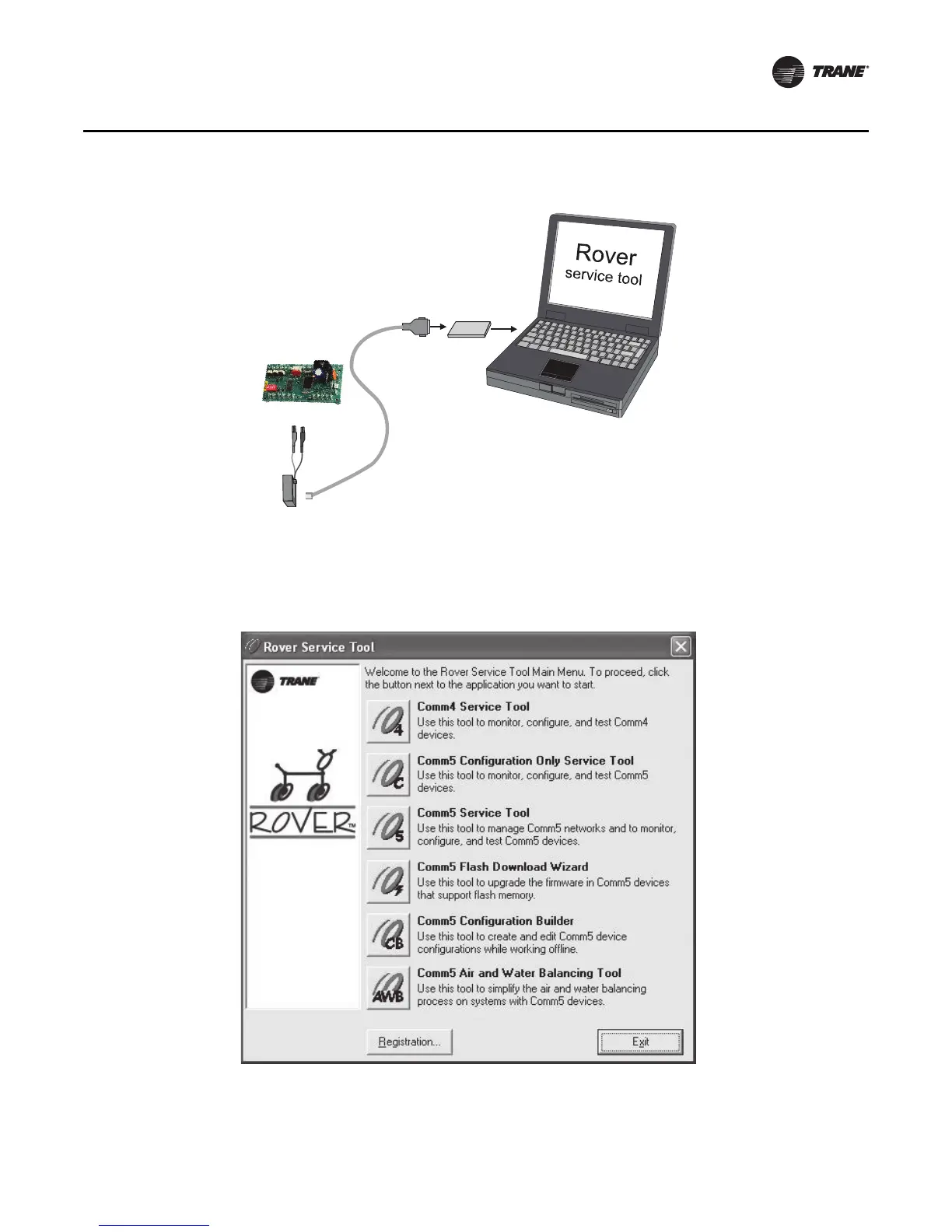
3. Double-click the Rover icon on the laptop PC desktop. The Rover Service Tool screen will
appear.
4. Double-click on the Comm4 Service Tool icon to access a Comm4 VAV UCM. This tool allows
the user to monitor, configure, and test Comm4.
Figure 16. Connecting to a Comm4 controller using alligator clips
Figure 17. Rover service tool
Comm4
PCMCIA card
Adapter
cable
RJ11 plug
Black
Red


 To Next Page
 Loading...