EasyManua.ls Logo

Trane X1379088401 - User Manual

Trane X1379088401
32 pages
Print Icon
To Next Page IconTo Next Page
Loading...
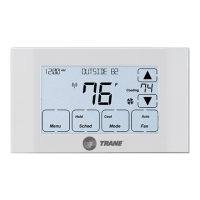
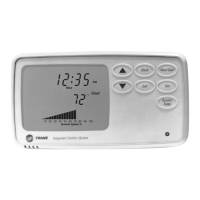
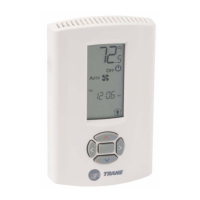
Programmable Zone Sensor
June 2010 BAS-SVX17B-EN
Installation, Operation,
and Maintenance
SAFETY WARNING
Only qualified personnel should install and service the equipment. The installation, starting up, and servicing
of heating, ventilating, and air-conditioning equipment can be hazardous and requires specific knowledge and
training. Improperly installed, adjusted or altered equipment by an unqualified person could result in death or
serious injury. When working on the equipment, observe all precautions in the literature and on the tags,
stickers, and labels that are attached to the equipment.

Questions and Answers

  • N
    nicole72Aug 17, 2025
    What to do if the keypad does not respond on my Trane X1379088401 Temperature Controller?
    • P
      pharrisAug 17, 2025
      If the keypad on your Trane Temperature Controller isn't responding, check if the lock symbol is displayed. To unlock it, simply press and hold the left and right arrow keys simultaneously for 4 seconds.
  • B
    Brian AndersonAug 19, 2025
    How to reset the check filter symbol on a Trane Temperature Controller?
    • J
      Jamie ReyesAug 19, 2025
      If the check filter symbol is flashing on your Trane Temperature Controller, you can reset the timer by pressing the up and down arrows simultaneously for 2 seconds until the symbol disappears. If you wish to disable this function or change the interval, adjust option 11 for VAV configurations or option 12 for CV/HP configurations to a different value.
  • W
    William GallegosAug 22, 2025
    Why zone temperature does not appear on my Trane X1379088401?
    • D
      Dustin TrujilloAug 22, 2025
      If the zone temperature does not appear on your Trane Temperature Controller, verify that option value 1 has been selected for option 13 in CV/HP configurations or option 12 in VAV configurations.
  • W
    wyatt50Aug 25, 2025
    Why is my Trane X1379088401 operating before the scheduled period begins?
    • R
      rforbesAug 25, 2025
      If your Trane Temperature Controller system starts operating before the scheduled period, it might be because the computed recovery option is enabled (if option 7 is set to 1). This feature allows the system to start early to efficiently reach the desired temperature by the scheduled occupied period.
  • D
    dariusdavisAug 27, 2025
    What to do if the fan is not running when set to 'On' on my Trane Temperature Controller?
    • K
      Kathleen RamseyAug 28, 2025
      If the fan is set to the On position but isn't running on your Trane Temperature Controller (CV/HP configurations only), first verify that the value for option 10 is set correctly. If set to 1, ensure the fan is set to On for the current period. If set to 0, check the value for Option 6; if it’s set to 1, the fan will always operate in Auto mode during unoccupied periods.
  • C
    Christine PhillipsAug 30, 2025
    What does 'SH' and 'Off' flashing mean on my Trane X1379088401 Temperature Controller?
    • R
      ramosamberAug 30, 2025
      If “SH” appears in the temperature location and “Off” flashes on your Trane Temperature Controller display, verify that Option 11 is set correctly for CV/HP configurations (option 10 for VAV configurations). If set to 1, check the wiring from the remote sensor at terminals S1 and S2 for a shorted condition. If set to 0, the on-board thermistor has shorted and the sensor must be replaced.
  • J
    Jeremy GrossSep 2, 2025
    What does 'OP' and 'Off' flashing mean on my Trane Temperature Controller?
    • H
      hawkinsronaldSep 2, 2025
      If “OP” appears in the temperature location and “Off” flashes on your Trane Temperature Controller display, verify that option 11 is set correctly for CV/HP configurations (option 10 for VAV configurations). If set to 1, check the wiring from the remote sensor at terminals S1 and S2 for an open circuit condition. If set to 0, the on-board thermistor is open and the sensor must be replaced.
  • Y
    yvettebatesSep 5, 2025
    How to fix a Trane X1379088401 when the display does not come on?
    • E
      Elizabeth WalkerSep 5, 2025
      If the display on your Trane Temperature Controller doesn't come on, check the 24 Vac power supply at terminals 11 and 14 at the sensor. Also, make sure the terminal block is properly positioned on its pins.
  • T
    Terry ReedSep 7, 2025
    What does it mean when the number '99' flashes on my Trane Temperature Controller?
    • G
      Gregory OlsonSep 7, 2025
      If your Trane Temperature Controller displays the number “99” flashing, it indicates that the space temperature is above the measurable range.
  • L
    Leslie SandersSep 12, 2025
    What does it mean when the number '32' flashes on my Trane X1379088401?
    • M
      Mrs. Kelsey JohnsonSep 12, 2025
      If your Trane Temperature Controller displays the number “32” flashing, it means the space temperature is below the measurable range.

Summary

General Information

Product Description

Provides details on the sensor's features, compatibility with control units, and system modes.

Pre-Installation

Location Considerations

Advises on ideal sensor placement, highlighting areas to avoid for accurate temperature readings.

Installation

Mounting the Back Plate

Step-by-step guide for securing the sensor's back plate to the mounting surface.

Wiring the Sensor

Instructions for connecting the sensor's terminal block to the unit controller with proper wiring.

Configuration

Operation

Scheduling

Explains how to create and manage the weekly operating schedule for the sensor.

Maintenance and Troubleshooting

Error Codes

Lists common error codes displayed by the sensor and their meanings.

Troubleshooting Table

A table listing common problems and their corresponding solutions for the sensor.

Trane X1379088401 Specifications

General IconGeneral
BrandTrane
ModelX1379088401
CategoryTemperature Controller
LanguageEnglish

Related product manuals