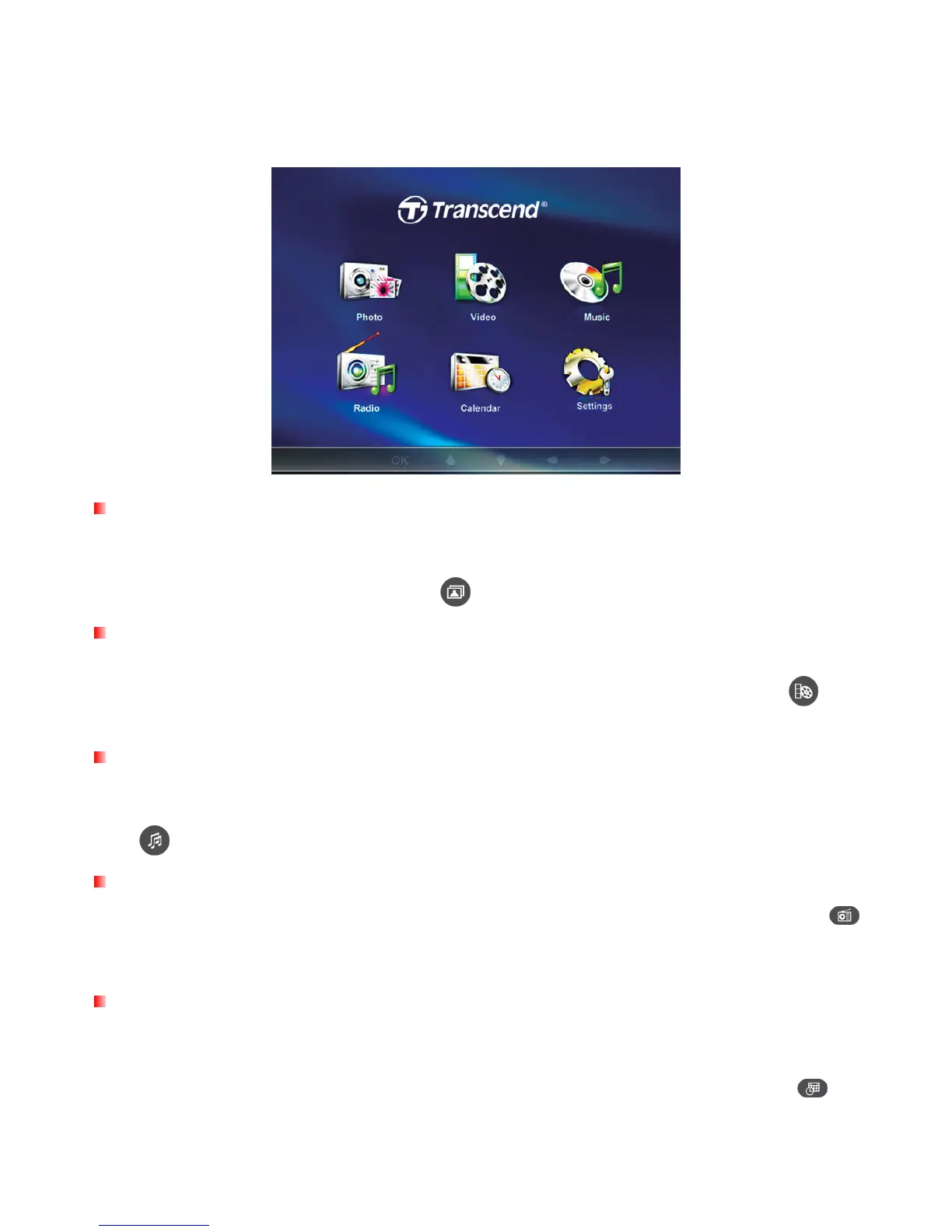
The Home Menu︱
The Home menu acts as a convenient gateway to access all of Photo Frame’s functions. Use the UP /
DOWN / LEFT / RIGHT buttons to select one of the six icons listed in Home menu (shown below) and
press OK.
Photo
This option lets you display photos in Thumbnail, Photo view or slideshow mode with special effects.
You can also copy multiple photos to and from the internal memory in this mode. Use the OSD to
select the “Photo” icon or press
to enter the Thumbnail mode directly.
Video
The convenient Video function lets you use your Photo Frame to playback your favorite movies,
music videos, home movies, and more. Use the OSD to select the “Video” icon or press to
open the Music Explorer.
Music
By selecting the Music option, you can playback music on your Photo Frame, and even choose your favorite
song to wake you up in the morning as your alarm clock sound. Use the OSD to select the “Music” icon or
press to open the Music Explorer.
Radio
Photo Frame also features a built-in FM radio tuner. By selecting the “Radio” option or pressing
on the remote, you can program and listen to your favorite radio stations while viewing your photos
at the same time.
Calendar
The Calendar option turns your Photo Frame into an attractive desk clock/calendar with pictures. In
this mode you can mark important dates and holidays, and even choose a festive theme to go with
them (i.e. a heart theme for Valentine’s Day). Use the OSD to select “Calendar” or press
.



 To Next Page