4.
Press once to go back to the previous screen.
5.
Press
again to revert to the Home menu.
Add to / Remove from My Favorites ( ): Copy the currently selected photo in the Thumbnail
viewer to the Photo Frame’s internal memory (when the viewing source is a memory card or
USB flash drive). To remove a photo from the internal memory, select “My Favorites” as the
viewing source, navigate to the desired thumbnail to remove, and then choose “Remove
from My Favorites.”
Slideshow ( ): Switch to Slideshow mode.
Photo View: Switch to Photo View mode.
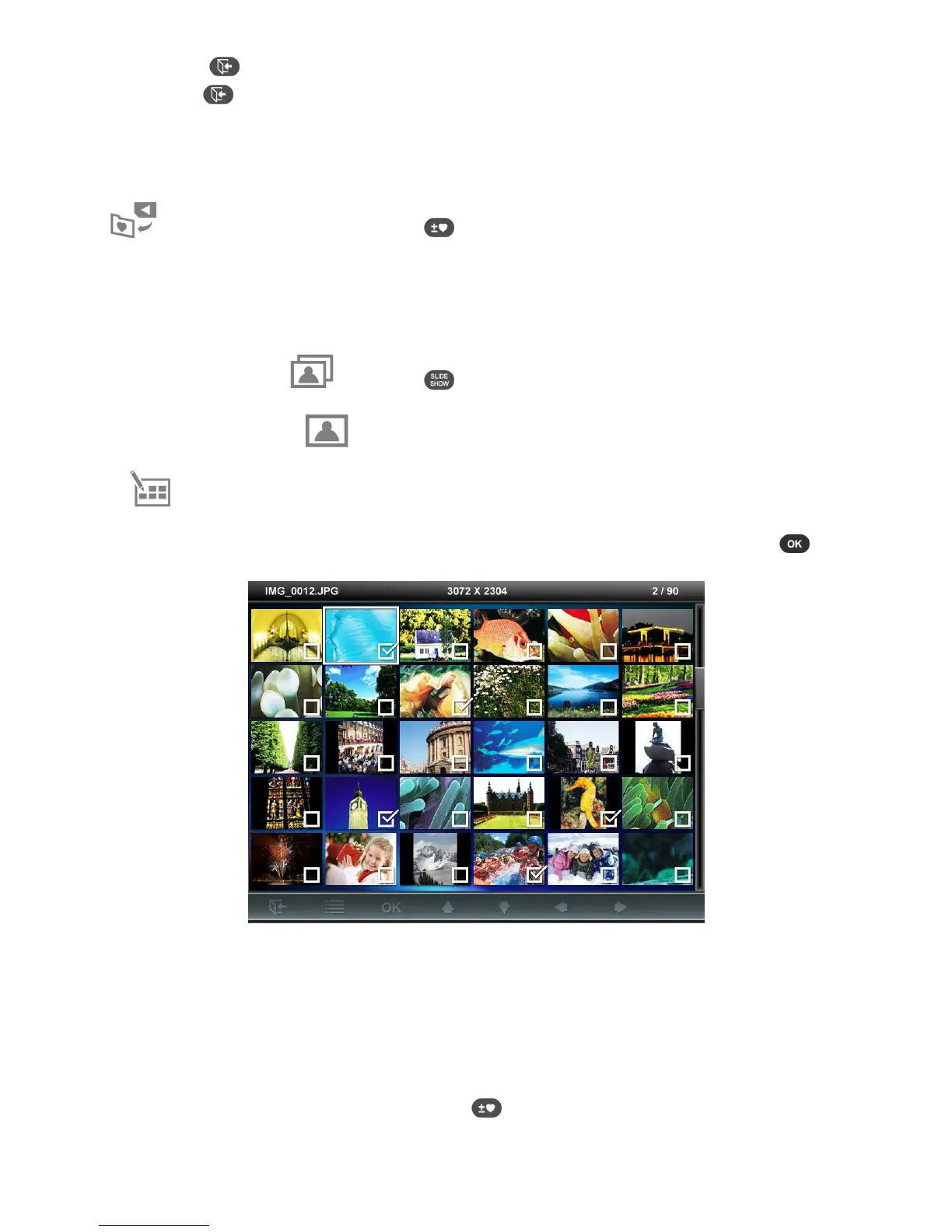
Select Multiple Photos: This option lets you select multiple photos to copy to the Photo
Frame’s internal memory. 24 thumbnails with check boxes will be displayed per page. Use
the UP, DOWN, LEFT and RIGHT buttons to move between images and press
to
check/uncheck individual photos.
• Select All: Select all items in current media source.
• Deselect All: Deselect all items in current media source.
• Select All On Page: Select all items on current page.
• Deselect All On Page: Deselect all items on current page.
• Select Inverse: Select all un-selected items, and deselect all selected items.
• Slideshow of Selected Photos: Start a slideshow with currently selected photos.
•
Add to / Remove from My Favorites ( ): Copy the currently selected photo(s) to or
remove from the Photo Frame’s internal memory. Note: the “Remove” option will be



 To Next Page