EasyManua.ls Logo

TRANSTEK TMB-1776-B - User Manual

Default Icon
17 pages
Print Icon
To Next Page IconTo Next Page
Loading...
version:1.0
User Manual
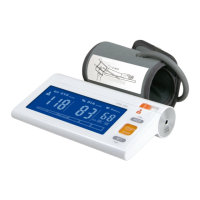
Blood Pressure Monitor
TMB-1776-B
Arm Type
Thank you very much for selecting TRANSTEK Blood Pressure Monitor
TMB-1776-B.
Please read the user manual carefully and thoroughtly so as to ensure the safe
usage of this product, and keep the manual well for further reference in case
you have problems.
Guangdong Transtek Medical Electronics Co., Ltd.
Zone A, No.105 ,Dongli Road, Torch Development District,
Zhongshan,528437,Guangdong,China
FCC ID:OU9TMB1776BS

Questions and Answers

  • K
    kbellAug 12, 2025
    What to do if TRANSTEK Blood Pressure Monitor shows E2?
    • R
      Rebekah CooperAug 12, 2025
      If your TRANSTEK Blood Pressure Monitor displays 'E 2', it means the monitor detected motion during the measurement. To resolve this, relax for a moment and then measure again, ensuring you remain still during the process.
  • S
    Shannon HallAug 16, 2025
    How to fix TRANSTEK TMB-1776-B showing E1?
    • L
      Lori BurkeAug 16, 2025
      If your TRANSTEK Blood Pressure Monitor displays 'E 1', it indicates that the cuff is either too tight or too loose. To fix this, refasten the cuff, ensuring it fits properly, and then measure your blood pressure again.
  • A
    Amber MoonAug 20, 2025
    What to do if TRANSTEK Blood Pressure Monitor shows E3 error?
    • A
      anthonysmithAug 20, 2025
      If your TRANSTEK Blood Pressure Monitor displays 'E 3', it means the device isn't detecting a pulse signal during measurement. Try loosening any clothing on your arm and then measure again to ensure proper detection.
  • B
    bentleyricardoAug 23, 2025
    What to do if TRANSTEK TMB-1776-B displays E4?
    • M
      Melissa LawsonAug 23, 2025
      If your TRANSTEK Blood Pressure Monitor displays 'E 4', it indicates that the measurement process failed. To resolve this, relax for a moment and then attempt the measurement again.
  • B
    Barbara MorseAug 27, 2025
    Why TRANSTEK TMB-1776-B has no power?
    • J
      John WatkinsAug 27, 2025
      If your TRANSTEK Blood Pressure Monitor isn't powering on, it could be due to several reasons: * The batteries may be exhausted, so replace them with new ones. * The batteries might be inserted incorrectly; ensure they are correctly placed. * If using an AC adapter, it may not be fully inserted. Make sure the AC adapter is tightly connected.
  • S
    Sarah KirbyAug 30, 2025
    Why TRANSTEK Blood Pressure Monitor shows low battery?
    • N
      Nancy YoungAug 31, 2025
      If your TRANSTEK Blood Pressure Monitor displays a low battery warning or shows a batteries error message, it means the batteries are low. Replace them with new batteries to resolve this issue.
  • B
    Beverly MartinezSep 3, 2025
    What does EExx mean on TRANSTEK Blood Pressure Monitor?
    • M
      Malik WilliamsSep 3, 2025
      If your TRANSTEK Blood Pressure Monitor displays an 'EExx' error, this indicates a calibration error. Retake the measurement. If the problem continues, further assistance is needed.
  • A
    Amanda BrownSep 7, 2025
    What to do if TRANSTEK Blood Pressure Monitor is out of measurement range?
    • D
      Dean ThomasSep 7, 2025
      If your TRANSTEK Blood Pressure Monitor is out of the measurement range, retake the measurement. If the problem persists, further assistance is needed.

Summary

INTRODUCTION

General Description

Provides an overview of the blood pressure monitor and its features.

Indications for Use

Specifies the intended use and target users for the device.

Contraindications

Lists conditions and user groups for whom the device is not suitable.

Measurement Principle

Explains the oscillometric method used for blood pressure measurement.

Safety Information

Details safety symbols and general precautions for using the device.

INTRODUCTION

CAUTION

Lists critical warnings and precautions to prevent injury or device damage.

INTRODUCTION

LCD display signal

Explains the meaning of various symbols displayed on the LCD screen.

Monitor Components

Identifies and labels the physical parts of the blood pressure monitor.

List

Enumerate all items included in the product package.

BEFORE YOU START

The Choice of Power Supply

Describes the options for powering the monitor, battery and AC adapter.

Installing and Replacing the Batteries

Provides step-by-step instructions for battery installation and replacement.

Setting Date and Time

Guides users on how to set the correct date and time for accurate record keeping.

BEFORE YOU START

Select the User ID

Instructions on choosing between User A and User B for measurement.

BEFORE YOU START

Pair up with Your Device

Details on connecting the monitor to a smartphone via Bluetooth.

MEASUREMENT

Tie the cuff

Instructions on how to correctly position and apply the blood pressure cuff.

MEASUREMENT

Start the Measurement

Step-by-step guide to initiating and performing a blood pressure measurement.

DATA MANAGEMENT

Recall the Records

How to access and view previously stored measurement results.

Delete the Records

Instructions for removing individual measurement records from memory.

DATA MANAGEMENT

Delete all records

Procedure for clearing all stored measurement data from the device.

INFORMATION FOR USER

Tips for Measurement

Advice on factors that can affect measurement accuracy.

INFORMATION FOR USER

Maintenance

Guidelines for proper care and upkeep of the device.

ABOUT BLOOD PRESSURE

What are systolic pressure and diastolic pressure?

Explanation of the two key blood pressure readings.

What is the standard blood pressure classification?

Information on blood pressure categories defined by the AHA.

Irregular Heartbeat Detector

Explains the function and meaning of the irregular heartbeat indicator.

ABOUT BLOOD PRESSURE

Why does my blood pressure fluctuate throughout the day?

Discusses factors influencing daily blood pressure changes.

Why do I get a different blood pressure at home compared to the hospital?

Explains potential discrepancies between home and clinical measurements.

Is the result the same if measuring on the right arm?

Guidance on measuring on different arms.

SPECIFICATIONS

Device Specifications

Technical details including power, display, accuracy, and dimensions.

AUTHORIZED COMPONENTS

Authorized Components

Lists approved accessories and adapters for the device.

CONTACT INFORMATION

Contact Information

Provides manufacturer details and customer support contact.

FCC STATEMENT

FCC Statement

Declares compliance with FCC regulations for digital devices.

COMPLIED STANDARDS LIST

Complied Standards List

Lists the industry standards the device adheres to.

EMC GUIDANCE

EMC Guidance

General information and warnings regarding electromagnetic compatibility.

Technical description

Details about EMC requirements for safe operation.

TRANSTEK TMB-1776-B Specifications

General IconGeneral
BrandTRANSTEK
ModelTMB-1776-B
CategoryBlood Pressure Monitor
LanguageEnglish

Related product manuals