16
EN
minipool Phantom PR1
Use
OPERATIONAL FUNCTIONS
BLOWER
(OPTIONAL)
OK
OK
The function can only be activated when the water
level is sufcient.
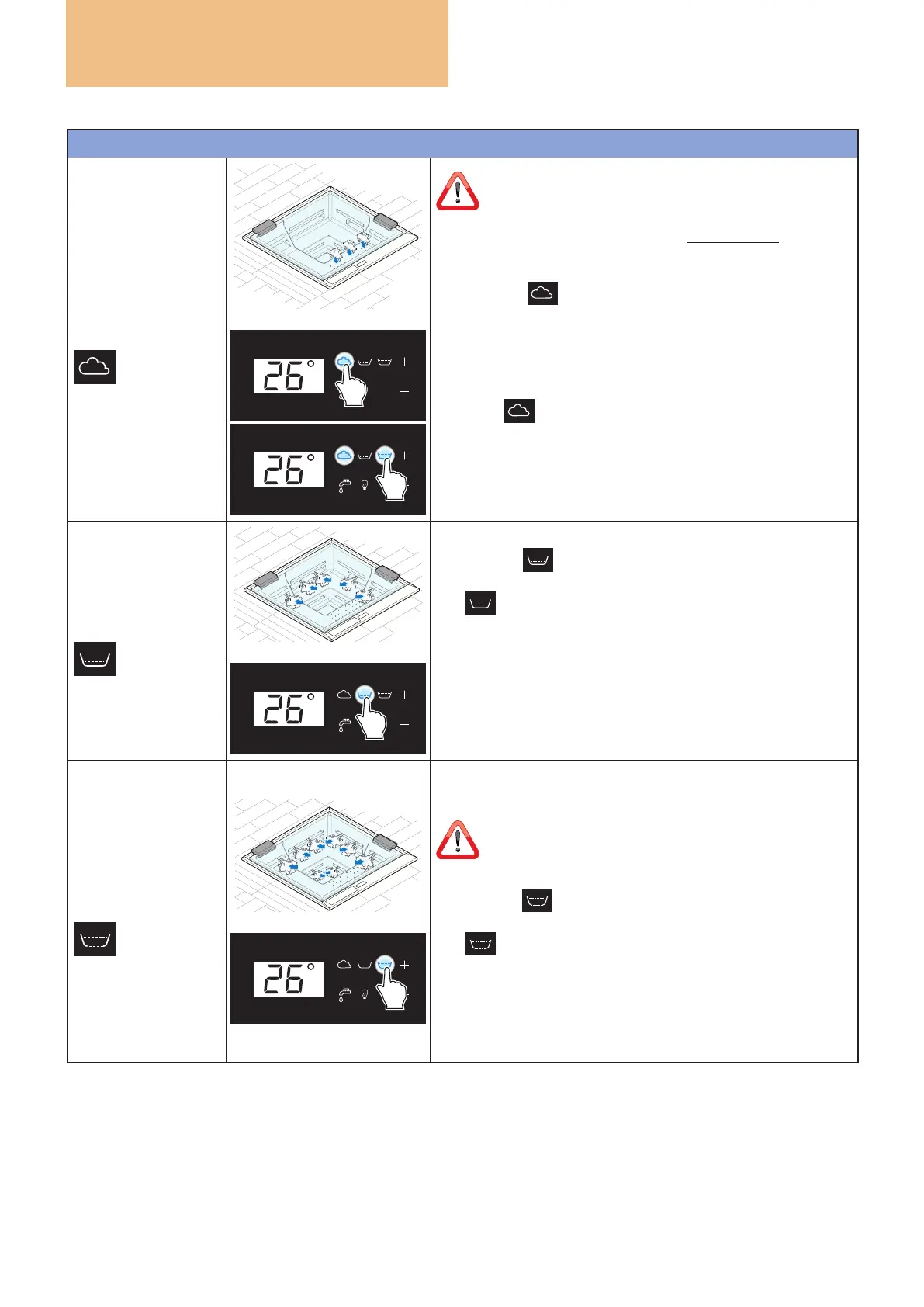
The minipool can be equipped with a blower motor that drives
the nozzles seat.
pressing the
key starts the nozzles on the seat (default
duration 20 minutes).
The blower function on the seat can be started even if the
whirlpool is running.
When the
key is pressed again, the blower function stops,
the key returns to white and the temperature is shown again
on the display.
If not switched off manually, the function stops automatically
after 20 minutes.
PERIMETRAL PLUS
WHIRLPOOL
OK
Pressing the key activates the PLUS whirlpool function
on the lumbar area and the corresponding key turns blue.
The icon appears on the display for six seconds and then
is replaced by the temperature.
When the key is pressed again, the whirlpool function stops,
the key returns to white and the temperature is shown again
on the display.
If not switched off manually, the function stops automatically
after 20 minutes.
PERIMETER
WHIRLPOOL
(BACK AND LEGS)
OK
The whirlpool is divided into two areas:
on the back and on the legs.
The functions can only be activated when the water
level is sufcient. When EMPTYING, the whirlpool is
deactivated.
Pressing the key activates the whirlpool function on the
back and legs and the corresponding key turns blue.
The icon appears on the display for six seconds and then
is replaced by the temperature.
When the key is pressed again, the whirlpool function stops,
the key returns to white and the temperature is shown again
on the display.
If not switched off manually, the function stops automatically
after 20 minutes.



 To Next Page